

Tutorials, tips & practical knowledge to being best level designer & environment artist. I'm AlexG. Official X of WoLD. Tutorial Courses: https://xitter.cf/t.co/jHhvqfJAAs
Inside a Game Engine
Joined January 2010
- Tweets5K
- Following795
- Followers9.6K
- Likes3.3K







Pinned Tweet
"Modular Environment Design Masterclass" tutorial course is now available.
Includes:
▪️Comprehensive Masterclass
▪️Full Modular Asset Creation Pipeline
▪️Step-by-Step Workflow
▪️37 Videos
▪️12+hrs of Detailed Instructions
Download. Watch. Learn. Create. worldofleveldesign.com/store…

Your roadmap to environment art.
1. Maya Foundation
2. Substance Painter Essentials
3. Modular Environment Design Masterclass*
*If you never used UE5, then also UE5 Fundamentals Vol.1
Start today: worldofleveldesign.com/store…


Need more of step-by-step?
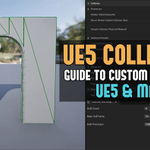
Check out this tutorial: UE5: Definitive Guide to Custom Collisions in Unreal Engine 5 for Static Meshes (UE5 and Maya)
worldofleveldesign.com/categ…

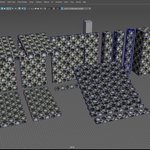
Maintaining similar texel density across all modular meshes helps to prevent & minimize texture inconsistencies.
This way textures appear at same level of detail across all meshes. This avoids texture on some meshes looking blurry & stretched while others look detailed & sharp.

Learn more and create modular assets with "Modular Environment Design Masterclass":
worldofleveldesign.com/store…

You don't need much to begin with.
Standard default modular base mesh kit assets to start with for most interiors or exteriors.
Wall, floor, ceiling, column, doorway, door, window, stairs.
Create these then expand from here.


FULL GUIDE: Beginner's Guide to Your First Modular Base Mesh Kit for Environment Design Interiors and Exteriors.
This tutorial breaks down how to create modular environment base mesh kit, which will become the foundation for everything else you build.
worldofleveldesign.com/categ…

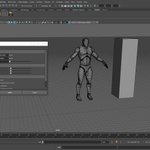
Proven and trusted grid and scale reference scene setup in Maya for environment asset creation. Modular or otherwise.

WorldofLevelDesign retweeted
Here is how to use #UE5 Simulate Physics for Static Mesh props to randomly and naturally place props around your environment in 60 seconds.
Why I create all modular environment assets that make up the blueprint of the environment in the same scene file...
The road ahead: worldofleveldesign.com/store…
Blocktober, Blocktober, the month of October...
2017, Michael Barclay game designer from Naughty Dog started hashtag on Twitter to honor blockots.
9 years later it is still going strong...
Blocktober: Your Quick Start Guide to Blockouts worldofleveldesign.com/categ…

17 Maya Beginner Tutorials: Introduction to Learning and Using Maya in Just 4 Hours
worldofleveldesign.com/categ…

UE5: Definitive Guide to Custom Collisions in Unreal Engine 5 for Static Meshes (UE5 and Maya)
worldofleveldesign.com/categ…

Creating UE5 Static Mesh collisions can be a pain & time suck.
Instead, follow UE5 Environment Asset Collision Steps Protocol:
1. Generate Missing Collisions on import
2. Redo Collisions in Static Mesh Editor drop down
3. Run Convex Decomposition
4. Custom Collisions in 3d app


Light sources. Got to have them. Otherwise where is the light coming from?
Can be used on walls, ceilings and even floors.
Modeled in Maya for UE5.


Very common you'll mess up your current Maya workspace to something you didn't want. And NOT know how to get it back.
Happens so often w/easy solution.
Go Windows > Workspaces > Reset to Factory Settings.
This resets to default, get everything back & any custom shelves stay.


