


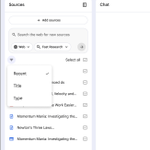
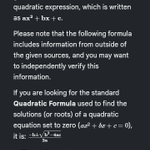



We've given Notebook on web a complete new look! Multi color cards on the home screen, thank you for your service for the last few years 🫡. Mobile coming up next.

One of my favorite use cases: load up the Ableton Push reference manual, and ask it live usage questions while messing around on beats with my kid


Talking to your grounded sources in @Gemini_Notebook, rolling out to all Ultra users now.
You can have a real time talking conversation with your Notebook contents.
A couple of cool features coming!
📣 Live voice chat with your Notebook.
📼 Background audio recording into your Notebook.
🎨 A fresh new look for the web app.
🇨🇱 80 more languages coming for short videos.
Rolling out gradually over the next week.
blog.google/innovation-and-a…

New this week: Notebook's agentic chat capabilities are now rolled out to 100% of mobile users.
Use mobile Notebook chat to perform research, create new file types like PDFs, and get more thoughtful answers.
Yes, the rumors are true: The more powerful Notebook experience is now 100% rolled out to ALL Pro users.
You might be asking... How exactly do I use it? Here are a few queries to try (ofc dependent on your sources).
Hot Tip: bookmark this post! Free users too 😉
For Learning:
"Create 5 quizzes of ascending difficulty focusing on a different topic from my sources"
"Turn my raw lecture notes into a formatted PDF study guide complete with a 5-question practice quiz."
"Add all of the URLs from this class syllabus as sources"
For Business:
"Calculate revenue growth across each product line and plot the trends"
"Read our marketing brief, search the web for competitors, and recommend how we should tune our messaging"
For Personal:
"I uploaded a bunch of receipts from our kitchen renovation, make a spreadsheet to track all the work and costs"
"Help me analyze this property purchase. Look up recent market performance in the neighborhood, predict trends, and make a spreadsheet to model all the data you find"
#papercut fixed.
If you lost a chat session on @Gemini_Notebook in the past when you accidentally close the laptop or the WiFi glitches out, the chat now reconnects as of today.
Rolled out to 100% of users on the web today (with mobile coming soon).
xster retweeted

Drag, drop, & get things done 🪄 @Gemini_Notebook comes on the Galaxy Z series. Drag & drop sources right into the app to turn them into a podcast, slide deck, quiz, and more. Plus, get 6 months of Google AI Pro for all your side passions. #GeminiIntelligence #GalaxyUnpacked
xster retweeted

I still remember the exact room, watching @stevenbjohnson break down how he writes books. That was the spark for a little project we never imagined would grow this big.
Today, over 30 million people and 600,000 organizations use it, and it keeps growing. We all feel like it's just getting started.
For a while, we’ve just called it "Notebook" internally. Today, we're making it official externally. :)
3 years ago we started as a tiny experiment with the goal of helping you learn faster.
Since then, we grew to bring audio, video, and interactivity to your sources, transitioning from a passive workspace to your true research companion.
And now, notebooks have even become an entire ecosystem: you can already access them in the @GeminiApp and soon in Google Search
So, with these advancements, it’s time for us to evolve once again:
NotebookLM is now Gemini Notebook ✨📓
The same app you know and love isn’t going anywhere, we just have an updated name that reflects our role in Google's AI portfolio.
And our mission stays exactly the same: helping you learn, faster.
Thank you for believing in us— this wouldn't have been possible without your passion (and feature requests...)
Big things to come (yes, even folders📂!) so stay tuned.
Sincerely,
The Project Tailwind team
xster retweeted

3 years ago we started as a tiny experiment with the goal of helping you learn faster.
Since then, we grew to bring audio, video, and interactivity to your sources, transitioning from a passive workspace to your true research companion.
And now, notebooks have even become an entire ecosystem: you can already access them in the @GeminiApp and soon in Google Search
So, with these advancements, it’s time for us to evolve once again:
NotebookLM is now Gemini Notebook ✨📓
The same app you know and love isn’t going anywhere, we just have an updated name that reflects our role in Google's AI portfolio.
And our mission stays exactly the same: helping you learn, faster.
Thank you for believing in us— this wouldn't have been possible without your passion (and feature requests...)
Big things to come (yes, even folders📂!) so stay tuned.
Sincerely,
The Project Tailwind team
xster retweeted
Doom scrolling but make it educational 🤓
Introducing Short Video Overviews in NotebookLM! Turn your most complex sources into 60-second, vertical videos that deep dive into any concept.
Rolling out now to Google AI Ultra and Pro subscribers on mobile & web (free users soon!)
xster retweeted

Notebooks in Gemini app is a top community ask - awesome to get this in before the holidays!
NotebookLM 🤝 @GeminiApp
You can now upload Notebooks directly into the GeminiApp. This is great for:
— Combining multiple Notebooks
— Generating images or apps inspired from your Notebooks
— Building on top of existing Notebooks with online research
— And more!
Try it today!
We shipped a number of features today. But there's real magic in combining them, putting together in-the-moment context acquisition with rich content transformation.
Turn long, dry text into glanceable instructions and checklists (and keeping the notebook for Q&A later)


🚨 MAJOR MOBILE UPDATES:
1. Upload images as sources directly from your mobile app. Select an image from your camera roll OR tap the new camera icon to take a live picture (whiteboards, textbooks, handouts, etc).
2. Infographics and Slide Decks are officially rolling out on mobile! Utilize the best of Nano Banana Pro, right from your pocket.
3. The app will save the progress on your audio overviews, so even if you exit the app, you can track which ones you've already completed or pick up where you left off (across mobile and web!)
xster retweeted

Upload a meeting transcript to NotebookLM and get it to turn it into a slide deck using Nano Banana Pro. Absolutely insane.
xster retweeted
With Slide Decks, it's less about making slides and more about telling stories. Try out any of these 4 use cases and see for yourself!
1. Sources to storybook
2. Deep Research report to simplified slides
3. Messy Notes into organized thoughts
4. Ugly Slides to Pretty Slides
xster retweeted

A live look at Planning Mode in action with @andyzhang on the @FlutterDev show.
📄 Implementation Plan – the agent’s logic
✍️ Feedback – leaving comments on that plan
🧾 Walkthrough – proof of the agent’s work
xster retweeted
Flashcards and Quizzes are officially rolling out TODAY on the mobile app!
You can customize the number of questions, difficulty, and topics all from the convenience of your phone.
Because being a busy, popular socialite should never get in the way of your studies 😎
xster retweeted
Did you know you can add sources to @NotebookLM from anywhere on your phone? Whether you're reading an article, watching a video, or doom scrolling— if you want to learn more, just share that page directly to NotebookLM to add it to an existing notebook or create a new one.