
Bilinear Blender blundering.
Joined June 2019
- Tweets582
- Following76
- Followers3K
- Likes369




🔞crute retweeted

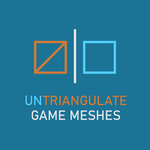
What are booleans? Why booleans, how booleans? Wanna intersect with me? A game art thread for our time. RTs appreciated for this humble effortpost

Nobody is talking about the ceiling lamp?

This is the best representation of pursuit vs saccade (“eye dart”) eye movement I’ve ever seen. #animtip
🔞crute retweeted

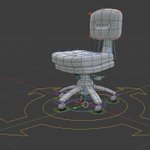
Received a few questions in the past about some of my low poly approach so thought Id try to explain it a bit better. Will be adding a couple more posts to the thread later on✨


🔞crute retweeted

As promised, here is the addon: github.com/Arminando/ActionP…
It is very much a work in progress but the core feature is there. Will also make a proper tutorial soon.
Planned extra features: support for shape keys, setup of correctives and much more
#b3d #rigging #techart #animation
🔞crute retweeted
Made a tool to streamline action constraint driven rigging. If anyone is interested I will put it on my github once it is finished.
Also, the first glimpse at the character for my book, Nnema.
#b3d #rigging #techart #animation #UnrealEngine
🔞crute retweeted
Never touched the gradient tool, until @bclark_cgchar talked about it. Now I can't go without it.
It can be aggressive so pair it with vertex selections to isolate areas you want to be affected.
#b3d #rigging #gamedev #animation
🔞crute retweeted

more fun with the wiggle bones addon. Little fake liquid Rig. Few hours more and it should be fine! Gets a bit laggy already but fairly good also in real time view. #blender3d #blendereevee #b3d
🔞crute retweeted

Occluders! 🧱
Breaking sightlines. Better post this before this old #leveldesign trick becomes redundant due to performance no longer being an issue 😅
Kidding!
Breaking sightlines will forever be important when World Building!


🔞crute retweeted

I just made some big updates to the Bone Widget Addon (for Blender 3.0+)
Better Quality video links:
youtu.be/PDNVeDOzjzw
vimeo.com/657697982
Download from Github
github.com/waylow/boneWidget
#b3d


That's... bloody brilliant!

If you prefer your 2D paint program when fixing visible UV seams consider duplicating the mesh and creating a new UV map (UV2) that doesn't share edges with UV1. Bake texture 1 (T1) using UV1 into a new texture (T2) using UV2. Next, fix the seams and bake T2 back into T1. #b3d
