

Software dev, UI/UX designer, researcher. Creator of "Sigma File Manager" and "Sigma-UI" 🔗 https://xitter.cf/t.co/SUJeyAWvIg
Joined August 2020
- Tweets141
- Following42
- Followers200
- Likes61






Looks clean. Fair warning from someone who's been building a modern Windows file manager for years: the first 90% takes an evening, then the native right-click menu, drag and drop into other apps and network shares take the rest of your life 😅
Typo matching in Windows search is long overdue. I built that into my free open source file manager a while back, it indexes all your drives and finds stuff in about a second even when you misspell it. Will their implementation get even close? Doubt it
No one should ever bully others, especially for trying, but if you are a vibe-coder please be respectful to real engineers, don’t pretend you know better, and don’t steal (copy) hard work and ideas, have the dignity and respect

I wish experienced developers would stop shitting on people who build things with AI.
“AI slop.”
“Generic.”
“Broken on mobile.”
A person that doesn't know the first thing about programming, but had an idea, built an actual product, and had the courage to share it with the world, gets bullied basically.
How about a little encouragement instead?
Everyone starts somewhere!
I agree that you should not bully people if they try something new, but they should listen and respect the real engineers in return and don’t pretend they know better and argue with them in a disrespectful manner
Well, if I have no medical degree, and decide to perform a heart surgery and the person end up paralyzed, will you bully me as well?
thanks for sharing it 🙏 lots of new stuff landing in v2 lately, would love to hear what you think if you give it a spin
Many reasons, one is that everyone just wants to be noticed and build something with AI
Some people just copy projects with 100 PRa a day, trying to sell them as their own
SFM progress (for v2.3.0): Dashboard page visual and functional improvements
Changes:
- Improved design of the Dashboard page;
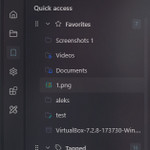
- Tagged: added sidebar for easier tag management;
- Tagged: added action toolbar for better filtering and preview;
- Tagged: tag cards now have more functionality and details on them;


SFM progress (for v2.3.0): improved tag editor
Changes:
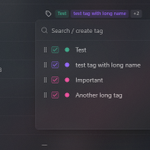
- Tags can now be rearranged in the editor and will be displayed in that order in the component
- The component now displays as many tags as it can fill in the available space instead of showing 1 and hiding the rest under the "+X"


SFM progress (for v2.3.0): new feature: duplicate tab
Changes:
- Now Ctrl+T behaves exactly as the plus button in the tabs bar
- New shortcut Ctrl+Alt+T duplicates current active tab
- Added new option to dropdown menu that duplicates selected tab


SFM progress (for v2.3.0): improved settings search
Changes
- Marching shortcuts now appear in the search results


SFM progress (for v2.3.0): added ability to save navigator settings "per folder"; redesigned navigator options menu

🎉 Sigma File Manager v2.2 Is Now Available!
A major update is now available on MS store, Winget, and Github
github.com/aleksey-hoffman/s…
Full changelog (with image previews):
github.com/aleksey-hoffman/s…

Looks nice. Are there any real comparisons with other solutions? Beyond the moronic claims like “faster-than-realtime transcription” on their GitHub page

SFM progress (v2.2.0): New feature: Box selection
Changes:
- Added ability to select files with box selection
- New setting "Enable box selection" which enables/disables this feature
- New setting "Increase file view gaps" which increase the empty space between file cards so it becomes easier to start box selection
