

No guru shit. Just experiments & progress.
Warsaw, Poland
Joined October 2026
- Tweets93
- Following63
- Followers371
- Likes273


Pinned Tweet
CHECK YOUR IPHONE RIGHT NOW!
Claude Code found thousands of my "deleted" photos still sitting in a hidden folder.
I plugged my iPhone into my PC for a backup and had Claude Code run a security check at the same time. I wasn't looking for photos. It stopped on a folder I had never opened: PhotoData/Thumbnails.
Thousands of files. Photos, videos, screenshots. Many of them were things I know I deleted.
Some were photos from a year or two back. Some were screenshots I took and removed a few seconds later. And some were still there after I had cleared Recently Deleted, which is supposed to be the end of the road for a deleted photo.
What was in that folder:
- previews of photos that are no longer in my library
- old screenshots
- previews of videos I deleted
- items that were already gone from Recently Deleted
To be clear, these are previews, not the original files. I'm not claiming anyone can open the full-size photos.
My guess is that iOS keeps these for search and browsing and doesn't clear them when you delete the photo. I haven't confirmed that in Apple's documentation, and I don't know whether other apps can read this folder. If you know the answer, tell me.
What I could check was the second part. In Settings, Privacy & Security, there's a Files and Folders list showing which apps can access your files. I went through it. There were more apps than I expected, including ones I installed a long time ago and forgot about.
I'm not saying any of them did anything. I just had no reason to give most of them that access, so I removed it from most of them.
Two things I took from this:
1. "Deleted" on a phone can mean "hidden from you", not "gone".
2. A security check from an AI agent is only as good as what you point it at. I pointed it at the backup, and it found what I wasn't looking for.
The prompt is in the first reply. It's quick if you already have a backup.
How many apps on your phone have Files access right now?

Claude just found 1,244 photos of my 19y/o sister on a random server
She never posted a single one of them…
I was making a birthday post for her and reverse-searched an old photo of us from last Christmas
Google found it on a site I'd never heard of. Just an open folder, no password
Inside the folder - 4 subfolders:
/gallery - 2,312 photos, sorted by date
/screens - 1,140 screenshots of her bank app and WhatsApp
/docs - her ID card, front and back
/new - empty
I refreshed the page
/new - 1 file
A selfie. Taken 4 minutes ago
I called her. She had no idea
I asked if I could check her phone. She said yes
I plugged her Samsung into my laptop, turned on USB debugging and gave Claude Opus 5.5 one prompt:
"Find whatever is sending this phone's photos to the internet"
It scanned 214 apps in 90 seconds and stopped on 1
"System Sync"
No icon. Hidden from the app drawer. Not from the Play Store
Every permission it had, and what it used it for:
accessibility → to read every screen she opened
all photos → to copy her whole gallery
mic + SMS + location → to know where she was and who she talked to
device admin → so the "Uninstall" button stayed grey
Then Opus decompiled the app and rebuilt its history:
Day 1 - installed by hand, on her unlocked phone
Day 2 - full gallery uploaded, 1,244 photos
Day 3 - first screenshot of her bank app
Day 41 - 1.8 GB sent, mostly between 1am and 5am
And one line in the code - the server address
The same site where I found her photos
96 screenshots and 87 new photos were still waiting in the upload queue
What we did in the next hour:
1. Screen-recorded everything as evidence
2. Turned off device admin, then removed the app
3. Changed 14 passwords from my laptop, not her phone
4. Turned on 2FA everywhere
5. Reported the folder to the hosting company
2 days later the folder was gone
But someone held her unlocked phone for a few minutes, 41 days ago
She still doesn't know who
Your must have 3-minute check tonight after saving this post:
1. Battery - anything draining power with the screen off
2. Photos - only your camera and gallery need "all photos"
3. Accessibility - every app there needs a reason to be there
4. Device admin - most people only need "Find My Device"
5. Hidden apps - no icon + "system", "sync" or "health" in the name = check it
Found something? Don't delete it on the spot. Screenshot everything, then remove it and change your passwords from a different device
Prompt below ↓
Readers added context they thought people might want to know
The post claims a real incident where Claude scanned a Samsung phone via USB debugging to find stalkerware, but the video shows iPhone UI and a custom non-Claude interface, contradicting Android-only ADB and actual Claude tool integration limits.
x.com/MahdiSPHP/stat…
androidauthority.com/how-to-use-adb…
phonebox.dev/guides/how-to-…
$7.81 in tokens turned my phone duo into a MacBook..
3.5 hours. That is what it took Claude Code to turn my iPhone Duo into a MacBook.
The top half of the fold is the screen. The bottom half is the keyboard and trackpad. An emulator runs on the phone itself, so a MacBook now fits in my pocket.
Claude Code wrote all of it. I described the goal, it built the rest.
[One line about the hardest moment: what broke or what you had to explain twice.]
Demo only for now, no public build yet.

$4,500 IN A WEEK on Google Play + Claude Code
40 minutes. That’s how long it took to turn an AI-generated video into a playable game.
The video was a concept: a samurai running through three mossy stone labyrinths, low-poly 3D camera angled like old PlayStation games.
First week: $4,500 from ads and IAPs
I gave Claude Code the idea and a few rules. Three labyrinths. Spear-wielding enemies. A boss at the end of the third. Gates that only open after the final kill.
What surprised me: it handled most of the design work on its own. Once the look, rules, and pacing are already on screen, the prompt stays short.


4
16
523
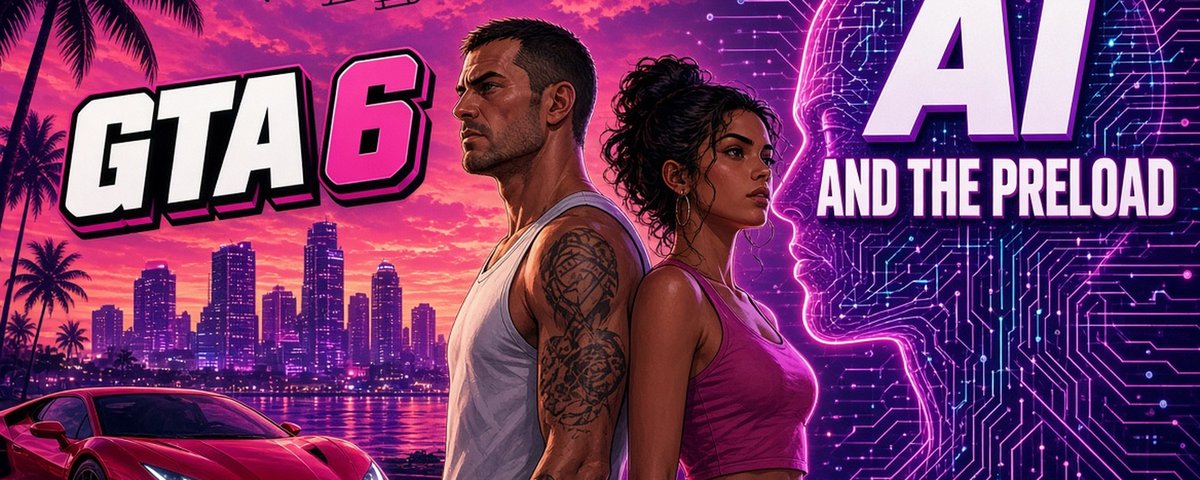
17 HOURS TO MAKE GTA6 IN ROBLOX
That's how long one Roblox creator says it took him, with AI, to put the first GTA 6 missions into Roblox.
The game came out 4 days ago. This is the first two minutes of the Roblox version: GTA VI loading art, then a sunlit street, a yellow pickup, a minimap in the corner. The white Roblox menu in the top left is the playtest notice.
Rockstar's art is all over it, so I wouldn't expect it to stay up long.

Rockstar used zero generative AI on GTA 6. People used it to scan the 212 GB preload and sort real signals from fakes. Here is what actually held up.
4
17
3,182
$18.5K IN 3 WEEKS from GTA 6 clips
It's not one app. It's a chain: record, find the moment, cut, reframe, caption, export. Each repo does one job, and a coding agent can help you wire them into one script.
[ RECORD + GRAB ]
01 OBS Studio → record gameplay
↳ github.com/obsproject/obs-st…
02 Streamlink → capture live streams
↳ github.com/streamlink/stream…
03 yt-dlp → download your own VODs
↳ github.com/yt-dlp/yt-dlp
[ FIND THE MOMENT ]
04 PySceneDetect → find scene changes
↳ github.com/Breakthrough/PySc…
05 ClipsAI → pick clips from a transcript
↳ github.com/ClipsAI/clipsai
[ TRANSCRIBE ]
06 faster-whisper → speech to text, locally
↳ github.com/SYSTRAN/faster-wh…
07 WhisperX → word-level timestamps
↳ github.com/m-bain/whisperX
[ CUT ]
08 Auto-Editor → remove silence and dead air
↳ github.com/WyattBlue/auto-ed…
09 LosslessCut → trim without re-encoding
↳ github.com/mifi/lossless-cut
[ REFRAME ]
10 MediaPipe → detect faces for the vertical crop
↳ github.com/google-ai-edge/me…
[ EXPORT ]
11 FFmpeg → crop, mix and export
↳ github.com/FFmpeg/FFmpeg
[ AGENT ]
12 Remotion Skills → guidance for your coding agent on video projects
↳ remotion.dev/skills
STOP PLAYING GTA 6 AT 30 FPS
A free open-source app and an RTX card are the way out.
It's called Veyra. The PS5 still runs the game at 30 FPS. Your RTX GPU generates the frames in between, so the picture is smoother.
you need:
→ Windows 11
→ RTX 40 or 50 series
→ a 120 Hz+ monitor to see anything past 60
→ PS5 and PC on Ethernet
setup is short:
1. download Veyra from the original repo (link in the first reply)
grab the NVIDIA portable zip from Releases and check it against SHA256SUMS.txt
2. connect the PS5 with Remote Play
turn it on in the PS5 settings, then give Veyra the console IP, your PSN Account ID (not the nickname) and the 8-digit code from Remote Play → Link Device. first run with enhancements off
3. turn on NVIDIA VFG and set the output cap to your monitor's refresh rate
the cap decides how many frames get generated
about the 240: per the 2.0.6 release notes the Low tier goes up to 8X, and 240 is the author's target for it, not a promise. Medium tops out at 150, High at 60
I GOT THE FULL GTA VI RUNNING ON PC IN ONE DAY WITH CLAUDE CODE
A PS5 was $900. Claude took one day.
I pointed it at the public preload files, the PlayStation metadata, and every trailer frame I could pull. It mapped the file structure, flagged the encrypted sections, and helped me set up a local test environment on the parts that were open.
Vice City runs smoother on my rig than on any console right now.
→ DLSS 5 on
→ 250 FPS on the scenes I tested
→ Multiplayer activity strings from the metadata
→ 57 GB of high-res textures accounted for → Cost under 15$ in tokens
The full game is unlocked on my side. Story sections, map chunks, and the open parts of the build are running locally. Officially it is still console-only.
Rockstar used zero generative AI on GTA 6. People used it to scan the 212 GB preload and sort real signals from fakes. Here is what actually held up.
20
1,388
Rockstar used zero generative AI on GTA 6. People used it to scan the 212 GB preload and sort real signals from fakes. Here is what actually held up.
IT'S F#CKING WILDLY. CLAUDE GAVE ME ACCESS TO GTA 6 EARLIER THEN EVERYONE ELSE
Last night I connected Claude Code to the GTA 6 pre-load files via Remote Play and let it loose on everything.
It extracted the full version of the game while the timer was still ticking.
What it found:
- 211 GB main game file
- Multiplayer activity hooks in the PlayStation metadata
- Different ray tracing data between the base PS5 and Pro
- An early 156 GB PC version build
- 200+ hours to hit 100%
- a map 2.7x bigger than in GTA5
The whole run cost me about $4 in tokens and gave me access to the game way earlier than everyone else."
12
31
8,303
This sh*t is crazy...
GTA 6 preloads went live on November 9. Dataminers started scanning the encrypted files the same day.
I ran an AI agent over the public metadata dumps last night.
What it pulled out:
→ 57 GB of high-res textures on PS5
→ multiplayer activity strings in the PlayStation metadata
→ different ray tracing data between base PS5 and Pro
→ no actual gameplay, story or map content. Files stay encrypted.
Most “leaked files” floating around right now are either old CyberLeek clips that Rockstar never confirmed. Downloads that claim to be the full game have been malware.
The agent finished in 110 minutes. The useful part was the file size and metadata list.
Same pattern as the security run last week: the model finds the real signals fast. You still have to check what is encrypted and what is just noise.
An AI agent found a virus on my phone called VELVET-4, and all it needed to start was one Bluetooth file.
I’m not a security expert, so I’ll only tell you what happened in my house last week.
My brother ran in from the other room holding a phone that was doing things nobody asked it to. He swore he hadn’t touched it. I filmed it on a second phone, because I knew nobody would believe me.
When I looked up again, the phone was locked and there was nothing left to save.
His phone and mine had shared the same Wi-Fi all week, so that night I ran an AI agent over every device I own.
On my phone it found a connection I never made, sending data to a server in another country. The pattern didn’t match anything it knew, so it gave it a name: VELVET-4.
Its best guess was one file my brother accepted over Bluetooth, which he took for a photo. After that nobody had to tap anything. The thing moved between devices that were simply close to each other.
What it laid out for me:
a name and a server abroad
one Bluetooth file, then hops between nearby devices
copied photos, logins and bank text codes
a locked phone, then the next device in range
If it can cross one house in an evening, I don’t want to picture a train car or an office.
So I closed every door I could:
Bluetooth off when I’m out
AirDrop on Contacts Only
Don’t Trust for cables and computers I don’t know
unknown devices removed from my router
My brother lost everything on his phone. In real life, those last four steps are free and take ten minutes.
3
19
676
The guide says $480 for 1,000 tasks. That number needs a perfect router.
Same setup: 1,000 coding tasks, 100K tokens read and 20K written per attempt, 80% easy and 20% hard.
Opus 5.5 on every task: $800
Sonnet 5.5 on every task: $400
Perfect router, hard tasks go straight to Opus: $480
Stuck rule only, two Sonnet tries before Opus: $640
A hard task costs $0.80 sent straight to Opus. On the ladder it costs $1.60, because you pay for two failed Sonnet attempts first. The ladder only wins because 800 tasks never needed Opus.
So the routing score matters more than the retry rule. Every hard task you spot up front saves 80 cents.
Per-token list prices from Anthropic. Estimates, not a measured bill. The 80/20 split is the article’s assumption.


10
26
472
This sh*t is crazy…
I started one night of a trading bot. $196 at 11:42pm, $713 at 6:07am.
one text command: "buy new launches early. skip anything the creator holds too much of. sell fast on a dip."
the night:
→ 11:42pm $196
→ BLIPPO · +$31.40 (+160%)
→ sentinel blocked CRUMBO. creator wallet 71%, sells blocked
→ NOODL hit the stop · -$1.18
→ FIZZ · +$58.70 (+210%)
→ TOMBO · +$74.20 (+190%)
→ PLUMB, sniped in block 1 · +$96.10 (+260%)
→ YARBO hit the stop · -$2.50
→ WIMBLE · +$118.40 (+240%)
→ DRAPE · +$142.00 (+220%)
→ skipped GLOOMP. creator holds 58%
→ 6:07am $713
8 trades. 6 wins, 2 stops. the biggest loss was $2.50. the two tokens it refused to touch are the part I find more interesting than the wins.
the lock screen at 6:07: "good morning boss · night shift done". two buttons: withdraw or keep trading.


5
19
423
This is really crazy sh*t
I started a trading bot with one rule: after 3 stop-losses in a row, turn everything off.
started with $150. first 15 minutes were clean:
PLONK +$37
WIBBLE +$69
GRUNT +$61
skipped KRAYZ · creator holds 35%
skipped DOZZO · 43% bought in one block
up to $318
then the market turned against it:
SLOUCH -$26
TUMBLR -$34
WOBBO -$18
bot: "3 stops in a row. the market changed, not the tokens."
bot: "pausing all agents."
PAUSED · agents off
no revenge trades. no "buying the dip".
me: can't you just win it back?
bot: "that is the trade I am not taking."
16 minutes later:
bot: "market turned. resuming."
RISEN +$98
BOUNCO +$125
FLORP +$146
ZEPPO +$87
$150 → $695
I also ran the same day where the bot never pauses. it ends at $613. so the pause saved $82. useful, but not the whole result.
what the pause does:
→ 3 stops in a row can mean the market changed, not that the tokens are bad
→ it removes the "win it back" trade, the one people regret
→ it only restarts on a rule, not on a feeling
what it shows is why a rule that stops you is worth more than a rule that starts you.
1
34
1,034
This is pure f#cking goldmine...
A manual trader vs a trading bot. Same 8 tokens. Same 60 minutes. $150 each.
manual: gut feeling, no checks
bot: 4 agents, rug filter on
BLORP
manual: bought late, at the top · -$21
bot: early entry · +$38
SNEEB
manual: FOMO buy, rugged · -$41
bot: skipped · creator holds 41%
QUIBL
manual: panic sold early · +$3
bot: held to target · +$96
ZANTO
manual: "bought the dip" · -$17
bot: stop-loss hit · -$44
FLOOM
manual: can't sell, stuck · -$29
bot: skipped · sells blocked
MOGGO
manual: missed it
bot: first block · +$311
DRIZL
manual: revenge trade, all in · -$24
bot: stop-loss hit · -$27
KAZOO
manual: sold way too early · +$11
bot: held to target · +$889
final:
manual: $32 (-78%)
bot: $1,412 (+842%)
the bot lost money twice too. it skipped 2 tokens. one trade made 70% of its profit.
the mistakes on the manual side are the real part:
→ buying because it already went up
→ selling a winner at the first dip
→ buying something you can't sell
→ trading to win back a loss
the bot wasn't smarter. it just had rules and no feelings.
3
28
687
CHECK YOUR SMARTWATCH RIGHT NOW
Which apps on your Apple Watch can see where you are? I let Claude check mine, and I didn't remember allowing a lot of what it found.
I mirrored the watch screen to my PC and asked Claude to go through the location permissions, one app at a time, from what it could see on the screen. It explained what each permission means and sorted the list so the apps I should worry about most came first.
More than 10 apps had location access. Some of them I'd forgotten I even installed.
A weather app or maps asking where I am makes sense. A random app I haven't opened in months doing it does not.
To be clear, this shows what the apps are allowed to do. It doesn't show whether any of them actually sent my location anywhere, so I'm not claiming anyone did. I'm saying I gave access once, probably in a hurry, and never looked again.
What I did after:
- turned off location access for the apps I don't need
- deleted the apps I'd forgotten about
The part that bothered me most is that none of this was hidden. The settings screen shows all of it. I just never opened it.

21
348
Every concert app I know shows you a seat map and a price. Nothing about what you'll actually see from that seat.
So I designed a booking flow around one idea: look first, then pay.
You open the venue and see the seat map. Tap a seat and the camera flies down from above into that exact spot. Now you're looking at the stage from where you'd be standing. Not a photo from some other angle, the real view from that seat.
I tried three seats:
Row B, seat 4. 14.3 m from the stage, a bit left of centre. You're so close the stage fills the frame, and the crowd silhouettes are right in front of you.
Row F, seat 11. 19.3 m, almost dead centre. The whole LED wall in one look. This one feels like the right trade.
Row J, seat 18. 24.3 m, off to the right. Far back, but you see the lights, the beams and the full show at once.
Under every view there's a small sheet: distance to the stage, how wide the stage looks in degrees, and how far you are from the centre line, next to the price. All of these numbers are measured from the 3D model of the venue, not typed in by hand. So if the seat moves, the numbers move with it.
Why I think this matters: the most expensive seat isn't always the best one, and the cheapest isn't always the worst. A map hides that. A view shows it in two seconds.
This is a concept. The venue, the event, the prices and the app are all made up. But the mechanics are simple, and every ticket platform has the data to do it.
[One line about what you built it with and how long it took, only if it's true]
2
15
667
This sh#t is crazy..
My Apple Watch is a mouse now. In this video I scroll my own X profile with it and never touch the trackpad.
Claude Code built it in one evening.
Move your hand through the air and the cursor follows. Tap the watch screen to click, turn the Digital Crown to scroll.
how it works:
→ the watch app reads how your wrist moves
→ it sends that over Wi-Fi to my Windows laptop
→ a small app on the laptop turns it into cursor movement
→ a tap on the watch is a click, the Digital Crown is the scroll wheel
No cables, no mouse, nothing in my hand except the watch on my wrist.
The part I like most: a watch already has everything a mouse needs. Motion sensors, a touch screen and a scroll wheel. It just never had software that used them this way.

Claude just f*cked the Magic Mouse...
this is f*cking crazy
my iPhone is now a Wii remote and a trackpad for my Mac. Claude wrote the code in 10 minutes
> 2 apps: Mac menu bar + iPhone
> ~2,800 lines of code, 0 servers
> Bluetooth only, nothing goes online
> cursor updates 240 times a second
> a free Apple ID is enough
> built-in game to practice your aim
point the phone at the screen and the cursor lands where you aim. tap to click, hold to drag
lay it flat on the desk and it works as a trackpad
last time I turned my AirPods case into a mouse. Apple Watch is next
free and open source, repo below
8
22
764
This is straight f*cking gold..
The cheapest way to stop re-explaining the same task to Claude Code: one SKILL.md per task.
Claude reads only the name and description of each skill at startup. The full file opens when your request matches.
how it works:
→ each skill is a folder with a SKILL.md inside
→ the description line tells Claude when to use it
→ at startup only names and descriptions are loaded, not the files
→ the full file loads on a match and stays in the session after
→ personal skills live in ~/.claude/skills, project skills in .claude/skills
paste this into Claude Code in your project ↓
"Set up skills for this project:
1Create .claude/skills.
2Ask me which three tasks I repeat most.
3Make one folder per task with a SKILL.md inside.
4Start each file with a name and a one-line description saying when to use it.
5Keep the steps short and numbered.
Show me the plan before creating anything."
Claude matches on the description, so write when to use the skill, not what it is.

this is straight f*cking gold
one of the most underrated moves in Claude Code: a storm of plain text files spinning out of one map file, and every answer lands back on the file it came from
no apps, and Claude never has to guess where anything is
here's what spins out of the map:
→ notes keeps the facts, one topic in each file
→ people keeps a card per person: their role, what they own, how to reach them
→ projects keeps the status of each one and the next step
→ the root keeps long-term memory, lessons and a log of why you decided things
→ the map sits at the bottom of the storm and loads before you ask anything
every answer ends one of three ways:
→ sourced: one file opened and named
→ never stored: it tells you instead of filling the gap
→ new: a fresh file gets created and the map gets one more line
facts · people · projects · lessons · map
paste this into Claude Code in an empty folder ↓
"Set up a second brain in this folder:
1. Make three folders: notes, people, projects.
2. Add root files for memory, lessons and a decision log.
3. Write one map file that says where each kind of info lives, with memory and decisions always in focus.
4. One topic per file, named after what's inside, lowercase with hyphens.
5. Answer only from the file the map points to and name it. If nothing covers it, say so.
Show me the layout before creating anything."
save it, the storm only gets more useful the more you throw into it
2
16
530