

President of Excelguru, founding partner of https://xitter.cf/t.co/85mDjDxAlG, Excel trainer, Microsoft MVP since 2006 Bluesky: https://xitter.cf/t.co/bslVOSHd0H
- Tweets8.2K
- Following285
- Followers7.1K
- Likes3.4K







ALT (Excelguru logo) Passionate Instruction, Practical Skills Unlocking Your Team's Potential via Industry Leading Training The biggest issue facing corporate efficiency today is not recognizing what you already have and how to leverage it. Our training will help your team expand their knowledge of Excel and Power BI, find solutions, and be more proficient or accomplish certain tasks. Learn more about our in-person and online training options at excelguru.ca (Microsoft Excel and Power BI icons) (Headshot of Ken Puls)


ALT Which Technology Gets Used Where? Depiction of a continuous system that flows between the following steps: 1. Get & Transform Data = Power Query 2. Relate Tables into a “Model” = The Data Model (Power Pivot) 3. Generate Measures & Analytics = DAX Formulas 4. Create Visuals = Tables, Pivots, & Other Visuals 5. Share & Explore = Email, SharePoint & Power BI (copyright Excelguru Consulting Inc.)

ALT Happy Spreadsheet Day Comic of a stick figure sitting at a desk with a laptop in front of them saying, "I started the day with lots of problems. But now, after hours and hours of work, I have lots of problems in a spreadsheet." https://www.xkcd.com/1906


ALT Using Monkey Tools Learn about all of the amazing features of Monkey Tools with our FREE course! "Honestly - it's just so impressive. So many moments of "Wow", or "That's Awesome". Favorite sections were the Biblio Monkey and the slowly changing dimension." John Garnier (5 stars) (Image of a cyborg monkey cheering with its fist raised and eyes closed) Register today at https://mkyt.ca/course

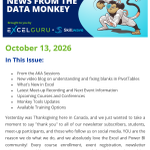
ALT News From the Data Monkey Brought to you by Excelguru and Skillwave October 13, 2026 In This Issue: - From the AKA Sessions - New video blog on understanding and fixing blanks in PivotTables - What's New in Excel - Latest Meet-up Recording and Next Event Information - Upcoming Courses and Conferences - Monkey Tools Updates - Available Training Options Yesterday was Thanksgiving here in Canada, and we just wanted to take a moment to say "thank you" to all of our newsletter subscribers, students, meet-up participants, and those who follow us on social media. YOU are the reason we do what we do, and we absolutely love the Excel and Power BI community! Every course enrollment, event registration, newsletter subscription, and like or comment on our social channels mean the world to us. Thank you for being a part of it!

ALT 'DIY BI' eBook Series 01 Excel 02 Power Query 03 Power Pivot 04 Power BI

ALT Turning Durations Into Hours: A student asked how to compare hours logged in a project management system against data from time-tracking software. Ken Puls’ solution used Power Query to clean and transform the data from both sources into a common data type, which could then be more easily compared! (Screenshot of the Power Query Editor displaying the initial time tracker data in the Screen Time columns as miniscule decimals. The Transform > Duration > Total Hours options from the ribbon are highlighted, which then displays the converted values in Screen Time column.) (Skillwave Training logo)


ALT Monkey Tools Build better data models, faster Developed by Excelguru (Image of a cyborg monkey with its fist up for a fist bump) Letify Monkey We find using the LET() function makes our formulas easier to read, faster to calculate, and much easier to debug. Instead of trying to figure out how to incorporate LET into an existing formula, the Letify Monkey will convert it for you! (Screenshot of the Letify Monkey dialog, where it displays both the original formula and the new "letified" formula, and allows you to define the variables.) monkeytools.ca


ALT Carousel cover featuring 20 employee training courses to upskill your team, with GoSkills branding and icons for Excel, AI, leadership, communication, and business skills.

ALT Is Power Query Showing You Old Data? If your worksheet seems to be showing old values, even after a refresh, first click ‘Refresh Preview’. Power Query caches preview values inside the file, so the Query Editor and hover cards can show stale results even after ‘Refresh All’ has loaded fresh data to the worksheet. (Screenshot of the Home tab in the Power Query Editor. The Refresh Preview button is highlighted with a callout reading, “Debugging step 1: Click this button!”) (Skillwave Training logo)


