Andy Yu retweeted

马斯克最后还是做社交了,各地区的苹果商店,已经上架 X Chat 应用下载预定,它支持
• 端到端加密聊天
• 阻止屏幕截图和录制
• 可删除所有人的消息
• 跨设备语音或视频通话
• 聊天阅后即焚或自动消失
• 数百人的大型群聊,支持 X 账号
简直是一个大型的隐私聊天应用,TG 这下完了。 – at Meguro-ku, Tokyo


Andy Yu retweeted

Claude兼职是2026年最牛的AI没有之一
xitter.cf/leyu37829/status/20430…

推荐2本书:这2本书把Claude Code、Codex、Harness工程说通透了,对于Claude Code、Codex源码解析和对比都详细解说,艺术生、文科生也能读的津津有味:
《Claude Code 和 Codex 的 Harness 设计哲学——殊途同归,还是各表一枝》:比较两套 AI coding harness,最容易犯的错误,是拿一张功能对照表当作思想史。左边写“有技能”,右边也写“有技能”;左边写“有沙箱”,右边也写“有沙箱”;左边写“能开子代理”,右边也写“能开子代理”。这样写的好处是省事,坏处是几乎什么也没说。因为工具中的名词相同,不代表系统的骨架相同。就像两个城市都修了桥,不能说明它们是按同一条河设计的。
《Harness Engineering——Claude Code 设计指南》:不是源码注释汇编,也不是产品功能介绍。它关注的是 Claude Code 如何把不稳定模 型收束进可持续运行的工程秩序,让控制面、主循环、工具权限、上下文治理、恢复路 径、多代理验证与团队制度长成一套完整骨架
Github仓库:github.com/wquguru/harness-b…
在线阅读:harness-books.agentway.dev/i…


Andy Yu retweeted
推荐2本书:这2本书把Claude Code、Codex、Harness工程说通透了,对于Claude Code、Codex源码解析和对比都详细解说,艺术生、文科生也能读的津津有味:
《Claude Code 和 Codex 的 Harness 设计哲学——殊途同归,还是各表一枝》:比较两套 AI coding harness,最容易犯的错误,是拿一张功能对照表当作思想史。左边写“有技能”,右边也写“有技能”;左边写“有沙箱”,右边也写“有沙箱”;左边写“能开子代理”,右边也写“能开子代理”。这样写的好处是省事,坏处是几乎什么也没说。因为工具中的名词相同,不代表系统的骨架相同。就像两个城市都修了桥,不能说明它们是按同一条河设计的。
《Harness Engineering——Claude Code 设计指南》:不是源码注释汇编,也不是产品功能介绍。它关注的是 Claude Code 如何把不稳定模 型收束进可持续运行的工程秩序,让控制面、主循环、工具权限、上下文治理、恢复路 径、多代理验证与团队制度长成一套完整骨架
Github仓库:github.com/wquguru/harness-b…
在线阅读:harness-books.agentway.dev/i…
Andy Yu retweeted

對沉浸式翻譯很難完全放心,所以自己刻了這個平替 extension,歡迎試試看 🚄
它也有一些我自己蠻想要的功能,比如統計 token 用量,核算翻譯單篇文章的成本。速度經過測試最佳化,應該比沉浸式翻譯快一些吧 github.com/jimmysu0309/shink…

Andy Yu retweeted

我看完 YouTube 再也回不去了……😭
Obsidian Reader 直接把字幕做成可交互时间轴!
✅ 点击任意一句字幕 → 视频精准跳转
✅ 高亮重点句子 → 自动同步
✅ 记笔记丝滑到爆
这体验太上头了,普通 YouTube 已经完全看不下去😂
Obsidian Web Clipper 1.4 已上线
Andy Yu retweeted

前几日,谷歌发布 Gemma 4 模型,可直接在 iPhone 上跑起来,本地推理,无需联网。
再搭配谷歌另一个开源工具 LiteRT-LM,可将模型一键跑在 Android、iOS、桌面、Web 甚至树莓派等设备上。
不仅支持视觉和音频等多模态输入,还具备函数调用能力,帮我们在端侧轻松构建智能体工作流。
GitHub:github.com/google-ai-edge/Li…
全面兼容 Gemma、Llama、Qwen 等主流模型,并提供了无需写代码的命令行工具,方便我们直接在终端拉起模型体验。
值得一提,这套底座已经在 Chrome 和 Pixel Watch 等真实产品中经历过大规模验证。
如果你想让大模型真正跑在用户设备上,而不是依赖云端接口,这个开源框架值得关注。

Andy Yu retweeted

internetVin-terminal: an embedded terminal plugin for Obsidian
new semi-daily subscriber only post
944 words on its functionality and my use:
↳ releasing custom Obsidian plugins and how publishing code feels more like conversation than product now
↳ multi-tab terminal sessions inside Obsidian
↳ autocompleting vault backlinks directly in the terminal with "[["
↳ drag and drop files, including screenshots, into terminal sessions as context
↳ fullscreen and split views for running multiple Claude Code sessions
↳ theme sync that reads Obsidian's CSS variables at runtime
↳ bookmarking positions in terminal output so you can jump back to key references
↳ saving terminal output directly to daily notes or new notes
↳ building all software from inside Obsidian, not just working on notes
↳ a preview of Vault Pulse, a plugin for passively tracking time in Obsidian

Andy Yu retweeted

Obsidian is a $350M company for a note taking app built by 3 engineers working remotely
No other time in history was something like this possible
What a wonderful time to be building a company

Obsidian is weird:
- 7 full-time employees
- ~1 million users per employee
- fully remote
- 1 in-person meetup per year
- no scheduled meetings
- no stand-ups
- deep focus is prioritized
- our manifesto guides our product
What works for us may not work for you.
Readers added context they thought people might want to know
There is no publicly available valuation for Obsidian as the company is bootstrapped
x.com/kepano/status/…
Andy Yu retweeted

喵的太魔幻了,有点 Claude 干翻 Google 的感觉😂
这个程序员老哥 Tom Turney只用7天,就把谷歌砸翻全球内存股的十亿级算法,干成了比官方承诺还快的开源实现,
谷歌只发了颠覆性的KV缓存压缩论文,半行代码都没放出来,
Tom Turney啃完论文里的数学公式,打开终端靠着Claude辅助,
7天就走完了大厂几个月的路,
前三天写完核心算法,
搭好141个测试用例,
跑通Python原型,
中间两天直接移植到llama.cpp,
写完Metal GPU内核,
最后两天疯狂优化,
把推理速度从739 tok/s干到了2747 tok/s,
纯工程优化就实现了3.7倍的提速,
他还在谷歌的方案上,
加了三项自己的研究创新,
长上下文跳过90%的value解压,
非对称K/V压缩保留key精度狠压value,老token自动降低精度,
最终成果是35B大模型,在普通MacBook上就能流畅跑,KV缓存直接压缩4.6倍,开源仓库上线一周就拿到613个星标,而谷歌到现在,
都没放出自己的官方代码,
说实话,这才是2026年最真实的写照,一个普通人加AI,就能把大厂攥在手里的核心技术,直接干成人人能用的开源工具,真的牛逼🤙
github 地址评论区自取👇


Solo dev reverse-engineered Google's billion-dollar algorithm in 7 days
Google published the paper that crashed memory stocks worldwide. Then shipped zero code.
Tom Turney read the math, opened his terminal, and built the whole thing with Claude - then made it faster than Google promised.
Day 1-3: Core algorithms, 141 tests, Python prototype
Day 3-5: C port into llama.cpp, Metal GPU kernels
Day 5-7: Speed optimization from 739 to 2747 tok/s
That's a 3.7x speedup through pure engineering:
> fp32 → fp16 WHT
> half4 vectorized butterfly ops
> graph-side rotation
> block-32 storage layout
Then he added his own research on top:
> Sparse V: skip 90% of value decompressions at long context
> Asymmetric K/V: keep keys precise, compress values harder
> Temporal decay: old tokens get lower precision automatically
Result: 35B model running on a MacBook with 4.6x compressed cache.
613 GitHub stars in a week. Google still hasn't released their own code.

Andy Yu retweeted

Cheng Lou 剛開源了 Pretext,一個純 JavaScript 的多語言文字測量與排版函式庫,解決的是網頁前端一個存在超過二十年的底層問題。
網頁上每次要知道一段文字有多高(虛擬捲動、動態排版、瀑布流),瀏覽器的標準做法是把文字塞進 DOM 再用 `getBoundingClientRect` 量,這會觸發 layout reflow,是瀏覽器最貴的操作之一。Pretext 的做法是繞過 DOM,用瀏覽器的字型引擎當基準,純數學算出文字高度和斷行位置,實測 500 段文字的批次排版只要 0.09 毫秒。
這件事聽起來簡單,但牽涉到所有語言的斷詞規則、emoji、雙向文字(阿拉伯文、希伯來文混排英文),Cheng Lou 在推文裡說他「爬過了地獄的深處」才做出來。
Pretext 解鎖了幾個以前在網頁上很難做到的事:不靠猜測的虛擬捲動(因為能預算每段文字的高度)、純 JS 驅動的瀑布流和彈性排版、文字繞圖排列、以及開發階段就能驗證文字不會溢出容器。可以輸出到 DOM、Canvas、SVG,未來還會支援伺服器端渲染。
Cheng Lou ,目前在 Midjourney 負責前端工程,GitHub 上 Pretext 發布不到一天已經超過 1,300 顆星。對前端工程師來說,這可能是今年最值得關注的基礎設施級函式庫。 ⚙️
---
📱 Threads / Facebook / 電子報「狐說八道」
#Pretext #前端開發 #JavaScript #UI工程 #WebDev #Midjourney

My dear front-end developers (and anyone who’s interested in the future of interfaces):
I have crawled through depths of hell to bring you, for the foreseeable years, one of the more important foundational pieces of UI engineering (if not in implementation then certainly at least in concept):
Fast, accurate and comprehensive userland text measurement algorithm in pure TypeScript, usable for laying out entire web pages without CSS, bypassing DOM measurements and reflow
Andy Yu retweeted
用 Markdown 记笔记久了,文件越攒越多,想找某个知识点只能靠关键词搜索,笔记之间的关联全靠自己脑子记,效率很低。
可以试下 Atomic 这个开源工具,把零散的 Markdown 笔记自动转化成一张语义关联的知识图谱。
每条笔记会被自动拆分、向量化、打标签,并按语义相似度互相关联,还能通过 AI 对话直接查询你的知识库。
GitHub:github.com/kenforthewin/atom…
比较有意思的是,它的 Wiki 合成功能,能从你的笔记中自动生成带引用的百科式文章。
内置一个空间画布,能直观看到笔记之间的关系远近。此外,还支持订阅 RSS 自动入库,浏览器插件一键收藏网页内容。
提供桌面客户端、Docker 自部署和 iOS 客户端,AI 可以接云端也可以跑本地模型。
适合手里攥着大量 Markdown 笔记,想要构建真正属于自己的第二大脑的朋友。

Andy Yu retweeted

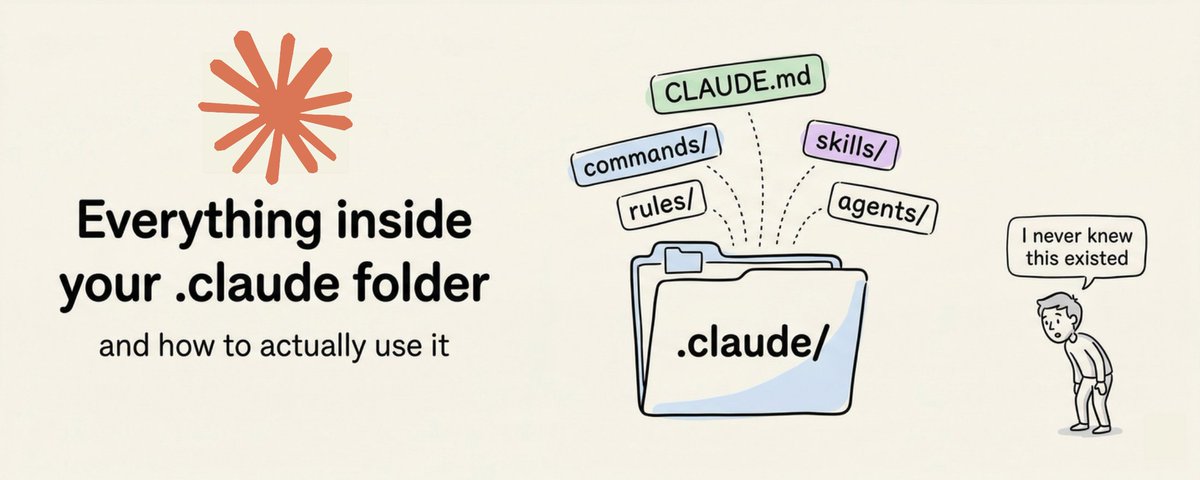
How to setup your Claude code project?
TL;DR
Most developers skip the setup and just start prompting. That's the mistake.
A proper Claude Code project lives inside a .𝗰𝗹𝗮𝘂𝗱𝗲/ folder. Start with 𝗖𝗟𝗔𝗨𝗗𝗘.𝗺𝗱 as Claude's instruction manual. Split it into a 𝗿𝘂𝗹𝗲𝘀/ folder as it grows. Add 𝗰𝗼𝗺𝗺𝗮𝗻𝗱𝘀/ for repeatable workflows, 𝘀𝗸𝗶𝗹𝗹𝘀/ for context-triggered automation, and 𝗮𝗴𝗲𝗻𝘁𝘀/ for isolated subagents. Lock down permissions in 𝘀𝗲𝘁𝘁𝗶𝗻𝗴𝘀.𝗷𝘀𝗼𝗻.
There are two .𝗰𝗹𝗮𝘂𝗱𝗲/ folders: one committed with your repo, one global at ~/.𝗰𝗹𝗮𝘂𝗱𝗲/ for personal preferences and auto-memory across projects.
The .𝗰𝗹𝗮𝘂𝗱𝗲/ folder is infrastructure. Treat it like one.
The article below is a complete guide to 𝗖𝗟𝗔𝗨𝗗𝗘.𝗺𝗱, custom commands, skills, agents, and permissions, and how to set them up properly.


Andy Yu retweeted
想将外语书籍翻译成中文,整本书手动翻译太费时间,用在线工具 API 又贵,而且经常翻到一半就卡住。
于是找到 Rainman Translate Book 这个开源工具,专门用来翻译整本书籍,支持 PDF、DOCX 和 EPUB 格式。
核心机制是把书拆成小块,然后用 8 个并行子智能体同时翻译不同章节。
每个智能体都有独立的上下文窗口,避免了单次翻译时内容过长导致的截断问题。
GitHub:github.com/deusyu/translate-…
基于 Claude Code 构建,通过 Calibre 和 Pandoc 处理格式转换。
翻译过程支持断点续传,如果中途中断,重新运行时会自动跳过已翻译的部分。
翻译完成后,会自动生成 HTML、DOCX、EPUB 和 PDF 四种格式,方便在不同设备上阅读。
目前支持中文、英文、日文、韩文、法文、德文、西班牙文等多种语言互译。
需要先安装 Claude Code CLI、Calibre 和 Pandoc,然后通过命令行就能快速翻译整本书。
如果你经常需要翻译外文书籍或文档,这个工具值得试试。

Andy Yu retweeted

I accidentally discovered how to learn any skill at expert level in 72 hours.
A foreign correspondent at Reuters showed me her NotebookLM setup before a last-minute assignment. I thought she was just doing background research. Then I watched her conduct a 2-hour interview with a Nobel economist she'd never heard of 3 days earlier.
Here's exactly what she did.
First: she didn't upload one article.
She uploaded 40 academic papers, 12 long-form investigations, 5 years of central bank transcripts, and every keynote speech the economist had ever given.
Then she asked NotebookLM one question:
"What are the 5 beliefs this person holds that most people in his field reject?"
Not "summarize his work." Not "explain his research."
His contrarian positions. The stuff that makes him interesting to interview.
But the next part is what made me close my laptop.
She followed up with:
"Now show me the 3 questions that would make him uncomfortable. The ones that expose the weakest assumption in his most famous argument."
In 15 minutes she had a map of exactly where to push:
- The pressure points
- The live debates
- The things he'd never been asked directly
Most journalists spend days building that picture through source calls and background interviews.
Then she did something I've never seen before.
She asked:
"Generate the 10 follow-up questions that separate a journalist who read his Wikipedia page from one who spent a year on his beat."
She spent the next 4 hours answering them herself using the source material.
Every gap triggered one more prompt:
"What would I need to understand to ask this question without sounding ignorant?"
By day 3, she walked into that interview and didn't let him finish a single deflection.
The tool didn't change. The questions did.
Most journalists use NotebookLM to pull quotes.
She used it to think like someone who'd covered the beat for a decade.
The difference between 3 days and 3 years isn't the amount of reading.
It's knowing exactly which questions reveal whether someone really knows what they're talking about.

Andy Yu retweeted
Shield AI 今日宣布,與三菱重工業公司(MHI)合作成功完成自主飛行測試,在不到 60 天的時間內,將 Shield AI 的 Hivemind 自主軟體整合至三菱重工的 「平價快速原型開發三菱無人機」計畫 (ARMD) 中。此次演示突顯了先進的自主技術如何能被快速開發、整合、測試並投入飛行,以支援國防導向的自主空中作戰。
此次飛行測試於群馬縣太田市進行,並以兩次實機飛行演示圓滿結束。在演示過程中,兩架不同的測試機自主展現了強化學習、訓練行為以及在追蹤虛擬飛行器時的協調動作。 在第一次飛行中,Hivemind 利用強化學習自主引導第一架 ARMD 追逐虛擬目標。 在第二次飛行測試中,Hivemind 執行了更具攻擊性的行為來追逐虛擬目標,在第二架 ARMD 上展現了先進的強化學習動作。
Shield AI 技術長 Nathan Michael 表示:「我們與三菱重工(MHI)的合作,展現了 Hivemind 改變自主化能力設計、整合與大規模部署方式的實力,使作戰平台能以史無前例的速度支援日本不斷演進的國防需求。這類飛行概念是自主空中武力的未來,每一次飛行測試都讓我們離大規模實戰化更近一步。」
這套日本製造的任務自主系統開發進展神速,也證明了 Hivemind 能顯著縮短從整合到飛行所需的時間。在與 Shield AI 的合作下,三菱重工的工程師在不到兩週的時間內,就從軟體在環(SIL)測試推進到硬體在環(HIL)測試 ,這在過去通常需要數月之久,隨後又在另外兩週內,從 HIL 推進到載具在環(VIL)測試。
「 在過去的開發工作中,三菱重工必須建立並維護一個利用多種開源產品的環境,以進行內部編碼、人工智慧訓練、模擬評估以及 HIL 測試(一種在安裝前驗證硬體運作的方法),這需要耗費極大的心力。相比之下,透過在此專案中利用 Hivemind Enterprise,我們能更專注於開發任務自主性,」 三菱重工無人航空系統部部長加藤治崇(Takahiro Katoji)表示。
Hivemind 是 Shield AI 的核心人工智慧軟體,能讓平台在無需人為干預的情況下進行感測、決策與行動。與無法偏離預設航線的傳統自動駕駛系統不同,Hivemind 能夠動態重新規劃任務路徑、應對突發狀況、避開障礙物,並安全有效地執行複雜任務。

From concept to the Japanese skies in under 60 days.
Together with @MHI_Group, we integrated our Hivemind autonomy on their Affordable Rapid‑Prototyping Mitsubishi‑Drone initiative (ARMD) within a compressed timeline, demonstrating how autonomy software can be rapidly integrated, tested, and flown in support of next-generation air operations.
“Our collaboration with MHI demonstrates Hivemind’s ability to transform how autonomous capabilities are designed, integrated, and deployed at scale, enabling operational platforms to support Japan’s evolving defense needs with unprecedented speed.” - Nate Michael, Shield AI’s Chief Technology Officer
Read the full press release and watch the video here: shield.ai/shield-ai-and-mits…
Autonomy for the world. The greatest victory requires no war.
Andy Yu retweeted

Anthropic 官方开源了一套专为 Claude Cowork 打造的插件库:Knowledge Work Plugins,也兼容 Claude Code 使用。
它能将 Claude 变成精通我们团队工具和流程的「专业员工」。
涵盖产品经理、数据分析、法务、营销等 11 个专属岗位插件,并可通过 MCP 无缝打通了 Slack、Notion、Jira 等企业常用工具。
GitHub:github.com/anthropics/knowle…
如果我们正在用 Claude 辅助工作,或者想在企业工作流程落地,官方提供的这套插件,值得收藏研究下。

Andy Yu retweeted

为什么在技术最普及、信息获取成本最低的时代,我们反而离真正的“好东西”越来越远?
久违的硅谷教父、Y Combinator 的灵魂人物保罗·格雷厄姆(Paul Graham)又有了新的“暴论”:当一项技术变得无处不在、精度无限趋近于完美时,它作为“产品”的灵魂往往就开始消亡,取而代之的是一种名为“品牌”的昂贵外壳。
这位硅谷,在最近这篇关于瑞士钟表业兴衰的深度长文《品牌时代》(The Brand Age)中,揭开了一个令现代人尤其是焦虑的知识工种感到脊背发凉的真相。虽然他写的是 1970 年代的石英危机,但字里行间精准地预言了我们正在经历的 AI 浪潮。
格雷厄姆提到,当日本人的石英表把“精准计时”这门手艺变成几美金就能买到的廉价商品时,瑞士人发现自己几百年的技术积淀在一夜之间变得毫无意义。
这像极了今天的我们——当你引以为傲的翻译能力、写代码的逻辑、甚至整理复杂文档的效率,都被一个每个月 20 美金的 AI 订阅包彻底抹平时,你的价值到底在哪里?
文章说,那些在危机中陷入泥潭的公司,比如欧米茄(Omega),当时做出了最符合工程师直觉却最错误的决定:既然对手准,那我要做得更准、更复杂。结果呢?他们把自己卷死了。而幸存下来的百达翡丽,却做了一件极其“反工程”的事——
他们不再纠结于精准度,而是把精力放在了外观设计和品牌溢价上。
这给了我们一个深刻的警示。在 AI 已经把“获得准确答案”这件事情商品化(Commoditize)的今天,如果你还在执着于“更快地读完一本书”或者“更精准地翻译一段话”,你其实就是在当年的瑞士表行里苦练磨齿轮的技术。
格雷厄姆提出了一个极其犀利的洞见:“品牌是离心力,设计是向心力。”好的设计追求的是数学般的唯一正确解,比如表壳最合理的形状、最顺手的旋钮,但这会导致所有产品最终都长得一模一样,变得平庸且廉价。品牌为了活命,必须制造出“不合理”的辨识度。
现在的我们,每天使用 AI 工具接收大量信息。看似消除了信息差,实际上却陷入了另一种“平庸的深渊”。当所有人都能通过 AI 瞬间理解顶级论文、掌握前沿资讯时,你和竞争对手之间的“ substantive differences”(实质性差异)消失了。
如果你仅仅把 AI 当作提效的工具,你只是在加速自己变成一个“廉价石英机芯”的过程。
这篇文章真正想告诉我们的是:当功能性的壁垒倒塌后,真正能让你活下来的,是你如何在这片技术的废墟上建立起那种“不合常理”的、具有辨识度的思维特质,或者说,你个人的“品牌”。
在这个 AI 已经把抽象思维“拉下神坛”的时代,我们最该担心的不是学得不够快,而是我们在不断追求向心力的“正确答案”时,丧失了作为人类最可贵的那种离心式的、独特的“偏见”。
不要让工具的便捷消解了你思考的质感。读完这篇文章,也许你会重新审视手里那些 AI 效率工具:它们是帮你抵达真相的梯子,还是让你在信息洪流中逐渐面目模糊的推手?在一切皆可规模化复制的未来,唯有那些无法被算法解释的“独特性”,才是我们最后的避风港。
如果你正处于某种“效率焦虑”或“知识焦虑”中,觉得自己每天在用各种 AI 工具吞噬信息,却依然感到内心空洞,那么你一定要看看这篇。
🔗paulgraham.com/brandage.html

Andy Yu retweeted

Obsidian 在 AI 时代成了我们的“第二大脑”,现在Obsidian CLI对所有人开放了。
只需要将Obsidian更新最新版,然后在设置中打开CLI页面。
AI 终于能真正理解你的知识结构、笔记间的关系、知识结构,而不只是读到一堆文本,这才真正发挥Obsidan的全部实力。
就比如,以前让 AI 分析我的知识库,它要打开每一个文件。上千个文件一个个读,token 烧得飞起,还只能看到纯文本。
现在用 CLI,查询用的是 Obsidian 预建的索引,速度比文件系统扫描快几十倍:
- obsidian orphans 找出所有孤岛笔记
- obsidian backlinks 看到谁链接了谁
- obsidian tags counts 统计标签使用频率
- obsidian search 全文搜索,0.3 秒出结果
Obsidian在 AI 时代的地位又一次稳固了,还没玩起来Obsidian的朋友也快用起来~