

High school math teacher and 3D printing hobbyist. It's fun to make things for my classes and my own children and home. Find my designs on Cults3D.
San Diego, CA
Joined September 2010
- Tweets7.9K
- Following573
- Followers3.3K
- Likes25K






Pinned Tweet
Photo book of some favorites of my designs!
Video simulates book I created. Models pictured are my own designs (except Escher Lizards) and available at @Cults3D.
@MakerGear printed and @MosaicMfg @PalettePrinted.
cults3d.com/en/users/abbymat…
#3DPrinting #3DPrint #3DPrinted #3DPrinter
I'm on a roll! Another post on the @Cults3D home page. Woohoo! I caught this screenshot just before it gets bumped. 😊

My son wanted to make some "Lookies" for a friend, so we designed this together. Very cute! This model prints without supports. Free at @Cults3D. Enjoy!
cults3d.com/:5057054

My post of my post is now posted on the @Cults3D home page. Yea! 😆


🎉New post! Literally.
I posted my new post about my new post!
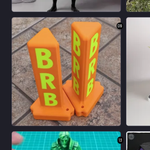
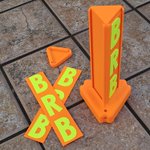
"BRB Post" is now an essential element of my classroom restroom pass policy. I made some for other teachers too. Great visual for the whole class when someone is out.
"New post" at @Cults3D: cults3d.com/:5052123
🎉New post! Literally.
I posted my new post about my new post!
"BRB Post" is now an essential element of my classroom restroom pass policy. I made some for other teachers too. Great visual for the whole class when someone is out.
"New post" at @Cults3D: cults3d.com/:5052123
P.S. @PrintedSolid Mystery Orange and Neon Green make for a terrific combination for my "BRB Post." The bright colors make it so easy to see among the many students in my class.

I made these "Flat Numbers" for another teacher to label his small whiteboards around his classroom that students use in groups. They look fantastic!
Models now at @Cults3D: cults3d.com/:5051729.


One more new post for tonight: "Not a Seat Sign"
I've already used these several times in my classroom since I made them. Super easy to tag desks as off limits for various activities. STL at @Cults3D: cults3d.com/:5042343
🎉 New Post! "Display Numbers"
My colleague and I wanted a vibrant way to label desks for group numbers in our classrooms. I put these together for #3Dprinting.
STL files at @Cults3D: cults3d.com/:5042038
Weekend Goal: Get caught up with my @Cults3D posts! I have five new designs to get out to the world. Four of them are practical prints for classroom management. Stay tuned...

My first significant foray into "painting" with @PrusaSlicer. I had a special request for a fun Falcon in our school colors. I eventually found an "eagle" by Wannub on MakerWorld that fit the bill (beak?), and I soared into painting it with school pride! Printed on @Prusa3D XL. Go Falcons!

The back looks fantastic too! I was also impressed with how well the supports all came off. Printed with @Paramount3D and @PrintedSolid Jessie PLA.


I have now tried setting up the file from scratch with @PrusaSlicer v 3.0.0-alpha12 and I have the same result: fuzzy skin on inner walls within the model. Can anyone please help point me in the right direction to report this issue to @Prusa3D as a bug report? See original post below. Thanks!


I have a @PrusaSlicer question/bug report.
On June 24, I saved a .3mf file with "Paint-On Fuzzy Skin" where I want only the outer walls fuzzy. I'm now running PS version 2.9.6 (released June 25, so this wasn't the version I had when slicing originally). Today when I slice the model, there is now fuzzy skin on the in between parts, as shown in the screenshot. I tried re-painting the fuzzy skin and it still creates the extra "fuzz" in the middle that I don't want.
I want to set up new prints, but I don't want it printing like shown in the "new" version. The "old" is my original bgcode. I don't want to install an "alpha" version of PS to test it, but I could do that. Any other suggestions? 🤷♀️

I have a @PrusaSlicer question/bug report.
On June 24, I saved a .3mf file with "Paint-On Fuzzy Skin" where I want only the outer walls fuzzy. I'm now running PS version 2.9.6 (released June 25, so this wasn't the version I had when slicing originally). Today when I slice the model, there is now fuzzy skin on the in between parts, as shown in the screenshot. I tried re-painting the fuzzy skin and it still creates the extra "fuzz" in the middle that I don't want.
I want to set up new prints, but I don't want it printing like shown in the "new" version. The "old" is my original bgcode. I don't want to install an "alpha" version of PS to test it, but I could do that. Any other suggestions? 🤷♀️
Abby Brown retweeted

Halloween 3D Printing: Ideas and Techniques
Check out fun and spooky 🎃👻 Halloween 3D print ideas: 3dwithus.com/halloween-3d-pr…
Featured: @Marcidy_3D, @davemakesstuff_,
@3DPrintBunny, @abbymath
#Halloween #Halloween2026 #3DPrinting

I'm going to revisit some of my "Flat Jacks" from 2022 today. This was a fun project based on the jack-o'-lantern models that my family designed in earlier years. Maybe I will be inspired to make a new one... 🤔
🎃🎃🎃 at @Cults3D.
Abby Brown retweeted

One week ago, we opened the doors to Maker Faire OC 2026—and what a weekend it was!
Thank you to every sponsor, volunteer, maker, and guest who helped make Year 5 so special. Your creativity, energy, and support made this our best Maker Faire OC yet!
#MakerFaireOC #MFOC2026 #Year5 #MakerCommunity #ThankYou
Nice meeting Greg from @Cookiecad at the @MakerFaireOC last weekend. 😊 I hadn't tried their filament yet, but I love their colors. My daughter picked out a spool of Vanilla Redberry that we took home. We chose a few of my models to print and the filament looks fantastic! 🤍🩷

