

Copywriter - email marketing 🇨🇦
Canada
Joined March 2023
- Tweets2.2K
- Following315
- Followers201
- Likes2.4K


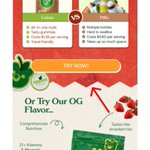
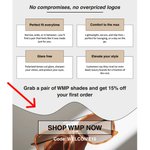

What I used to do was grab one email I liked, try to copy it a little, but also come up with my own new elements and ideas.
And it just took forever.
This way is faster. And looks way better.
No need to re-invent the wheel.

Whenever I’m writing an email, I always make sure the copy is talking to ONE single person, not a whole audience.
Email is personal to start with, keep it personal. Make the reader feel special and understood.
Trying to make it a habit, that every time I make a new email design, I take the time to templatize it.
So that down the road I can make all my designs faster and easier.
Because atm the design process feels a bit tedious and time consuming.
Nick Lami retweeted

I’ve decided to share 5 editable welcome emails we created for the skincare industry, completely free of charge.
You can duplicate and edit these directly in Figma.
How to get it?
1. Like & retweet
2. Comment WELCOME
And I’ll send you a DM.
Make sure you follow me so I can message you.

Remember: all buyers care about is themselves.
I always keep this in mind whenever I’m writing copy/strategizing.
I put myself in the customers shoes and answer the question: “what's in it for me?”.
Whenever I’m stuck on campaign ideas, I look at the calendar.
There’s always a holiday or moment you can lean on.
The trick is: don’t force it.
If it doesn’t actually connect to your brand or your customer, it’s just spam.
Clarity sells.
When I sold appliances, I’d see this all the time:
Someone wants to buy… but they’re stuck on what happens after, there's uncertainty.
Most people skip the boring details because they already know the process.
But the customer doesn’t, so spell it out.
New to email design in Figma? The ‘Frame’ feature is your best friend.
Here’s a 30-second crash course on how to use frames
Frames = containers.
Think of them as the canvas where your email lives.
Start with one main frame that’s 600px wide, that’s the optimal email width for mobile.
Inside that main frame is where you can build each section (hero, body, footer) of your email.
Had to make a few static social media creatives for the first time the other day, and needed some stock images.
Tried the Unsplash plugin on Figma it worked pretty well, good quality images.
When you design emails/creatives, sometimes your text doesn’t pop.
It blends into the background.
Here are 2 simple tricks I use to fix it (with before/after examples).
