

We love websites and the people who build them.
Joined February 2014
- Tweets2.8K
- Following0
- Followers1.3K
- Likes502


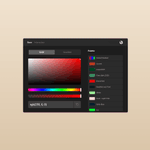
Instant Builds will completely change you how build websites. Take the Themeco homepage for example. Currently it's built in a separate app that runs other parts of our site. Over time, we've been moving many of these pages to Cornerstone. In the past, this would have meant rebuilding the entire page. Here's how it works now.
1. Go to Instant Builds in Cornerstone.
2. Enter the URL and hit import.
3. Done in about 15 seconds.

CSAI Studio extends to all aspects of your website. Earlier this week we discussed Design DNA and how Studio will match the fonts, colors, and overall look of your website. Let's take that further.
In this example, we took another Design Cloud template and used Studio to create a form in that style. A few things worth noting.
1. The design previously didn't have a form.
2. The form is fully functional and not just a placeholder.
3. It is designed in the style of the original template.
Cornerstone already gives you a deep bench to pull from when it comes to building websites. Native options for headers, footers, layouts, dynamic content, loopers, conditions, parameters, forms, interactive content, and more.
Now, with targeted AI built right into Studio and optimized for both cost and performance, you can do the things that actually matter: match an existing site's design, build fully functional forms, and bring all the technical pieces together without getting bogged down in the details.
One of our biggest priorities with CSAI Studio has been making sure you don't need an expensive AI model to get great results.
Take this simple page, for example. Your actual cost to build the entire thing in Studio? About 5 cents (including custom imagery).
But it gets even better.
Most AI website builders offering anything close to this are largely limited to static layouts which mean objectively weaker builds. This example includes working Sliders, Accordions, Progress Bars, and more. Real, interactive Cornerstone Elements.
And this is where Cornerstone really shines. We've spent years building an extensive library of Elements and related tools. Now AI can tap into all of that functionality, making it possible to build increasingly sophisticated websites at a fraction of the cost.
What if you could take a single section of a website and use AI to build an entire site around its design?
One of the challenges with AI-generated websites is consistency. Creating a great-looking section is one thing. Building an entire site where everything feels like it belongs together is another.
That's what Design DNA from CSAI Studio is all about.
Start with a design you love and Studio can analyze its typography, colors, spacing, and other design details, then save those characteristics as reusable Design DNA.
From there, you can use that DNA across pages, conversations, and entirely new builds. Different content. Different layouts. One cohesive design language.
And here's where it gets fun.
In this video, we start with a single section from two different Design Cloud templates, capture its Design DNA, and use Studio to build an entire website around it.
No need to recreate the design system with every prompt. No starting over each time you open a new conversation. Just a consistent visual foundation that Studio can build upon.
Once a DNA is generated from an existing source, it can be selected on other pages and used to build new sections or pages from scratch that inherit the style and specs.
The goal isn't just to generate more designs faster. It's to build on what you've already created, carry that vision throughout your site, and make every new page feel like part of something bigger. With Design DNA, Studio doesn't just understand what you're building. It understands the design language you're building with.
Pro 6.9.7, X 10.9.7, and Cornerstone 7.9.7 are now live to automatic updates! theme.co/blog/pro6-9-x10-9-c…

Today we’re wrapping up the week by connecting the dots.
Over the last few days we’ve talked about Studio, Instant Builds, and Cornerstone MCP as three separate CSAI pillars. They are separate for a reason as each solves a different problem.
Studio is about what happens when AI understands Cornerstone itself. Instant Builds is about getting existing websites and HTML into Cornerstone. MCP is about letting AI outside of Cornerstone work directly with Cornerstone.
But the bigger story is what happens when those three things start working together. That’s the point of everything we’ve been building.
We didn’t want one giant “AI feature” that tried to do everything. We wanted a set of systems that were each really good at a particular job, then make sure they could complement one another.
Here’s a simple example.
You could start with a website you like. Instant Builds converts it into a real Cornerstone website. Studio can then help you change the design, rewrite sections, turn static content into Loopers, build Components, generate Parameters, create new imagery, or continue the build from there.
And if you’re working from an external AI client through Cornerstone MCP, that same AI can call Instant Builds, work with Studio, pull in information from other tools, and then keep editing the resulting Cornerstone site.
One workflow spanning all three systems.
Another example might start in the exact opposite direction. You’re in Claude, ChatGPT, Cursor, or another MCP-compatible client. The AI has access to your content in Notion, some brand assets in Google Drive, maybe a Figma file, and Cornerstone. You ask it to build a new page.
It can gather the source material, understand the site it is working on, use your own AI to build the page, generate the images it needs through Studio, and save the result as real Cornerstone page.
You never had to manually move the content from one tool to another. You never had to turn some generated mockup into an actual website afterward. The systems did the translation for you.
And that is the bigger idea. CSAI should reduce the distance between intent and execution while not forcing you down one particular path.
That is also why we have been careful not to build all of this around one model. Models are going to change. The best model today may not be the best model six months from now.
Some will be faster.
Some will be better at images.
Some will be better at reasoning.
Some will be dramatically cheaper.
Studio lets us take advantage of it all. Instant Builds keeps getting smarter every day. MCP opens Cornerstone to whatever AI clients and workflows come next.
Through it all, CSAI gets better across all disciplines without forcing you to rebuild your workflow every time the AI world changes.
Studio understands Cornerstone.
Instant Builds translates into Cornerstone.
Cornerstone MCP opens Cornerstone to everything.
We’re going to keep the conversation going over the coming weeks with more examples, more workflows, and more of the thinking behind CSAI.
The next era of Cornerstone begins in November.
Now the third CSAI pillar: Cornerstone MCP.
Of the three things we’ve talked about this week, MCP might take the most explaining, but it also may have the biggest long-term implications.
Studio gives you a native AI experience inside Cornerstone. Instant Builds gives you a new way to get websites into Cornerstone. MCP opens Cornerstone itself to the broader world of AI.
MCP stands for Model Context Protocol. At a high level, it’s an open standard that allows AI applications to connect to outside tools, understand what those tools can do, and actually work with them.
For us, that means an AI running outside of Cornerstone can understand and operate Cornerstone directly.
Not by guessing at HTML. Not by giving you instructions to follow manually. By actually working with the builder.
Cornerstone MCP knows the Element library. It knows which Elements are available on your particular site. It understands their properties, what those properties do, and the values they accept.
It can read your Documents, Components, Globals, Colors, Fonts, Variables, Parameters, Layouts, and other parts of your site before it starts working. Then it can act on them.
• Create a Page
• Build a Section
• Edit an Element
• Move something
• Delete something
• Build a Component with Parameters
• Create Loopers and dynamic content
• Update your Globals
• Assign a Layout
It can even make changes across an entire site instead of opening Documents one at a time.
Imagine changing a phrase across dozens of Pages or updating a setting everywhere a certain Element appears. What used to mean hunting through Documents one by one can now start with a single request. The AI can find what needs to change, understand the context, and update it across the site.
And because MCP understands Cornerstone itself, the result is still real Cornerstone. This is also where the three pillars we’ve been discussing start to come together.
1. Cornerstone MCP can run Instant Builds.
Give your AI a URL or HTML and it can run it through Instant Builds. You don't need to be in Cornerstone to access these tools.
2. It can work directly with Studio.
That means an external AI can use the same Studio build pipeline: Design DNA, Models, Image Generation, Components, and all systems available inside Cornerstone.
In other words, MCP isn’t a separate AI implementation sitting off to the side. It can orchestrate the same systems we’ve been showing you all week.
And this is where things start to get really interesting.
Because it can also connect to other tools and sources you choose to give it access to, that context can extend far beyond your website. This could include:
• Figma files
• Google Drive
• Content in Notion
• GitHub projects
• Local files
• Brand assets
• Another MCP
• The Internet
Now the workflow doesn’t have to start and end inside Cornerstone. Your content team could write something in a document and ask an agent to turn it into a real Cornerstone Page. A developer could work in a coding agent and update a template, change site Globals, and modify Cornerstone Documents as part of the same task. An AI could research something on the web, use that information to write the copy, grab assets from another source, then build the resulting Page in Cornerstone. Or you could even connect multiple Cornerstone sites and work across them from the same AI client.
That is the compelling part of MCP. The context available to the AI no longer has to stop at the borders of Cornerstone.
At the same time, we’ve spent a lot of time thinking about what happens when you give an AI this much capability.
Cornerstone MCP reads the state of a Document before making changes and won’t blindly overwrite something that has changed since it last saw it. Changes can be undone or restored through revisions, and it can render its work and inspect the result.
Most importantly, the AI only has access to what you choose to connect and permit. The goal isn’t simply to give an AI more power. It’s to give it enough understanding and guardrails to make that power genuinely useful.
MCP will probably appeal most to more technical users, however connecting Cornerstone MCP itself is pretty straightforward.
First, you’ll need the Cornerstone MCP plugin. This is the plugin currently known as CSAI, which will be rebranded as Cornerstone MCP for launch.
From there, Cornerstone will give you the configuration you need for your MCP-compatible client, and you can start working with your site from there.
And because MCP is an open standard, we’re not building around one AI company, one model, or one application. That ties directly back to something we talked about on Monday: the AI landscape is going to keep changing.
New models will launch.
New applications will emerge.
New workflows we haven’t imagined will arrive.
We don’t want Cornerstone locked to any one of them. We want it ready to work with ALL of them, with you in the driver’s seat.
Tomorrow we’ll finish the week by connecting the dots and showing how Studio, Instant Builds, and Cornerstone MCP come together as one powerful system.
Today we’re moving to the second CSAI pillar: Instant Builds.
Long before the current wave of AI tools, we explored ways of taking an existing website and automatically creating it in Cornerstone.
In many ways, this was the holy grail of web design.
Whether it was an existing website on another platform or a design inspiration that captivated your imagination, the idea was simple (the technology wasn’t).
After all, recreating an existing website can be tedious and technical. Turning pure design inspiration into something real can take just as much work.
Instant Builds solves both.
Simply put, give Instant Builds your HTML or a URL and it can turn it into a real website, editable in Cornerstone.
Not a screenshot.
Not a really nice mockup.
Not a flattened representation.
A complete website waiting for you in Cornerstone.
Got HTML from ChatGPT, Claude, or your AI of choice? You’ve got a website. Got a URL? You’ve got a website.
Edit the Elements. Change the styling. Turn pieces into Components. Add Parameters and Loopers. Use Studio to make changes, or customize by hand.
There is an enormous amount of good design already on the web, and there are now more tools than ever that can generate websites and HTML.
The problem has always been getting from that into the tool where you actually build and can actually use it.
Instant Builds creates that bridge.
Have an old website you want to rebuild? Begin with the URL.
Have a design you like as the foundation? Start there.
Have HTML generated by another AI? Bring it in.
We’ve had to do some serious engineering to build and maintain this system. It requires processing, compute, and continual tuning. In many ways, you can think of Instant Builds as a brain. Something you can tap into at anytime and that is always getting smarter.
For example, there are some practical realities with URL imports. Certain websites, hosting providers, or security configurations can restrict automated access, so there will naturally be some URLs we can’t read directly.
When the source is accessible, the process is quick and easy. And if you have the HTML, it’s remarkably accurate. Either way, one Instant Build gets you one page.
Behind the scenes, we have an internal process that is continually testing builds, evaluating results, refining translations, and improving how Cornerstone interprets what it sees. We are also working on a process where you can optionally submit reports to help us improve it over time.
When you use Instant Builds, you’re not just getting whatever the underlying model happens to be capable of that day. You’re getting a system we’re continuously improving. Real humans doing real engineering work so you can build better websites, faster.
We also want Instant Builds to work whether you need it once in a while or it becomes part of your everyday workflow. You’ll be able to purchase builds individually, or get unlimited Instant Builds as part of a subscription, subject to fair use.
We’re committed to keeping Cornerstone the best website builder on the planet, and Instant Builds is a big part of that vision.
Tomorrow we’ll get into the third CSAI pillar: Cornerstone MCP and how we’re opening Cornerstone to AI tools outside of Cornerstone.
Let’s discuss the first of the three CSAI pillars: Studio, the native AI experience built directly inside Cornerstone.
This is where you can ask questions, build layouts, direct edit, and work contextually with all aspects of Cornerstone, in ONE prompt box.
That distinction matters.
A general-purpose AI can generate text, code, ideas, and layouts. Studio understands Cornerstone itself: Elements, Documents, Parameters, Loopers, Globals, and the structure of what you’re building.
That means it can do much more than simply generate something and hand it back to you.
What comes back isn’t a flattened mockup or a pile of HTML. It’s made from real, editable Cornerstone markup, including interactive pieces like Accordions, Tabs, Sliders, Modals, and Off Canvas Elements to name a few.
And because Studio understands the systems underneath those Elements, it can go much deeper than generation. You can…
• Rework a section
• Change the layout
• Turn a static list into a Looper
• Select something you’ve already built and describe a change
• Build a reusable Component and generate its typed Parameters along with the properties those Parameters should control
Building something useful is helpful, but good design is more than just structure. It also has to look like it belongs on your site. This is where Studio can take your process to the next level.
Design DNA lets you use the colors, typography, spacing, and overall visual language of the page you’re already working on as a reference for future builds.
Any page or section can become Design DNA, and you’re not just limited to describing things with words.
Give it written briefs or attach screenshots and tell Studio to match them closely, use them as inspiration, or borrow only specific ideas.
Images work the same way.
You can have Studio automatically generate imagery for builds, with a separate prompt for each image slot including support for transparent cutouts. You can also generate images directly using multiple image models, reference images, aspect ratios, transparency, quality, and format controls.
So instead of generating a page full of placeholders that still need to be finished later, Studio can produce something much closer to a complete, usable page right from the start.
It also understands the larger structure of a website. If a page includes navigation or a footer, Studio can create them as actual Cornerstone Header and Footer Documents.
And all of this happens through a single prompt box. You don’t have to decide whether you’re asking a question, making an edit, or starting a build before you begin.
Studio handles all the complexity behind the scenes, so you can choose the model that makes sense for the task at hand without having to build your workflow around a specific provider.
Some jobs need maximum intelligence. Some need speed. Some need to be inexpensive. You can select from dozens of different models directly in Studio with pricing that reflects the underlying cost of the model plus a small service margin.
Through it all, we’ve tuned Studio to perform exceptionally well even on the most affordable models, because lower cost shouldn’t have to mean lower quality.
And we’re really only scratching the surface. At launch we’ll share about prompt libraries, shared threads, speech, background builds, and more.
So let’s recap.
Studio can build complete Pages, Section, and Elements. It can edit what you’ve already built. It understands Components, Parameters, Loopers, Globals, Headers, Footers, and the systems that make Cornerstone work. It can follow your Design DNA, work from references, generate imagery, answer questions, and choose from a range of AI models depending on the job.
Tomorrow: Instant Builds, the second and perhaps most magical pillar.
This week, we’re excited to share our vision for AI in Cornerstone and what you can expect in CS11.
There are three key pillars to what we’re building. We’ll introduce them today, then spend the rest of the week going deeper into each one.
For the better part of a year, we’ve been discussing, testing, building, rebuilding, and experimenting with just about every way AI can intersect with website creation.
And as anyone who has spent much time with this technology knows, it can be equal parts magical and frustrating.
We’ve seen AI generate beautiful things that fall apart the second you try to work with them. We’ve seen impressive demos built around workflows that would be difficult to use every day. And we’ve seen plenty of AI features that are interesting in isolation, but don’t actually make the process of building a website meaningfully better.
Through all of that testing, three ideas kept rising to the surface.
1. There is no single “AI feature” that solves website building.
The bigger opportunity is to make each part of the process better, then connect those pieces in ways that compound their usefulness.
Better inputs. Better context. Better generation. Better editing. Better tools for turning what AI creates into something you can actually build with.
The individual pieces matter, but the real power comes from how they work together.
2. AI is a moving target — and that’s a feature, not a flaw.
Models will continue to change. They’ll get faster, smarter, cheaper, and better at different things.
So rather than designing around one model or trying to hit a goal line that will move six months from now, we wanted to build systems that can improve as the underlying technology improves.
In some cases, that means what we ship will quite literally get better over time without the fundamental workflow having to change. This is especially true in one of our features.
3. Cost has to be designed into the process from the beginning.
AI can do remarkable things, but not every problem should be solved by throwing more tokens, more models, and more compute at it.
A big part of our work has been figuring out where AI creates the most leverage, where traditional software is still the better tool, and how to combine the two in ways that are both powerful and practical to use every day.
Those principles ultimately led to three different but complementary approaches.
Studio gives Cornerstone its own intelligence. Our AI model built specifically around how Cornerstone works, so it can understand the builder, the structure of your site, and the work you’re actually trying to do.
Instant Builds changes where the building process can begin. Start with an existing website, a design, or HTML and turn it into a real, editable Cornerstone website instead of rebuilding everything from scratch.
Cornerstone MCP opens the door beyond our own AI. Connect Cornerstone to the broader ecosystem of AI tools and models through an open standard, so the tools you choose can work directly with the platform.
Three different approaches, each solving a different part of the problem. One makes Cornerstone smarter. One dramatically accelerates how you get from inspiration to something editable. And one makes Cornerstone open to the rapidly evolving world of AI outside our walls.
Together, they form the foundation of how we believe AI should work inside a professional website builder.
CS11 launches in November, and over the rest of this week we’re going to unpack how all of this comes together.
Today — The Vision
Tuesday — CSAI Studio
Wednesday — Instant Builds
Thursday — Cornerstone MCP
Friday — Connecting the Dots
Tomorrow, we’ll start with Studio.
Pro 6.9.6, X 10.9.6, and Cornerstone 7.9.6 are now live to automatic updates! This is a hotfix for the *.5 version released this morning. theme.co/blog/pro6-9-x10-9-c…
Pro 6.9.4, X 10.9.4, and Cornerstone 7.9.4 are now live to automatic updates! theme.co/blog/pro6-9-x10-9-c…