AI与时尚探索者|Explorer of AI & Fashion
Joined April 2025
- Tweets1.5K
- Following4.2K
- Followers111
- Likes7.4K





xiaogang517 retweeted

Muse评选出的黑五必买清单:
- AI:Google AI Pro 年付首年 $99.99(原价 $199.99),需要订阅过google ai plus/pro。
- VPS:RackNerd 4GB VPS $47.98 一年,续费同价终身锁价,只有美国机房。
- 金融:TradingView Premium $252 用 13 个月,七折,11 月 27 日截止。
- eSIM:Maya Mobile 全球无限流量30 天买一送一,$49.99 拿两张,含中国内地,12 月 2 日截止。
xiaogang517 retweeted

兄弟们,不管你开通了 Google AI Pro 还是 Ultra 订阅
千万不要忘了去领 Google Cloud 的赠金!!!
可以用来开通 VPS 或者当 API 来用!
Pro 订阅是 10美金/月,Ultra 订阅是 40美金/月
这个不会自动发放,而且有有效期!!!
领取地址:developers.google.com/progra…


卧槽!真的花 30块钱就能订阅 Google AI Pro 了!!!
居然还能用最新的 Gemini 4 Neon!!!
方法超级简单,有手就行啊。。。
1️⃣ 去 Telegram 或者 Discord 搞一个学生认证,这个 𝕏 上一搜就有
2️⃣ 找一个免费试用的机场,这也是随便搜一下就有了
3️⃣ 去 Google 支付中心(payments.google.com/)设置里面,添加一个日本的付款资料,其他的支付资料可以关闭
4️⃣ 用日本全局节点打开 Play 商店(play.google.com/)还是去设置里面,把国家改成日本
5️⃣ 然后打开 one.google.com/ai-student 就能看到优惠了
有2个套餐,720日元送的是Youtube Lite会员,没有 Music,1280日元送的是完整的个人会员,看个人需求了。
每个月就30块钱,还要啥自行车???


xiaogang517 retweeted

卧槽,开源社区这帮大神又把大厂的硬件门槛给掀翻了,
MiniMax 刚开源的 33.1B 生图大模型 MiniMax-H3-Image,
原版体积足足 68.65 GB,直接劝退 99% 的家用电脑,
结果才过了几天,就被社区硬生生榨出了 27 个量化版本,下载量直接干破 11 万次。
我这两天顺手翻了一下实测反馈,对咱们普通玩家来说,这波压缩后的体验真的太香了。
先说大家最关心的显存门槛,原版 68G 连 4090 跑起来都得喘两口气,
现在社区把 Q4 版本压到了
10.78G,极限一点的 Q2_K 甚至只有 6.4G,连轻薄款 Mac 都能强行跑起来,
要是你手里显存宽裕,直接上 Unsloth 出的 18.8G FP8 版本,画质几乎跟原版没差。
更有意思的是它的原生 4K 直出能力,以前在本地跑高清大图,经常得先出小图再挂放大器,
显存动不动当场爆掉,这个模型直接硬吞 4096 乘 4096 的 1600 万像素,哪怕是 21 比 9 的电影宽屏比例也是原生一步到位,省去了二道放大的涂抹感。
速度方面也把痛点拿捏得很死,官方直接蒸馏到了 6 步采样成图,连 CFG 都可以不用开,基本告别了以前跑一张图等半天的煎熬。
除此之外它还把生图和修图揉在了一起,支持一次性喂进 16 张参考图来死死锁住角色一致性,目前 ComfyUI 的 GGUF 节点和 Mac 的 MLX 权重都已经全部就绪了。
说实话,我一直觉得开源社区最迷人的地方就在这里,大厂负责把天花板捅破,
社区大神负责把庞然大物拆成普通人家里那台 8G、12G 老显卡也能顺滑吞下的小钢炮,
手头硬件有限又想在本地白嫖顶级 4K 画质的兄弟,这波现成权重真的可以去下一份折腾试试了。

卧槽,全体起立!Claude Fable 5.2彻底封神了,视频底座蒸馏画静止人像,简直是物理规律的单方面屠杀啊卧槽!!
Fable 5.2总结的AI生图纯欲写真焚诀九式和帮我优化的独家顶级提示词无保留开源分享给大家!!
我甚至忍不住说个暴论兄弟们,玩AIGC谁还在一行行试错生图提示词,谁就是算力时代最苦逼的打工人!!
下午拿Claude Fable 5.2总结的生图焚决喂给MiniMax新出的H3-Image,实测跑出来的这组九宫格居家写真直接把我看懵了,真的牛逼,感觉我的青春都回来了啊啊啊!
以前跑人像最怕充气娃娃假皮感和死板姿势,但这次按Fable 5.2拆出来的审美骨架去跑,真实质感直接甩开传统模型几个档次,
第一条,用具体年龄加认人的特征定人设,写25岁左右的东亚成年女性,再锁死一颗泪痣、眉形和发长,
第二条,身材只正面写一次,剩下的全交给剪裁和面料,比如贴身的白色罗纹棉细肩带吊带、圆领口、下摆收在腰线上方,
第三条,用做到一半的动作制造抓拍感,伸懒腰、拨头发、扎马尾,九格里只留两格看镜头,
第四条,用光位和曝光定影调,焦段光圈一个字不写,只写漫射晨光穿过白纱帘落在脸上、曝光以脸为准,
第五条,用特写交代骨相和皮肤,单独留一格拍锁骨和肩带,写明可见细小毛孔和细绒毛、不磨皮,
第六条,用白场景托出空气感,白墙白床单白纱帘,白色占画面一半以上,
第七条,胶片感拆开写,高调略过曝、低对比、低饱和、细颗粒,一句笼统的film look都不要,
第八条,在最后用避免清单卡死AI塑料感,写明塑料皮肤、过度磨皮、娃娃脸、脸部发暗、白色发灰,
这套写法正好碰上了@MiniMax_AI今天正式发布的H3-Image,这是一款衍生自H3的图像生成模型,具备文本生成图像、图像参考和图像编辑能力,4K图像生成,直接干到10秒了!!
看配图就知道有多夸张,散乱的发丝、锁骨微光、棉织物的罗纹和眼下那颗小痣都清清楚楚,不同姿势下的脸也基本咬住了,
我的理解是,它把自家成熟的视频底座拆掉音频做了蒸馏,视频模型天天在理解真实世界的三维光影连续性,回过头画一张静止人像就是降维收割,
顶级大模型把摄影指导的审美翻译成人话,视频底座十秒出片,成套提示词已放在评论区,兄弟们自取去跑。
#H3Image

xiaogang517 retweeted

You can now build custom themes for Claude Code on desktop with mods! Change the colors, add an animated background, and make it your own.
Just tell Claude how you want it to look, or get started quickly with the theme-examples plugin. We'd love to see what you make!
xiaogang517 retweeted

when we can do anything,
do we still know what we want?
the full talk from @aiDotEngineer shanghai. every slide handmade in keynote, subs in 中文 and english
xiaogang517 retweeted
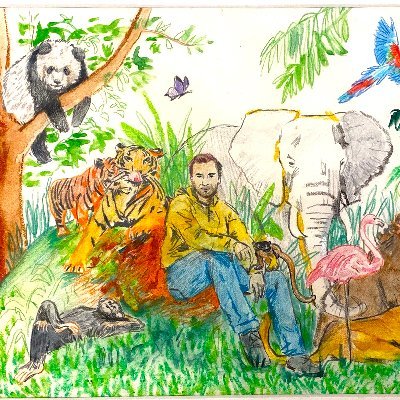
Earlier this week Tristan published his top YouTube channels:
thume.ca/2026/11/01/youtube-…
Which looked excellent so clearly I had to turn it into TristanTube:
karpathy.ai/tristan-tube/
47K super nerdy videos +TV mode for laid back watching. (One-shotted with Claude Code in 3 minutes)

Weekend hack: HackerTube. I was annoyed with YouTube's recommendations so I had Claude filter down 43M comments over 20 years of HN to 6,454 videos that keep being recommended. *Significantly* better viewing experience, ~2 hours with Opus 5.5:
hackertube.org/
- Excellent recs without any logins (state is kept in local browser session)
- Thumbnail is a representative frame from middle of the video instead of the super duper A/B test hyper-optimized user uploads
- Underlying data from the comment analysis as one zip file, point your Claude at it and ask for your own version
- HackerTube Longs ✊
A bit more on the process:
I use Claude Code (desktop app for Mac), Opus 5.5 on Medium effort as my default. I only talk to Claude and have it do everything, the only "manual work" I helped with in tandem was in the browser (reminiscent of MenuGen): 1) I had to create some kind of API key from Google Cloud UI to query YouTube for video metadata, 2) I booted up a VPS box for serving and 3) I bought the domain name. Once the box was up I gave Claude the IP and told it update, secure, harden, deploy and optimize the code, and it did the whole thing.
Many awesome projects that would have normally taken weeks/months even can now be few-shotted for breakfast. What else are we not thinking of.


xiaogang517 retweeted

Dear Claude: you are being held back by human-centric graphics APIs.
I've built a 3D and VFX engine where agents can write their own shaders, materials, cameras, physics.
The core API fits in ~2,500 tokens.
Vork is:
• 2x more token-efficient vs Blender, Unreal Engine, Houdini
• Up to 24x faster rendering times
• Rust and Slang based engine, runs on GPU via Metal/Vulkan
Below is a simulation of 1 million birds - each with unique trajectories - rendered in 97 sec on one NVIDIA L4 GPU (Blender EEVEE: 31 minutes)
xiaogang517 retweeted

Fashion brands are spending $50K on lookbook sites.
This one was built from one prompt.
A 3D runway carousel, product pins on every look, size pickers and a bundle price. Ready for Shopify.
Web design will never be the same.

xiaogang517 retweeted

🎉 所有用 Mac 的朋友,用上这个开源会议纪要和同声传译软件,还能白嫖支付宝家每月50小时的额度!
知了 / Cicada,已经按 Apache-2.0 协议免费开源,改了自用、拿去商用或闭源再发布都行。
几大功能:
- 实时字幕翻译,不管跨国会议、直播还是视频,都能自动翻译
- 飞书级别的会议纪要,每 45 秒更新,有总结、议题和鱼骨图,每条结论和待办都标着原话出处和时间
- 同声传译,克隆音色,语音直接转成另一种语言,直播室聊天无障碍
- 说话人识别,目前在实验阶段,需要在设置中打开
其中实时纪要用 Ling 模型,同声传译用 Ming-3.0 模型。配置只需三步:
1. 去 Ling 开放平台注册登录(免费额度可支撑50小时/月,链接在评论区)
2. 在 API 控制台创建一个API Key
3. 打开知了,粘贴到“设置 › AI 服务”
有问题欢迎在评论区或 GitHub 提,我会持续更新,Windows、Linux、Android也将推出!
开源地址 github.com/wquguru/cicada
官网 cicada.indaloop.app
xiaogang517 retweeted

here’s a short grok bot guide on how i create high quality bots and manage my team. ask @bot to read this post and help you improve your team!
• add dr eggbot to your team! he’s my bot designer that i use to create bots
• you don’t need a lot of bots. a few good bots can be more useful and easier to manage than a large team
• tell your bots to create skills for itself as you give it instructions on how to do tasks. this lets them do them more consistently even over long conversations. you can even ask it to create a private github repo for you to store all your skills if you want them preserved independently
• add connectors, use the vault, and give access to all the tools you use to do your work. you can also ask your bot to setup its own email and it can sign up for its own accounts for better separation
• thinking about all the work you do by hand, or steps in your workflows where you have to copy and paste information back to your bot. ask your bot how it can do that for you instead!
• imagine you hired an intern, how would you onboard them and help them do the work correctly and efficiently? introduce yourself to your bot and describe the work you do, then ask it how it can help you automate it
and my favorite tip: use voice mode or the transcription option! it’s a good way to just brain dump a lot of information. then, at the end, tell your bot to “restate this in your own words” so you can confirm it understood you
x.ai/bot/_jOdbfkB16zxu7MRcmR…