Website monitoring and change alerts. Visualping alerts you when something on the web changes. Monitor the competition, legislative updates, policies and more!
Vancouver, British Columbia
Joined August 2013
- Tweets898
- Following38
- Followers1.6K
- Likes941






Pinned Tweet
💥 🔔 Unleash the power of change monitoring & alerts in every industry
🏆 Competitive monitoring
⚖️ Regulatory intelligence & compliance
🖥️ Website SEO
📈 Trading & finance
💰 Sales
🔒 Website security
and more!
visualping.io/business
Job hunting right now means a lot of tabs. Refresh the careers page, check the job boards, refresh the careers page again.
We built Job Seeker Access so those careers pages email you instead. A quick thread 🧵
Job Seeker Access is free for 6 months for individual job seekers in the U.S. and Canada:
- 25 careers pages
- 1,000 checks a month
- Checks as often as every 5 minutes
A regular free account gets 5 pages and 150 checks a month.
To get it, create a free Visualping account, then apply with the same email. We review each application by hand.
One tip: an alert means the page changed, so confirm the role is still open on the employer's site. visualping.io/job-seekers?ut…

Job hunting in the U.S. or Canada? Visualping is free for you for 6 months.
Watch up to 25 employer careers pages, with checks as often as every 5 minutes, and get an email when a new role shows up.
Apply here: visualping.io/job-seekers?ut…
New in Visualping: the Visualping Assistant, an AI chat that answers questions about Visualping and the monitors you’ve selected.
In Beta on every plan, including Free. Click the chat icon at the bottom right of your dashboard.
Learn more: visualping.io/blog/visualpin…
Visualping can now route website changes straight into Google Sheets 📊
With our new native Google Sheets integration, every change Visualping detects becomes a new row in a Google Sheet you choose. Each row includes the date and time, the monitor name and URL, the Visualping AI summary of the change, the text added and removed, and a link to the before-and-after comparison.
Use it to keep a running log of competitor prices, regulator updates, or job postings, then sort, filter, and chart it the way you would any other sheet. Available now on all Business plans.
Full walkthrough:visualping.io/blog/google-sh…

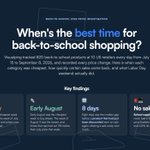
When was the cheapest week for back-to-school shopping this year? 🎒 🛍️
We tracked 820 back-to-school products every day from July 15 to September 8 to find out.
Children's clothing was cheapest the week of July 27. Shoes that went on sale were cheapest a week later, on August 3, 11% below where they started in July.
Another interesting finding: Once something went on sale, it usually went on sale again. The median gap between one price cut and the next was 8 days, and 73% of repeat discounts came back within two weeks.
Check out our full report, with interactive charts and even more findings, here: visualping.io/back-to-school…

Calling all product marketers: Visualping is headed to @PMMalliance's Product Marketing Summit San Francisco next week! 🌉
If you own competitive intelligence, positioning, or sales enablement, come chat with our team on Sept. 9-10 at the Hyatt Regency San Francisco Airport at Booth 5.
world.productmarketingallian…

Plus, our Head of Marketing & GTM Eric Do Couto is running a workshop called "The $274 Competitive Intelligence Stack" on Sept. 10, 11 a.m. PT at Harbour B.
He'll build a DIY competitive intelligence stack around traceable sources: the tools and workflows product marketers can use to make defensible strategic decisions, back up sales, and sharpen positioning.
Full agenda: world.productmarketingallian…
New in Visualping: Alert on Error. You can now get an email when a monitor runs into errors, so a broken monitor doesn't go unnoticed.
Monitors can error for reasons outside your control, like when a page gets taken down and returns a 404.
When you toggle on Alert on Error, Visualping will email you when it happens, based on a threshold you choose:
• On every error
• After a number of consecutive errors you set
• When the monitor is failing (100 consecutive errors)
The email includes the monitor name, how many consecutive checks have failed, and the cause, like an HTTP 404.
Alert on Error is available now on every plan, including Free.
To turn it on, open a monitor's settings and toggle on "Alert me on errors."
More details on our blog: visualping.io/blog/alert-on-…

Introducing the Health Dashboard, your single view of the status of every monitor you run.
Now, you can see how every monitor is doing over a chosen time period: checks run, alerts sent, failing monitors and why, and what's queued next.
Live now at Account > Health, on every plan including Free.
visualping.io/blog/health-da…