

Cybersecurity student | ISC2 CC | Cloud Security | Security Awareness | Open to learning | Just Being Me✨
Somewhere in my world
Joined March 2024
- Tweets289
- Following128
- Followers152
- Likes413





Pinned Tweet
Yesterday I was nervous about my exam…
Today I passed the ISC2 Certified in Cybersecurity (CC) 🤭🔐 All thanks be to God and congratulations to myself 🎉
#Cybersecurity #ISC2 #WomenInTech #fypシ゚

That random USB drive you found, received as a gift, or borrowed from someone you barely know?
Don’t plug it into your laptop just because it looks harmless.
A USB can carry malware, and some malicious USBs can even pretend to be a keyboard.

Day 27: Avoid Unknown Removable Storage Devices
Keep your Cyber diet clean 👀
Not every cybersecurity threat comes through the internet. Some can enter your computer through physical devices, including USB drives, external hard drives, and memory cards. Connecting an untrusted device can expose your system to malware or other security threats.
Imagine a friend gives you a USB drive containing a presentation they need you to review. That innocent device could contain malicious files that put your device and data at risk.
Quick Tip: Only use removable storage devices from trusted sources and scan them with approved security tools where appropriate.
Before connecting a USB drive to your computer, what steps should you take to ensure it is safe to use?
A fintech startup is moving workloads to Azure. A newly deployed Ubuntu VM needs to meet a basic security baseline before handling sensitive workloads.
I worked through a simulated scenario focused on hardening the server against common access and exposure risks. @TheCloudSE

First, SSH
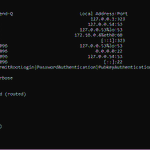
I disabled direct root login and password authentication, and enabled public-key authentication.
Then I configured UFW to deny incoming traffic by default while allowing SSH on port 22.

Your parents and grandparents deserve to feel safe online too.
Phishing, fake tech support and AI voice-cloning scams can target anyone.
Teach an older adult one safety tip today. It could save them a lot.
Day 26: Educate Senior Citizens
“Knowledge is the best ingredient for online safety 👀”
Cybersecurity awareness should extend to everyone, including senior citizens who may be less familiar with common online scams. A little guidance can help them understand how scammers operate, question suspicious requests, and make safer decisions when using their phones or browsing the internet.
Imagine your grandmother receives a text message claiming she has won a cash prize. The message asks her to click a link and provide her bank details to claim the reward. Excited by the offer, she follows the instructions without realising that the message is fraudulent.
Quick Tip: Take time to explain the warning signs of scams, such as unexpected prizes, suspicious links, requests for personal information, and messages that pressure people to act quickly. Encourage them to verify offers before responding and to contact someone they trust when uncertain.
What is one online safety habit every senior citizen should know?
Vee❤️ retweeted

over a week ago, the external SSD on which my home lab VMs are hosted was corrupted due to an error from trying to install WSL on it.
I had to format the SSD and i lost my home lab, however i have set up a new home lab and i will start building therein soon.
One of the major update from my new home lab is that i now run my siem tools on ubuntu server ( previously i use ubuntu desktop ) which never limited my work, but was'nt proper.

That QR code may look harmless, but you don’t know where it leads until you check.
Before scanning, verify the source and preview the link. A fake QR code can lead to a phishing page or scam.
Day 25: Check Before Scanning QR Codes
“Scan with care, don’t feed scammers 👀”
QR codes make everyday tasks easier, from viewing menus to paying for parking. But cybercriminals can replace legitimate codes with malicious ones that lead to fake websites designed to steal your personal or financial information.
Imagine this: You park your car and scan a QR code on a parking sign to pay. The website looks convincing, but the code has been replaced with a fake one designed to steal your card details. You could end up paying a scammer instead of the parking operator.
Quick tip: Preview the web address before opening it. Check that the domain matches the official site. Look for signs of tampering, and verify payment instructions through an official website or app if anything seems suspicious.
What steps can help verify whether a QR code leads to a legitimate website?

Your device has your messages, passwords, documents, banking apps.. basically, your life.
So what happens when someone steals it?
A strong screen lock helps. Encryption adds another layer by making the stored data unreadable without the right access.
Day 24: Encrypt Sensitive Data on Your Devices
“Encryption is the secret ingredient to protecting your data 👀”
Locking your device is important, but what happens if it’s lost or stolen? Sensitive documents, financial records and personal files could be at risk if someone finds a way to access your device storage.
Imagine this: Your laptop is stolen from your bag. It has a login password, but that alone may not protect its stored data from every attempt to access it. Full-disk encryption helps keep your files unreadable without the appropriate key.
Quick tip: Check your device security settings and enable supported encryption features, such as BitLocker on Windows or FileVault on Mac. Keep your recovery key somewhere secure and back up important data.
Is a strong password enough to protect your files?
If you think an account has been compromised, act fast.
Attackers can change your password, set up forwarding rules, and target your contacts before you react.
Secure the account, check your sessions, and warn others.
Day 23: Respond Quickly to Account Compromise
“A quick response is a healthy Cybersecurity habit 👀”
Unusual login alerts, unexpected password resets or changes to your account settings could be warning signs that someone has gained unauthorised access. Ignoring them could give an attacker more time to take control.
Imagine this: You receive a notification that your account’s recovery phone number has been changed, but you ignore it. Later, you discover you can no longer sign in because someone has changed your password.
Quick tip: If you notice unfamiliar logins or unexpected account changes, access the official website or app, change your password from a trusted device, review recovery details, sign out unfamiliar sessions and enable MFA.
What unusual account activity would make you suspect someone else had gained access?
Turn off automatic media/file downloads in your messaging apps.
Check WhatsApp, Telegram, Signal, etc. and choose to download files manually.
It takes a few seconds to change, and gives you more control over what actually reaches your phone.
Day 22: Disable Automatic File Downloads in Messaging Apps
“Don’t let unknown files land on your plate automatically 👀”
Every day, we receive pictures, videos, documents, and other files through messaging applications. While many of these files are harmless, some may contain malicious content or come from untrusted sources. When automatic downloads are enabled, certain files may be saved to your device without you deliberately choosing to download them
Imagine receiving an unexpected attachment in a messaging group, labelled as an important document. Although you don't recognise the sender, the file downloads automatically because of your app settings. While downloading a file does not necessarily mean your device is infected, opening malicious attachments can create security risks.
Quick Tip: Disable automatic file downloads where supported, verify unfamiliar senders, and avoid opening unexpected files.
What other steps can help reduce the risks of automatic file downloads in messaging apps?
An old account you forgot about can become a security problem.
Companies get breached. If your old data is still sitting there, attackers may get it.
If you are reusing the password elsewhere? That's even worse, credential stuffing can put those accounts at risk too.
Day 21: Close Accounts You No Longer Use
“Time to clear out those digital leftovers 👀”
Forgotten online accounts can still hold personal information, saved payment details and outdated passwords, creating opportunities for cybercriminals if they're compromised.
Imagine this: You signed up for a food delivery service while travelling but never used it again. Your account still contains sensitive information. If someone gains access, that information could be misused.
Quick tip: Review your online accounts regularly and close those you no longer need. Save any important information first, use the official deletion process, and check whether the account is linked to other services.
Question: How can closing unused accounts help reduce an individual's digital risk?
You don't need to wait until your phone disappears to think about this.
Turn it on while you still have your device.
And remember: remote wipe should usually be the last resort. Once you erase the device, recovering it may no longer be possible.
Day 20: Enable Remote Find, Lock, and Wipe Features
“Lost your device? Don’t let your data become someone else’s meal 👀”
What happens when your phone or laptop goes missing? A lost or stolen device can put your personal information, work files and saved accounts at risk.
Imagine this: You realise your laptop is missing after an event. It contains sensitive documents and private information. If remote security features were enabled beforehand, you may be able to locate or lock it remotely, and, if necessary, erase the data.
Quick tip: Enable your device’s built-in finding and remote-locking features in advance. Know how to use them, keep important data backed up, and check whether remote erasure is available.
What steps can be taken to secure sensitive information on a lost or stolen device?
A fake video can spread false information, damage someone's reputation, or even be used to trick people into sending money or revealing personal information.
Before reposting a video, verify from the original source.
Day 19: Verify Suspicious Videos Before Sharing
“Keep fake content off the menu 👀”
Videos can spread across social media in seconds, but not everything you see is genuine. Edited footage, misleading clips and AI-generated deepfakes can deceive viewers and help cybercriminals spread scams.
Imagine receiving a video that appears to show your boss instructing you to urgently transfer money from the company's account to a particular bank account. The video looks convincing, and the voice sounds exactly like your boss. However, it could be an AI-generated deepfake designed to trick you into making an unauthorised transaction.
Quick Tip: Check the original source, look for confirmation from trusted sources, and independently verify urgent requests through a separate, trusted communication channel.
What signs might make you question the authenticity of a video?
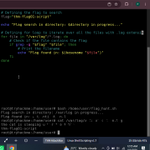
Decided to have some fun tonight. I ended up going through Levels 1–10 of OverTheWire Bandit.
There’s something addictive about solving one problem and immediately wanting to solve another.
@TheCloudSE

Take 10 seconds today:
Go to Settings → Apps → Permissions and review what your apps can access. Remove permissions they don’t need.
Day 18: Review App Permissions Regularly
“Give Apps only the ingredients they need 👀”
It's easy to forget about the permissions we grant to applications after installing them. Many apps ask for access to features such as your camera, microphone, contacts, or location. While some permissions are necessary for an app to function, others may no longer be needed, especially as the way you use the application changes over time.
Imagine downloading a simple calculator app that requests access to your contacts and precise location. These permissions may have little to do with its primary function and could raise privacy concerns.
Quick Tip: Review app permissions regularly in your device settings. Remove access you don't need, limit sensitive permissions to when an app is in use where possible, and uninstall apps you no longer use.
What app permissions do you think people overlook most often?
Vee❤️ retweeted

Vee, I want to build my career in Cloud Security.
How do I go about it?
Listen to this : open.spotify.com/episode/67A…

Vee❤️ retweeted
I will be speaking on “Why cloud security is the fastest growing field in cyber” tomorrow
Where to begin and how to build a career in cloud security .
Join us by 8:30pm✨

🔐 THE CLOUD IS RISING. ARE YOU READY TO SECURE IT?
Cloud Security is booming! Want to know how to break into the field and build a career?
📅 Oct 17 | ⏰ 8:30 PM WAT
Set your reminder. Your journey starts here!
#TheCybrarians #CloudSecurity #studentledcybersecuritycommunity

Downloading software from a random website can be more dangerous than it looks.
That “free” app could come with malware designed to steal your passwords, files, or personal information.
Day 17: Download Software only from trusted sources
“Check the ingredients before you install 👀”
Downloading software is part of everyday life, whether it's an app, a work tool or a system update. A program that looks legitimate isn't always safe. Cybercriminals can disguise malicious software as genuine applications to steal information, spy on activity or damage your device.
Imagine this: You search online for a useful application and click a download link that looks genuine. Unknown to you, the installer contains malware that could compromise your device and personal information.
Quick tip: Download software from official developer websites or reputable app stores. Check the publisher, review requested permissions, and avoid cracked software or unfamiliar download links. Never ignore security warnings just to complete an installation.
How can you tell whether a software download is legitimate?