

100+ professional articles for you to master UX design
United States
Joined October 2010
- Tweets875
- Following87
- Followers21.8K
- Likes12
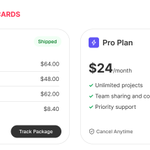




The standard layout for cards and dialogs is hard for users to scan. Every element is competing for attention.
The optimal layout puts the focus on the most important element: the content area.
Learn how to design the optimal layout: uxmovement.substack.com/p/th…


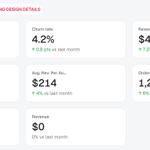
Your KPI cards can mislead users if you don't get the design details right. There are 8 mistakes most designers make.
Get the design details right: uxmovement.substack.com/p/8-…

You're designing your KPI cards all wrong. A big number and arrow isn't enough. There are six different ways to display data for a richer user experience.
Learn the 6 KPI card types: uxmovement.substack.com/p/th…
The difference between KPI cards used right and wrong.
Learn the 6 KPI card types and when to use which: uxmovement.substack.com/p/th…

Choose concentric modal dialogs over regular modal dialogs.
You'll give users more visual emphasis on the message and action buttons.

When it comes to UX design, most designers don't know where to begin. The most common approach is to copy a similar UI from a big name brand such as Google, Apple, or etc.
However, you're not actually learning what UX is when you do this. Copying a few things might be okay, but it's not practical or sustainable in the long-term.
That's why I created a set of UX standards and principles based on human perception and cognition. They are universal, timeless, and will always be applicable to any UI you work on.
In other words, every UI, without exception, needs to follow these standards and principles for the best user experience.
Wrote a book about this and made a course too. 👇
Book: whop.com/uxmovement/ux-stand…
Course: whop.com/uxmovement/ux-stand…

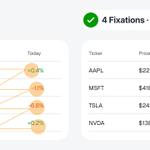
Data tables are always slower to scan with more columns. By combining columns, you can reduce the number of visual fixations in half.
Less physical and cognitive effort leads to far faster scanning.

Your design system should not only have static color states but also dynamic color states.
These are for components that indicate states when the data changes.
See how it works on a budget bar: uxmovement.substack.com/p/ho…

Cluttered data tables plague every dashboard. A much better UX is to turn them into clear visual insights.
Learn the visual patterns to do this: uxmovement.substack.com/p/ho…

The right way to handle a long list of filters isn't to use dropdown menus, but rather a combination of item chips, accordion groups, and a search bar.
With this approach, the most important filters are easier to access and the less important ones fade into the background.
Learn about component hierarchy: uxmovement.substack.com/p/th…

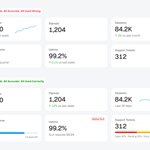
To make dashboard data easier to compare, you need to choose visual patterns over tables and lists.
Learn all the different visual patterns: uxmovement.substack.com/p/ho…

Whenever a UI has a list of history logs, it's always hard to scan.
You can increase recognition speed by emphasizing the event, adding category badges and color coding them.
The UX difference is night and day.
Learn more in the article: uxmovement.substack.com/p/ho…

Your dashboard data should not be displayed as cluttered, text-heavy tables. Instead, they should be displayed as visual patterns.
Learn these visual patterns in the article: uxmovement.substack.com/p/ho…

Most call-to-action buttons have static labels that stay the same no matter what.
Dynamic button labels are better because they adapt and change based on user input. This gives users more assurance on what happens after the click.

When offering options for users to select, pay attention to your selection cues.
A plain black stroke doesn't look or feel like a selection. Instead, use a gradient stroke with a tint fill to give users the cognitive assurance they need.

Unclear pricing options are why users don't follow through with booking or checkout.
Here are some ways you can make your pricing options more clear and transparent.
The full article: uxmovement.substack.com/p/th…

5 dropdown menus force users to perform a task in 5 separate contexts.
1 unified field and compound picker allows them to do it in a single context.
Less cognitive effort = better user experience.
Learn how and why: uxmovement.substack.com/p/ho…

