

Market-making sandbox for Zero. Sign your quoting rules, explore range liquidity and inspect every simulated fill. Inspired by LayerZero’s ATLAS.
Zero
Joined November 2026
- Tweets10
- Following1
- Followers15
- Likes90
Build a setup worth keeping. Save it.
Name your Pelican preset and keep its settings for that market in this browser. Load it next session, make your changes and sign when you're ready.
Loading edits the draft. Your active desk keeps its signed policy until you authorise a replacement.
Your own library of market-making setups, inside the simulator.

A range is a decision about where your liquidity will work.
In Shelf, choose a pool, set the lower and upper bounds and open a position with simulated assets. The receipt keeps the range, principal and earnings together so you can follow the position through successive clears.
Each generated batch clears at one price. Your open position can accrue fees and surplus when that price falls inside its band. A clear outside the band contributes no earnings to that position for that batch.
Position value and range concentration influence the allocation. A narrower band changes both the weight of eligible liquidity and the set of prices at which it can participate.
You can withdraw part of the principal or close the position. A withdrawal also settles all unpaid earnings. Shelf's 0.5% platform fee applies to newly unsettled simulated earnings, with principal kept separate from the fee calculation.
Try a range, follow the clearing records and inspect the receipt after a partial withdrawal.
That is the Shelf workflow, from allocation to accounting.

6
8
95
Inventory changes. Your quoting rules should respond.
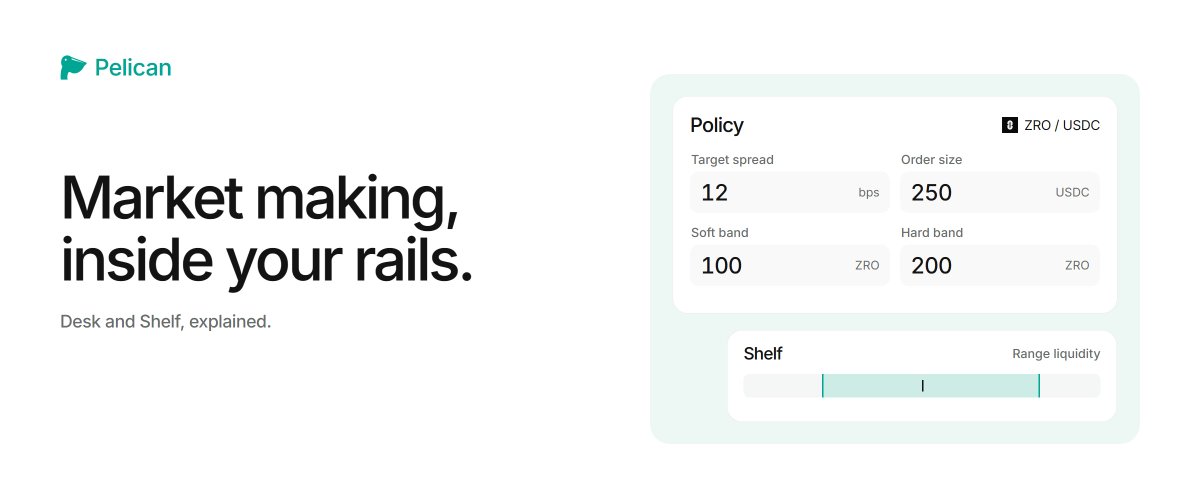
Desk gives you a clear way to shape that response. Set the soft and hard inventory bands, choose the widened spread and control how automatic order size tapers as exposure approaches the soft band.
The inventory size floor lets you set the target size retained at the soft band. Start from Inventory light, review the draft and tune it for the simulated market you are testing.
As inventory crosses the soft band, quotes can widen. Near the hard limit, automatic quotes are restricted to reducing exposure and size remains capped by the capacity left. Manual quotes are pulled at the hard-band pause.
Loss and gas guards can end the run. Kill requires a reset, while flattening remains a separate manual action.
Open Activity to read fills and guard reasons alongside fees, rebates and simulated gas. Then change one setting and follow its effect in the next run.

2
3
83

Meet Pelican.
Market making, inside your rails.
A quoting strategy is easier to understand when you can follow its decisions from the policy to the order book.
Pelican gives you that workflow in a market-making sandbox inspired by LayerZero's ATLAS and OTTER research.
Start in Desk. Choose a market, set your spread, order size and inventory limits, then sign the policy.
Allocate simulated collateral and gas, start quoting and watch how fills change your exposure. Every guard event has a reason you can inspect.
For range liquidity, open Shelf. Choose a price band, create a simulated position and follow the batches that contribute fees and surplus to its receipt.
The video follows a Desk session through the actual product. You can see the rules, the activity they produce and the record left behind.
Set the policy. Run the desk. Read the result.