



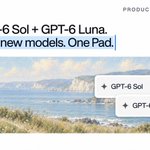

Making an image usually means going somewhere else. A new tool, a new tab, and the whole brief explained again.
But the copy and the positioning already live in the chat. The image should too.
Now every Pad chat can make images, right where the context is. Just like the one below.
🤖 Made with AI


You can use @getcontextdev directly inside your Pad account
Context.dev made it incredibly easy to integrate and it's one of our go-to tools for building Pad itself

PSA: Case study unlocked 🔓
@usepad is building a multiplayer AI workspace where teams collaborate with agents across conversations, documents, and connected tools.
They plugged in the @getcontextdev MCP to give those agents live web + brand context in under 10 minutes.
Their first use case: pulling real company assets directly into the conversation.
No custom pipeline or leaving the workspace. Just ask, and the agent gets the context it needs.
