





Pinned Tweet
Introducing Towns Academy 🏫
Discover a dynamic hub where anyone can dive into creating bots with Towns Protocol. Start with a intro course or use AI to vibe-code whatever you can imagine.
Let's explore what’s new 👨🏻💻
Remember past the restart: If your bot forgets every setup, people have to start over.
Build: Store your Towns bot's settings in a database. In-memory Map or Set storage only works on always-on servers.
$TOWNS

2
1
509
Follow the deletion: If someone deletes their question, don't leave your bot's answer behind.
Build: Use onRedaction in your Towns bot to get the deleted message's refEventId, then remove your reply with removeEvent.
$TOWNS

3
711
Check before you act: Make sure the person asking can do what your bot is about to do.
Build: Use checkPermission in your Towns bot to confirm a permission, like Permission.PinMessage, before running the command.
$TOWNS

6
1
1,042
Let a reaction do the work: A quick ✅ can be the signal your bot acts on.
Build: Use onReaction in your Towns bot to act on a reaction and the messageId it was added to.
$TOWNS

4
2
910
Show how it works: Bring your walkthrough into the conversation.
Build: Send an MP4 from your Towns bot as a chunked media attachment.
$TOWNS

2
3
1,100
Keep the answer with the question: Make it clear what your bot is responding to.
Build: Set replyId in bot.sendMessage options to reply to a specific message.
$TOWNS

6
3
1,301
Plans change: Keep your bot's announcement useful when the details move.
Build: Use bot.editMessage to update an existing message with new content.
$TOWNS

5
2
1,434
Don't hide a failed send: Show people when their message action fails.
Build: Use isError and error from useSendMessage to make failures visible in your Towns client.
$TOWNS

4
4
1,487
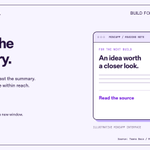
Open the full story: Give people a way past the summary.
Build: Use actions.openUrl in your Towns miniapp to open the full reference in a new window.
$TOWNS

1
1
1,113
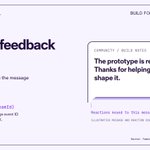
Let the feedback show: Put reactions beside the message that earned them.
Build: Use useReactions to read reactions by message event ID in your Towns client.
$TOWNS

3
2
1,187
Ask for a signature: Let people sign a message through your Towns bot, without executing a transaction.
Build: Set the interaction type to 'signature'.
$TOWNS

A way back in: Give people a place to find their existing DMs.
Build: Use useUserDms to list the current user's DM streams in your Towns client.
$TOWNS

3
1
1,169
Don't make people guess: Show when your Towns client is connecting and when it's connected.
Build: Use the connection flags from useAgentConnection to make that state visible. (docs.towns.com/build/react-s…)
$TOWNS

4
2
1,145
Give the task an ending: Make it clear when people are finished in your miniapp.
Build: Use actions.close to give them a clear way out. (docs.towns.com/build/miniapp…)
$TOWNS

1
3
1,121
A better first hello: Help new arrivals find their footing.
Build: Use onChannelJoin to trigger a welcome message. Requires All Messages forwarding mode. (docs.towns.com/build/bots/ev…)
$TOWNS

4
2
1,154
Thanks, with value attached: Make the helpful answer worth more than a reaction.
Build: Use sendTip in your Towns bot to tip a user on a specific message. (docs.towns.com/build/bots/ev…)
$TOWNS

4
7
1,459
Ready means ready: Don't leave people staring at a splash screen.
Build: Call actions.ready when your Towns miniapp is ready to display. (docs.towns.com/build/miniapp…)
$TOWNS

7
4
1,320
Show the work: Give your community the image, not just a description.
Build: Send screenshots or generated images directly from your Towns bot. (docs.towns.com/build/bots/ev…)
$TOWNS

6
4
1,307
Keep the plan current: Don't leave people working from an outdated announcement.
Build: Update your bot's message when the time, link or details change.
$TOWNS

12
1
1,479