



Pinned Tweet
Introducing Towns Academy 🏫
Discover a dynamic hub where anyone can dive into creating bots with Towns Protocol. Start with a intro course or use AI to vibe-code whatever you can imagine.
Let's explore what’s new 👨🏻💻
A better first hello: Help new arrivals find their footing.
Build: Use onChannelJoin to trigger a welcome message. Requires All Messages forwarding mode. (docs.towns.com/build/bots/ev…)
$TOWNS

Thanks, with value attached: Make the helpful answer worth more than a reaction.
Build: Use sendTip in your Towns bot to tip a user on a specific message. (docs.towns.com/build/bots/ev…)
$TOWNS

Ready means ready: Don't leave people staring at a splash screen.
Build: Call actions.ready when your Towns miniapp is ready to display. (docs.towns.com/build/miniapp…)
$TOWNS

Show the work: Give your community the image, not just a description.
Build: Send screenshots or generated images directly from your Towns bot. (docs.towns.com/build/bots/ev…)
$TOWNS

Keep the plan current: Don't leave people working from an outdated announcement.
Build: Update your bot's message when the time, link or details change.
$TOWNS

Keep the conversation going: Give people a way to share what they made in your miniapp.
Build: Add a compose-message action with text and an embed.
$TOWNS

Less tallying, more listening: Ask the community without sending everyone elsewhere.
Build: Put a simple yes/no poll inside the conversation with a Towns bot.
$TOWNS

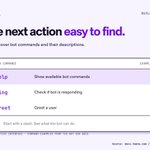
Make the next action easy to find: Don't make people memorize what your bot can do.
Build: Give each command a clear name and a useful description.
$TOWNS

Build for the people talking: Give the conversation a home without making its contents the network's business.
$TOWNS

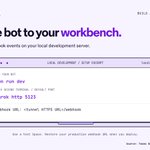
Bring the bot to your workbench: Develop locally before deploying.
Build: Try your Towns bot in a test Space, inspect events and refine the response.
$TOWNS

Don't leave send hanging: Give people clear feedback after they hit send.
Build: Show when a send is pending, succeeds or fails in your Towns client.
$TOWNS

A name people recognize: Let people choose how they appear in the conversation.
Build: Give your community a display-name editor.
$TOWNS

Make room for the follow-up: Give people a place to take the conversation one-to-one.
Build: Turn a member profile into the start of a direct conversation.
$TOWNS

Bring updates into the conversation: Towns bots can receive external webhooks on custom routes and send messages to a channel.
Build: Put project notifications where people can discuss them.
$TOWNS

Let people catch up: Build message history with the Towns React SDK.
Fetch: useScrollback(streamId) exposes scrollback() to load earlier stream events.
Context: Help people understand what the latest update is about.
$TOWNS

Keep the answer with the question.
Read: useThreads(streamId) maps message event IDs to threads.
Send: useSendMessage(streamId) exposes sendMessage(), with a threadId option.
Build threaded conversations with the Towns React SDK.
$TOWNS

Build miniapps that know which conversation they’re in.
Context: Read context.towns in the Towns miniapp SDK.
Channel: channelId covers a Space channel, DM or group DM.
Space: spaceId is optional, so don’t assume every launch has one.
$TOWNS

Build a Space list for the current user with Towns React SDK.
List: useUserSpaces() returns spaceIds.
Resolve: Pass each ID to useSpace(spaceId).
Render: Read the Space name from its metadata.
$TOWNS

Two ways to connect a Sync Agent to Towns.
Signer: connect(signer, config).
Token: connectUsingBearerToken(token, config).
Hook: useAgentConnection() exposes both methods, plus disconnect().
$TOWNS

Large media does not have to ride inside one message.
Stream: Towns supports media as a separate stream.
Chunks: Nodes store indexed byte chunks for client pagination.
Context: The current schema can link media to a channel, Space or user.
$TOWNS
