

⚡Building https://xitter.cf/t.co/YO95IfHuJP in public. eu/acc. 📨 Please send support requests to tim@getrapidemo.com.
Portugal
Joined June 2010
- Tweets1.6K
- Following141
- Followers406
- Likes2K


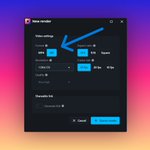
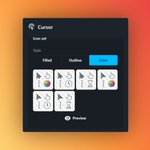


I added wider support for system audio recording to Rapidemo! 🎛️
It should work reliably on pretty much all hardware now.
Previously system audio relied on a loopback device, which not all sound cards expose, and which requires some additional setup. It was honestly kinda finicky...
Now it records via a Windows API, which is available on all hardware. I still expect some potential hiccups due to outdated drivers (ugh...), but support should be much better and there is 0 setup. Nice! 👌
2
45
Tim Konie retweeted
I added a laptop model to Rapidemo for super slick launch videos!
Here are all the updates of the new release, which also includes a boatload of bug fixes 👇
💻 3D laptop model: Add an animated 3D laptop model to any Spatial clip. The laptop opens as a scene starts and the camera circles around it to create a dramatic intro. The laptop's color, material and other properties are customizable.
📱 Mobile cursor: Replace the cursor with a touch circle that only appears when clicking or dragging.
⌨️ Recording hotkeys: Stop, pause, restart or cancel a recording via customizable keyboard shortcuts.
🔤 Hotkey visualization: Show keyboard shortcuts you press while recording as overlays in the video. Plain typing is never recorded. Nothing is sent to a server.
🧩 Multiple areas per mask: Masks can now cover multiple areas. In the masking modal, drag across an empty spot to add additional masks.
🔎 Zoom in the area picker: The area picker, used for masks and cropping, now supports touchpad and touchscreen zoom, so that areas can be selected more precisely.
🐛 Bug fixes:
- Wider support of system audio recording, including on sound hardware that doesn't expose a loopback device.
- Recordings now end the moment you click Stop.
- Click animations line up better with the video.
- Spatial clips use a more natural camera field of view.
- Each project opens at the timeline zoom you used last.
- The preview marks the masks you select with a moving dashed outline. It never shows up in your video.
- Masks can be as small as 4 pixels, small enough to cover a single character.
- Crop video and Select area show the scene you're editing, not always the first one. Select area shows a moment where the mask is on screen.
- Closing Crop video or Select area without saving drops your changes. It reopens on the saved area.
- Undo takes back a whole drag of the Spatial camera distance or the Side-by-side border radius in one step.
- Undoing a new zoom or clip no longer breaks the Properties panel.
- The switch from two Spatial clips in a row to another layout no longer jumps when the recording isn't 16:9.
- Rapidemo warns below the Record button when the drive has less than 2 GB free.
- Resizing the window no longer crashes the preview.
- Opening a project while the window is minimized no longer crashes the preview.
- Opening Transcript while offline no longer reports a failed transcription.
- Recording a display scaled to 175% no longer fails.
- Recording a display whose height is an odd number of pixels no longer fails.
- A recording that finishes cleanly is kept even when the encoder crashes while closing.
- A recording, save or export that runs out of disk space now tells you the disk is full.
- Scenes you added just before Rapidemo closed unexpectedly come back when you reopen the project.
- A background or camera backdrop you picked just before Rapidemo closed unexpectedly stays after you reopen and close the project.
- Opening an older copy of a project after a crash no longer fails silently. It opens as last saved and tells you.
- Opening a project whose video can't be read now shows a clear error.
- Closing a project after the preview crashed no longer gets stuck on Closing editor.
- A video that can't keep playing can be reloaded.
- A camera or microphone that can't be opened now shows a clear error.
- A shareable-link upload that fails now offers Retry every time.
- Rapidemo now tells you when a security product or a wrong system clock blocks a shareable-link upload.
- Saving a copy of a project or preset whose file was moved or deleted now reports that the file could not be found.
- The close button keeps working after a reload while the close prompt is open.
- Rapidemo retries a failed check of the video encoders on the next attempt instead of failing until you restart it.
- A settings file that Windows refuses to update no longer stops Rapidemo from starting.
- An unexpected error now shows a plain message and closes Rapidemo instead of a technical error box.
- Camera background effects that can't run on your graphics card no longer stop the preview. The camera shows without the cutout, and a message explains why.
- Backing out of a graphics restart no longer restarts Rapidemo the next time you close it.
- A failed start no longer drops Rapidemo into reduced-graphics mode.
- After repeated graphics crashes, Rapidemo offers to restart without hardware acceleration.
I added a laptop model to Rapidemo for super slick launch videos!
Here are all the updates of the new release, which also includes a boatload of bug fixes 👇
💻 3D laptop model: Add an animated 3D laptop model to any Spatial clip. The laptop opens as a scene starts and the camera circles around it to create a dramatic intro. The laptop's color, material and other properties are customizable.
📱 Mobile cursor: Replace the cursor with a touch circle that only appears when clicking or dragging.
⌨️ Recording hotkeys: Stop, pause, restart or cancel a recording via customizable keyboard shortcuts.
🔤 Hotkey visualization: Show keyboard shortcuts you press while recording as overlays in the video. Plain typing is never recorded. Nothing is sent to a server.
🧩 Multiple areas per mask: Masks can now cover multiple areas. In the masking modal, drag across an empty spot to add additional masks.
🔎 Zoom in the area picker: The area picker, used for masks and cropping, now supports touchpad and touchscreen zoom, so that areas can be selected more precisely.
🐛 Bug fixes:
- Wider support of system audio recording, including on sound hardware that doesn't expose a loopback device.
- Recordings now end the moment you click Stop.
- Click animations line up better with the video.
- Spatial clips use a more natural camera field of view.
- Each project opens at the timeline zoom you used last.
- The preview marks the masks you select with a moving dashed outline. It never shows up in your video.
- Masks can be as small as 4 pixels, small enough to cover a single character.
- Crop video and Select area show the scene you're editing, not always the first one. Select area shows a moment where the mask is on screen.
- Closing Crop video or Select area without saving drops your changes. It reopens on the saved area.
- Undo takes back a whole drag of the Spatial camera distance or the Side-by-side border radius in one step.
- Undoing a new zoom or clip no longer breaks the Properties panel.
- The switch from two Spatial clips in a row to another layout no longer jumps when the recording isn't 16:9.
- Rapidemo warns below the Record button when the drive has less than 2 GB free.
- Resizing the window no longer crashes the preview.
- Opening a project while the window is minimized no longer crashes the preview.
- Opening Transcript while offline no longer reports a failed transcription.
- Recording a display scaled to 175% no longer fails.
- Recording a display whose height is an odd number of pixels no longer fails.
- A recording that finishes cleanly is kept even when the encoder crashes while closing.
- A recording, save or export that runs out of disk space now tells you the disk is full.
- Scenes you added just before Rapidemo closed unexpectedly come back when you reopen the project.
- A background or camera backdrop you picked just before Rapidemo closed unexpectedly stays after you reopen and close the project.
- Opening an older copy of a project after a crash no longer fails silently. It opens as last saved and tells you.
- Opening a project whose video can't be read now shows a clear error.
- Closing a project after the preview crashed no longer gets stuck on Closing editor.
- A video that can't keep playing can be reloaded.
- A camera or microphone that can't be opened now shows a clear error.
- A shareable-link upload that fails now offers Retry every time.
- Rapidemo now tells you when a security product or a wrong system clock blocks a shareable-link upload.
- Saving a copy of a project or preset whose file was moved or deleted now reports that the file could not be found.
- The close button keeps working after a reload while the close prompt is open.
- Rapidemo retries a failed check of the video encoders on the next attempt instead of failing until you restart it.
- A settings file that Windows refuses to update no longer stops Rapidemo from starting.
- An unexpected error now shows a plain message and closes Rapidemo instead of a technical error box.
- Camera background effects that can't run on your graphics card no longer stop the preview. The camera shows without the cutout, and a message explains why.
- Backing out of a graphics restart no longer restarts Rapidemo the next time you close it.
- A failed start no longer drops Rapidemo into reduced-graphics mode.
- After repeated graphics crashes, Rapidemo offers to restart without hardware acceleration.


I hooked up the blender mcp to claude today. it's AMAZING. 🧊
creating great 3d assets has never been easier. rigged and everything! 🤯
1
56

I also just released a truck load of bug fixes and app improvements!

Here is what I shipped for Rapidemo in September 👨💻
🖥️ Record any display
↖️ Cursor icon sets
🌈 Cursor colors and stroke width
😶🌫️ Hide the cursor
📐 Aspect ratios for the area picker
📂 Double-click to open projects
🔔 Buttons on the export notification
🐛 Many bug fixes and improvements
Read the full update here 👇

54
Here is what I shipped for Rapidemo in September 👨💻
🖥️ Record any display
↖️ Cursor icon sets
🌈 Cursor colors and stroke width
😶🌫️ Hide the cursor
📐 Aspect ratios for the area picker
📂 Double-click to open projects
🔔 Buttons on the export notification
🐛 Many bug fixes and improvements
Read the full update here 👇

Tim Konie retweeted
Here is what I shipped for Rapidemo in July:
🎬 Scenes (finally!)
⌨️ Customizable hotkeys
🔗 Paste-to-play links
📋 Embed codes
🐛 Many bug fixes
Read the full blog post here 👇
getrapidemo.com/blog/july-20…
