

Easy time tracking with Toggl on iPhone, iPad, Mac, and Apple Watch. Made by @joehribar in Los Angeles. Mastodon: https://xitter.cf/t.co/hPqK0cDOt7
- Tweets558
- Following1
- Followers912
- Likes197




ALT Four iPhones side-by-side showing new Timery features. The first shows in Timery a summary report of time tracked. A menu with configuration options is open showing grouping options. Choices are grouping by projects, tasks, descriptions, tags, and clients. Projects is selected. The second shows the result of selecting the ask-each-time option to start a saved timer with a text box prompt asking how many minutes ago to start the timer. Below is a numberpad keyboard. The third shows Shortcuts on iPhone with a Start Saved Timer action from Timery. The saved timer parameter is selected to show a menu with a list of saved timers. Each have the title and a start icon in the color of the timer’s project. The fourth shows the standard iOS color picker with sliders for red, green, and blue with textfields for their numerical values to select a custom project color.


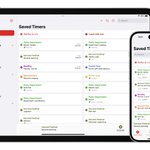
ALT Keynote-presentation-style slide of features with small examples of each: Lock Screen widgets, project & tag shortcuts, new & updated Apple Watch complications, Saved Timers grid, focus filters, more icons, Live Activities, start-minutes-ago always available, reports on Apple Watch, reports keyboard shortcuts, advanced Shortcuts filtering, reports in the sidebar, and Time Entries header charts.
ALT Keynote-presentation-style slide of features with small examples of each: Lock Screen widgets, project & tag shortcuts, new & updated Apple Watch complications, Saved Timers grid, focus filters, more icons, Live Activities, start-minutes-ago always available, reports on Apple Watch, reports keyboard shortcuts, advanced Shortcuts filtering, reports in the sidebar, and Time Entries header charts.

ALT Two iPhones. The first shows Timery widget options to show a saved report in the time tracked widget. The second shows a context menu above the reports tab with a list of saved reports grouped in two sections: reports overviews and summary reports.

ALT iOS 16 Lock Screen showing Timery widgets and a Live Activity. One widget shows the time tracked today with a small bar chart and a list of things tracked today, another shows the current time entry with a Timery icon and a duration, and another shows a start icon. The Live Activity shows the current time entry and the project, description, and duration.

ALT iPhone Home Screen with a Timery widget showing the current time entry and times tracked today and this week. Some duration text is misaligned caused by a bug in iOS 16.
ALT iPhone Home Screen with a Timery widget showing the current time entry and times tracked today and this week. Some duration text is misaligned caused by a bug in iOS 16.


ALT iPhone Lock Screen with three Timery widgets showing the current running time entry underneath the time. The first is a rectangular widget with three lines. On the first line is a small Timery icon with the time entry duration, on the second line is the project name, and on the third line is the description. To the right is a circular widget with the Timery icon and the duration underneath. On the far right is a circular widget with a partial circle outline with a small portion of the bottom cut out to fit a small Timery icon. In the center of the circle is the duration.

ALT Three Apple Watches side by side showing new features in Timery for Apple Watch. The first shows a watch face with the current time and a new Start Time Entry complication next to it that is a large, green start icon. Underneath is a Current Time Entry complication along with four Start Saved Timer complications. The current time entry complication shows a Timery icon with the duration on one line, the current project on a second line, and the description on a third line. The Start Saved Timer complications all have a start icon in various colors each with a label underneath. The left says plan, the middle says binder, and the right says waffle. The second shows the Current Time Entry view inside the app with the start button showing the current duration in decimal format reading 0.62 hours. The third shows the Current Time Entry view inside the app in Always On state where the stop button’s duration has the seconds hidden.