








upcoming feature: one-click test coverage view in your code editor


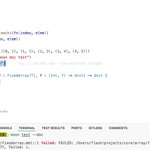
For those who wish to view @moonbitlang code coverage in vscode, here are the steps:
1. install Coverage Gutters extension.
2. run `moon test --enable-coverage` and `moon coverage report -f cobertura -o ./coverage.xml`.
3. open any mbt file and click the Watch button.

It still requires some manual steps, maybe we can integrate it into the moonbit extension to enable one-click viewing.
Great talk! The idea of interactive debugging is good, but structuring the code for effective debugging requires effort, particularly with end-to-end tests—often, I still rely on basic println😬
thanks for sharing. cmd + i doesn't work for me, is there a command name associate with this "cmd + i" ?
Took some time to fix bugs for @rust_analyzer and add a small features 😄
github.com/rust-lang/rust-an…
github.com/rust-lang/rust-an…


Rust 早期跟现在的差别还是挺大的,在 1.0 之前有过一些重大变更,比如移除了 GC (news.ycombinator.com/item?id…) 以及去掉了内置 runtime 和 green thread (github.com/rust-lang/rfcs/pu…)

maybe you could take a look at @moonbitlang, a general-purpose programming language, which could compile to both javascript and webassembly.