




i built a notes app that lives in your mac's notch
hover the notch → write → esc. that's it.
• notion-style editor, type / for anything
• @fri 3pm turns a to-do into a reminder
• ⌘P searches every note
• plain markdown files, no account, no cloud
free + open source 👇
Most AI tools make you export data to visualise it.
Otio generates the chart in the chat. Bar graphs. Line charts. Comparison tables. Pulled straight from your sources, citations included.
The numbers become visual without leaving the conversation.
Try it free -> otio.ai/?ref=x 50% off Go for 3 months - code GO50V2

You can't share a note without breaking the workflow.
Copy to email → stale the moment you send it.
Drop in Slack → someone asks a question, now you're re-explaining.
Export to PDF → they can't see the sources.
Otio solves this at the architecture level. One link, read-only, no login. If they want to fork it or keep building, they sign up on the spot.
Your research stays in one place. Sharing takes three seconds.
try it with GO50V2 for 50% off Otio Go for three months. otio.ai/?ref=x
Shivam Dev retweeted

We're excited to join forces with @SpaceX to advance the frontier of useful AI. Expect significant improvements to Cursor soon.

SpaceX has exercised the option to acquire @cursor_ai in an all-stock transaction with the goal of building the world’s most useful AI models.
For the past few months, SpaceXAI has been jointly training a model with Cursor, which will be released in Cursor and Grok Build soon.
We look forward to working closely with the Cursor team to advance our frontier AI capabilities

Day two of @otioai 2.0 for iPhone. The web workflow.
- One-tap summarise any webpage in-app.
- Tap any image to have it explained.
- Highlight any text → ask Otio, or send to web search.
Built so research happens while you're reading, not after.
App Store link in reply.
We shipped Otio 2.0 for iPhone today.
What's mobile-only:
— Scan a book or magazine → searchable PDF in your library
— Browse any webpage in-app, summarise, save to library
Same models, same workspaces, same citations as the web app.
App Store link in reply.
Day 10 of @otioai 2.0 feature highlights: Import any file type, unlimited storage
Reading r/GeminiAI today. One user split a 200-page PDF into chunks to upload it. Another merged 80 PDFs into one to dodge a source cap. A third uploaded a video to YouTube to feed the link to Gemini.
Building Otio meant building the pipelines so people don't have to.
Try it → otio.ai/?ref=x
→ Free 7-day trial on Otio Go
→ 50% off your first 3 months of Otio Pro with code GO50V2
→ New Otio Lite at $7/mo
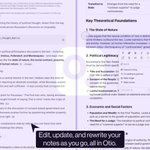
Day 9 of @otioai 2.0 feature highlights: Notes
Most AI tools treat the answer as terminal. Generate, display, done. The note you want to keep lives in a separate app.
In Otio 2.0 the note is a first-class surface. Generate from any answer, edit inline with AI, attach it back to a chat, export as markdown.
One library. Sources, chats, notes. All connected.

Try it → otio.ai/?ref=x
→ Free 7-day trial on Otio Pro
→ 50% off Otio Go with code WelcomeOtioV2
Day 8 of @otioai 2.0 feature highlights: Visualisations
Most AI viz tools either give you a static infographic you can't edit, or code you have to run yourself.
Otio renders an interactive chart inline, from the data in your uploaded sources. Twelve types, same chat as the analysis.

Try it → otio.ai/?ref=x
→ Free 7-day trial on Otio Pro
→ 50% off Otio Go with code WelcomeOtioV2