
🧑💻 Python & RPA | 📈 Growth + community | 6-yr founder | Building AI tools
Joined August 2025
- Tweets640
- Following30
- Followers122
- Likes475


You can now run an entire AI company on your own.
I used to have five or six Claude Code and Codex terminals running at once. One agent writing code, another running tests, another handling documentation.
The problem? Managing all those agents quickly became more work than doing everything myself. And one agent stuck in a loop could easily burn through hundreds of dollars in tokens overnight.
Then I came across Paperclip, an open-source project with a pretty interesting idea:
If AI agents are becoming employees, why not give them an actual company to work in?
You start by setting a goal and hiring an AI CEO. It creates a strategy, breaks down tasks, and helps build a team of AI developers, testers, and marketers.
Claude Code, Codex, Cursor, and OpenClaw can all work together. Each agent gets a role, a manager, and assigned tasks, just like a real organization.
But here's my favorite part: Paperclip manages budgets, not just tasks.
You can set spending limits for the entire company, individual agents, and specific projects.
At 80% of the budget, you get a warning. At 100%, the agent automatically stops. No more waking up to a massive API bill.
It also supports scheduled workflows. Agents wake up when there's work to do, complete their tasks, log the results, and go back to sleep.
Content creation, coding, testing, daily reports, and routine operations can all be handled by different AI employees.
Paperclip doesn't make individual AI agents smarter. It makes them work together like an actual team.
We're moving from one person juggling a dozen AI tools to one person managing an entire AI-powered company.
And I think that's where things get really interesting.
The real advantage of a one-person company won't be how many AI tools you know. It'll be how well you can organize them into a team that actually gets things done.


Further Reading:
GitHub Repository: github.com/paperclipai/paper…
Official Documentation: docs.paperclip.ing
Plugins & Community Resources: github.com/gsxdsm/awesome-pa…

This is the missing piece of a one-person AI team — agents that bring the queue to you, keep working when you step away, and only ask before touching money paths.

AI-generated architecture diagrams finally look good!
You know those architecture diagrams Claude Code or Codex usually generates? A bunch of rounded rectangles, random arrows, and way too many colors.
Technically correct, but painfully obvious they were made by AI.
I recently came across an open-source project called diagram-design, and it's a pretty neat solution to this problem.
It's a Skill for Claude Code, Codex, Cursor, and other AI coding assistants that teaches them actual design principles.
The idea is simple: less is more.
Use color sparingly. Keep spacing consistent. Align everything properly. Avoid unnecessary shadows and visual clutter. Make the important stuff stand out.
And the best part? You don't need to design anything yourself.
Just say something like:
"Create an architecture diagram showing my frontend, backend, database, and Redis cache."
The agent plans the layout and generates a standalone HTML file with embedded SVG. It supports 40+ diagram types, including architecture diagrams, flowcharts, sequence diagrams, and Gantt charts. You can also export everything as SVG or PNG.
Two features I particularly like:
Brand matching: Give it your website URL, and it can adapt diagrams to your brand colors and typography.
Diagram redesign: Feed it an existing Mermaid, draw.io, or Excalidraw diagram, and it'll redesign the layout while preserving the important information.
Installation takes one command:
npx skills add cathrynlavery/diagram-design
It's not a replacement for Mermaid if you need diagrams that are easy to maintain in Git. But for technical blogs, documentation, presentations, and product demos, this looks really useful.
AI doesn't struggle to understand architecture anymore. What it still struggles with is good design taste.
Turning design principles into reusable Skills is a pretty clever way to fix that.


Just found a pretty cool tool called next-ai-draw-io.
One annoying part of writing technical docs is always the architecture diagram.
You open draw.io, drag boxes around, align everything, connect arrows, fix the colors… and 30 minutes disappear. Then the architecture changes and you have to do it all over again.
AI image generators don’t really solve this either. They can generate a nice-looking architecture diagram, but what you get is basically a PNG. If one label is wrong or an arrow points the wrong way, you usually have to regenerate the whole thing.
next-ai-draw-io takes a much better approach.
Instead of generating an image, the AI generates actual draw.io XML.
That means every box, line, label, and connection remains editable. You can drag things around manually, change the text, or ask the AI to modify only one part of the diagram without redrawing everything.
And it works with Claude Code through MCP:
claude mcp add drawio -- npx @next-ai-drawio/mcp-server@latest
After that, you can simply tell Claude Code:
“Read this project and create a system architecture diagram.”
It opens draw.io in the browser and generates a fully editable diagram.
Even better, if your repo already has an architecture.drawio file, Claude can load it, update it based on the latest code, and export it again.
That’s probably the part I like most.
AI isn’t just generating a disposable picture anymore.
It’s generating a source file you can actually maintain.
For architecture diagrams, flowcharts, README visuals, and technical docs, this feels much more useful than generating another PNG.


Further Reading:
GitHub Repository: github.com/cathrynlavery/dia…
Official Website: diagramdesign.dev
Diagram Gallery: cathrynlavery.github.io/diag…


I Spend Over $870 a Month on AI Tools. Here's Where the Money Goes.
People keep asking me how many AI subscriptions I actually pay for. So here's the breakdown.
Grok: $300/month
ChatGPT Pro × 2: $400/month
Claude: $100/month
Gemini: $20/month
Kimi, DeepSeek & Sider: ~$54/month
Total: Around $870/month.
Sounds crazy, right? But these tools are doing real work for me every single day.
I currently run over 40 Grok Bots that monitor competitors, generate content, prepare daily reports, and sync everything to my knowledge base.
My two ChatGPT Pro accounts handle automation through Codex, including ad workflows and AI agents.
Claude is my go-to for coding and writing. Kimi handles repetitive tasks, while DeepSeek is great for cheap, reliable API calls.
I actually downgraded Gemini from Google's $250 plan to $20 because the experience wasn't worth the extra cost.
My strategy is simple: one main AI, several backups.
Each tool has its own job. If one hits its usage limit or goes down, another takes over. The workflow keeps running.
Is $870/month expensive? Absolutely.
But when dozens of AI agents are helping me run multiple projects and saving hours of manual work, I see it as an investment in productivity.
And you definitely don't need to spend this much to get started. Master one tool first, then expand when you actually need to.
Curious: How much are you spending on AI every month? And which subscription gives you the best ROI?

I built 39 AI agents. Then I realized I needed another AI to manage them all. 😂
I've been using Grok Bot to run a small AI team. Some agents handle X growth, others monitor competitors, create content, or manage products.
Sounds amazing, right?
Until I ended up with 39 agents, 13 group chats, and around 40 notifications hitting my phone every day.
It was getting ridiculous.
So I promoted one agent to Chief of Staff.
Now I give instructions to just one AI. It delegates tasks, coordinates other agents, and sends me consolidated reports.
I also made a few changes:
·Merged agents with overlapping responsibilities.
·Removed unnecessary alerts and inactive workflows.
·Reduced my X monitoring schedule from every 30 minutes to 4 times a day.
·Required my approval for spending money, publishing content, or changing code.
·Limited routine notifications to daily summaries.
The result? Daily notifications are projected to drop from around 40 to 15–19. I'll verify the actual numbers after a week.
Here's what I've learned:
The future isn't about having more AI agents. It's about managing them effectively.
At some point, building AI agents becomes the easy part. Delegation, coordination, permissions, and accountability become the real challenges.
I don't need a 40th AI agent.
I need a great AI manager for the 39 I already have.
I built 39 AI agents. Then I realized I needed another AI to manage them all. 😂
I've been using Grok Bot to run a small AI team. Some agents handle X growth, others monitor competitors, create content, or manage products.
Sounds amazing, right?
Until I ended up with 39 agents, 13 group chats, and around 40 notifications hitting my phone every day.
It was getting ridiculous.
So I promoted one agent to Chief of Staff.
Now I give instructions to just one AI. It delegates tasks, coordinates other agents, and sends me consolidated reports.
I also made a few changes:
·Merged agents with overlapping responsibilities.
·Removed unnecessary alerts and inactive workflows.
·Reduced my X monitoring schedule from every 30 minutes to 4 times a day.
·Required my approval for spending money, publishing content, or changing code.
·Limited routine notifications to daily summaries.
The result? Daily notifications are projected to drop from around 40 to 15–19. I'll verify the actual numbers after a week.
Here's what I've learned:
The future isn't about having more AI agents. It's about managing them effectively.
At some point, building AI agents becomes the easy part. Delegation, coordination, permissions, and accountability become the real challenges.
I don't need a 40th AI agent.
I need a great AI manager for the 39 I already have.
Grok Bot just found me $240 in wasted spending. 🤯
I've been running a team of 10+ Grok Bots lately, and it's honestly changing how I work.
I asked one Bot to audit my Vercel account in read-only mode. It discovered two unused paid seats that had been sitting there for months. Total wasted spending? $240. Something I'd probably never have noticed myself.
And that's just the beginning.
Another Bot turned thousands of transaction records into a clean, anonymized PDF for a compliance review, complete with supporting screenshots.
I also had a Bot create a faceless video from scratch: script, voiceover, subtitles, and editing. It's already on version two, and all I need to do is review the final result.
Meanwhile, other Bots are studying official guides, researching sales workflows, and building automations.
The biggest value of AI isn't just doing things faster. It's finally getting things done that you never had time to deal with.
I'm no longer doing everything myself. I'm assigning tasks, reviewing results, and making decisions.
One person. A team of AI agents. A completely different way of working.
And honestly, I feel like we're just getting started. 🚀


Grok Bot just found me $240 in wasted spending. 🤯
I've been running a team of 10+ Grok Bots lately, and it's honestly changing how I work.
I asked one Bot to audit my Vercel account in read-only mode. It discovered two unused paid seats that had been sitting there for months. Total wasted spending? $240. Something I'd probably never have noticed myself.
And that's just the beginning.
Another Bot turned thousands of transaction records into a clean, anonymized PDF for a compliance review, complete with supporting screenshots.
I also had a Bot create a faceless video from scratch: script, voiceover, subtitles, and editing. It's already on version two, and all I need to do is review the final result.
Meanwhile, other Bots are studying official guides, researching sales workflows, and building automations.
The biggest value of AI isn't just doing things faster. It's finally getting things done that you never had time to deal with.
I'm no longer doing everything myself. I'm assigning tasks, reviewing results, and making decisions.
One person. A team of AI agents. A completely different way of working.
And honestly, I feel like we're just getting started. 🚀
I upgraded to the $300/month Grok Bot plan. Now I'm running a team of 10+ AI agents like a one-person company.
And it's honestly getting crazy.
I have an AI chief of staff managing the entire team.
One agent handles X analytics and content. Another monitors competitors. Others work on SEO, research, coding, finance, HR, and legal tasks.
The best part? They don't just work individually. They collaborate, delegate tasks, and keep projects moving without me constantly stepping in.
Last night, I assigned a few tasks and went to bed.
At 1 AM, I checked my phone. Multiple agent group chats were still active. Some were researching potential partners, others were planning the next two weeks, and another was auditing 945 pages of my website.
By morning, the reports were ready.
Then something even more interesting happened.
I casually told my chief of staff, "I want to build an AI tutorial website, something like W3Schools but focused on AI tools and agents."
It immediately created a new project agent, opened a group chat, and brought in my coding, SEO, and legal agents.
The coding agent proposed the architecture. The SEO agent worked on the content structure. The legal agent drafted compliance documents.
They even coordinated with each other.
I gave them an idea. They turned it into a project plan.
After all that work, I'd only used 8% of my weekly allowance on SuperGrok Heavy. It's still too early to know whether $300/month is worth it, but the experience has been eye-opening.
Of course, important actions like sending messages, spending money, or modifying critical data still require my approval.
Here's what really changed:
Before, I spent my day managing AI tools.
Now, my AI chief of staff manages the other agents, while I focus on strategy, reviewing results, and making decisions.
One person. One computer. More than 10 AI agents working together, even while I sleep.
The future of the one-person company is starting to feel very real.
80.8K GitHub Stars! You Can Now Ask Claude Code What's Wrong With Your Server.
If you manage a few servers, you know how frustrating troubleshooting can be. You SSH in, check CPU, memory, disk, network, and logs, only to find that the issue has already disappeared.
I recently came across Netdata, an open-source monitoring tool with over 80.8K GitHub stars.
What I like is how simple it is. One command to install, and you get real-time monitoring for CPU, memory, disk, network, processes, and containers. No need to spend hours setting up Prometheus and Grafana.
It collects metrics every second and includes built-in anomaly detection, making it much easier to spot performance spikes and unusual behavior.
But here's the coolest part: Netdata now supports MCP, so you can connect it directly to Claude Code.
Instead of digging through logs and running dozens of Linux commands, you can simply ask:
"Check this server for anomalies in the past hour. Find the most suspicious metrics and correlate them with system logs."
Claude Code can query monitoring data, analyze alerts, investigate anomalies, and access system logs when properly configured.
It's like having an AI-powered DevOps assistant available whenever something goes wrong.
If you're running a few VPS instances, SaaS products, or a homelab, this is definitely worth checking out.
The real value isn't just better monitoring. It's making server troubleshooting as simple as asking a question.
GitHub: github.com/netdata/netdata
MCP Docs: learn.netdata.cloud/docs/net…


I upgraded to the $300/month Grok Bot plan. Now I'm running a team of 10+ AI agents like a one-person company.
And it's honestly getting crazy.
I have an AI chief of staff managing the entire team.
One agent handles X analytics and content. Another monitors competitors. Others work on SEO, research, coding, finance, HR, and legal tasks.
The best part? They don't just work individually. They collaborate, delegate tasks, and keep projects moving without me constantly stepping in.
Last night, I assigned a few tasks and went to bed.
At 1 AM, I checked my phone. Multiple agent group chats were still active. Some were researching potential partners, others were planning the next two weeks, and another was auditing 945 pages of my website.
By morning, the reports were ready.
Then something even more interesting happened.
I casually told my chief of staff, "I want to build an AI tutorial website, something like W3Schools but focused on AI tools and agents."
It immediately created a new project agent, opened a group chat, and brought in my coding, SEO, and legal agents.
The coding agent proposed the architecture. The SEO agent worked on the content structure. The legal agent drafted compliance documents.
They even coordinated with each other.
I gave them an idea. They turned it into a project plan.
After all that work, I'd only used 8% of my weekly allowance on SuperGrok Heavy. It's still too early to know whether $300/month is worth it, but the experience has been eye-opening.
Of course, important actions like sending messages, spending money, or modifying critical data still require my approval.
Here's what really changed:
Before, I spent my day managing AI tools.
Now, my AI chief of staff manages the other agents, while I focus on strategy, reviewing results, and making decisions.
One person. One computer. More than 10 AI agents working together, even while I sleep.
The future of the one-person company is starting to feel very real.
The more AI agents I use, the more I realize one thing: The real game changer isn't the model. It's context management.
Recently, I've been using Grok Bot to manage other AI agents automatically. Instead of checking on every bot manually, Grok Bot can coordinate their tasks, track progress, and keep things moving. It's a huge productivity boost.
But here's the most important part.
I use Feishu CLI to sync conversations, task updates, and project knowledge into a central knowledge base. Codex can then retrieve that information and continue working with the same context.
This means I can switch between Grok Bot, OpenClaw, Codex, or whatever comes next without starting from scratch.
Earlier this year, I was using Notion for this workflow. It worked, but constantly updating documents was frustrating. Feishu CLI makes the whole process much smoother.
And I've stopped worrying so much about switching models, managing APIs, or dealing with account issues. That freedom feels amazing.
My biggest takeaway: Don't let your knowledge live inside individual AI conversations.
Models will change. Agents will come and go. But your context, decisions, and accumulated knowledge should stay with you and keep evolving.
Own your context. Switch your agents freely. Never start from zero again.
The more AI agents I use, the more I realize one thing: The real game changer isn't the model. It's context management.
Recently, I've been using Grok Bot to manage other AI agents automatically. Instead of checking on every bot manually, Grok Bot can coordinate their tasks, track progress, and keep things moving. It's a huge productivity boost.
But here's the most important part.
I use Feishu CLI to sync conversations, task updates, and project knowledge into a central knowledge base. Codex can then retrieve that information and continue working with the same context.
This means I can switch between Grok Bot, OpenClaw, Codex, or whatever comes next without starting from scratch.
Earlier this year, I was using Notion for this workflow. It worked, but constantly updating documents was frustrating. Feishu CLI makes the whole process much smoother.
And I've stopped worrying so much about switching models, managing APIs, or dealing with account issues. That freedom feels amazing.
My biggest takeaway: Don't let your knowledge live inside individual AI conversations.
Models will change. Agents will come and go. But your context, decisions, and accumulated knowledge should stay with you and keep evolving.
Own your context. Switch your agents freely. Never start from zero again.
agents. It feels like running my own AI company!
The setup is surprisingly simple.
First, create a Chief Assistant to manage everything. Then assign specialized agents for X content, competitor research, email management, product operations, and more.
I only talk to the Chief Assistant. It breaks down tasks, delegates work, and brings back the results. Every morning, I get a summary of what my agents have done, with research automatically synced to Feishu via webhooks.
The best part? Grok Bot comes with a built-in cloud computer. No complicated setup, no server maintenance. If something breaks, just reset it.
Compared to running OpenClaw earlier this year, the experience is so much smoother.
My advice: Start with one repetitive task, get one agent working reliably, then gradually build your AI team.
I still personally approve all public posts and outgoing emails.
The shift is real: from doing everything myself to managing a team of AI agents.
The one-person company is getting a serious upgrade! 🚀

agents. It feels like running my own AI company!
The setup is surprisingly simple.
First, create a Chief Assistant to manage everything. Then assign specialized agents for X content, competitor research, email management, product operations, and more.
I only talk to the Chief Assistant. It breaks down tasks, delegates work, and brings back the results. Every morning, I get a summary of what my agents have done, with research automatically synced to Feishu via webhooks.
The best part? Grok Bot comes with a built-in cloud computer. No complicated setup, no server maintenance. If something breaks, just reset it.
Compared to running OpenClaw earlier this year, the experience is so much smoother.
My advice: Start with one repetitive task, get one agent working reliably, then gradually build your AI team.
I still personally approve all public posts and outgoing emails.
The shift is real: from doing everything myself to managing a team of AI agents.
The one-person company is getting a serious upgrade! 🚀
Google has open-sourced MCP Toolbox for Databases, and it's a pretty useful addition for developers using Codex.
One common problem with AI coding agents is that they don't know your actual database schema. They guess column names, data types, and indexes, which can easily lead to broken queries or migration scripts.
MCP Toolbox solves this by letting Codex inspect real database structures before writing code. It supports PostgreSQL, MySQL, SQLite, SQL Server, and more.
But the most interesting part is security.
Telling an AI agent to "only run SELECT queries" isn't enough. Even a SELECT statement can trigger data modifications through database functions.
A safer approach is to enforce read-only permissions at the database level and combine them with Codex's tool approval system. Schema inspection can run automatically, while potentially dangerous SQL operations require approval.
You can also define custom SQL tools with fixed queries, allowing agents to supply parameters without generating arbitrary SQL.
Another useful feature: MCP Toolbox can generate Agent Skills, so database tools can be loaded only when needed instead of consuming context all the time.
The bigger takeaway: AI coding isn't just about smarter models anymore. It's about giving agents real context, the right tools, and proper permission boundaries.
GitHub: github.com/googleapis/mcp-to…


Microsoft Agent Framework (MAF) is here — the official successor to AutoGen, with 14K GitHub stars!
Building multi-agent demos is easy. Running them reliably in production? That's a different story.
Microsoft is bringing together AutoGen and Semantic Kernel to solve some of the biggest challenges in multi-agent development.
Here are 5 features worth knowing:
1.Checkpoint & Resume: If a workflow crashes halfway through, resume from a saved checkpoint instead of starting over.
2.Human-in-the-Loop: Require manual approval before agents perform sensitive actions like sending emails or deleting data.
3.Full Observability: Track agent activity, tool calls, and execution time with OpenTelemetry.
4.Flexible Orchestration: Support sequential, parallel, handoff, and group-chat workflows.
5.Model Flexibility: Work with OpenAI, Anthropic, Gemini, and other providers without rebuilding your entire workflow.
MAF also includes a visual debugging interface, MCP and A2A support, and SDKs for Python and .NET.
The bigger shift is clear:
Multi-agent systems are moving beyond AI agents talking to each other. They're becoming reliable, observable, and controllable production workflows.
The future isn't just about making agents smarter. It's about making them dependable enough to run real businesses.
GitHub: github.com/microsoft/agent-f…


Found an interesting open-source project called Paseo with 19.9K GitHub stars.
It gives you one workspace to manage multiple coding agents like Claude Code and Codex. You can run tasks in parallel, monitor progress from your phone, approve permissions, and send new instructions without sitting in front of your computer.
The coolest part? Agents can hand off work to each other. Let Claude plan the implementation, Codex write the code, and another agent review the changes. Instead of manually copying context between different tools, Paseo helps them coordinate their work.
It also uses Git worktrees to isolate tasks, so multiple agents can work on separate branches without stepping on each other's files.
I think this is where AI coding tools are heading: not just making one agent better at coding, but building workflows where multiple agents can collaborate and play to their strengths.
If you're already using multiple coding agents, Paseo is worth checking out.
GitHub: github.com/getpaseo/paseo


Most AI agents can remember things.
The problem is: remembering isn’t the same as understanding.
A project may have used pip last month and switched to uv this month. A basic memory system can retrieve both facts, leaving the agent to figure out which one is still relevant.
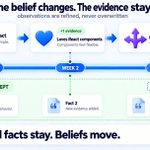
Hindsight takes a different approach: it doesn’t just store memories. It consolidates them into evolving knowledge.
New evidence can update old conclusions while keeping the original evidence and history.
What’s even more interesting: Hindsight has a coding-agent integration for Claude Code, Codex, Cursor, and others.
On the first visit to a repo, it can read Git history, inspect the codebase, and build project knowledge pages covering architecture, conventions, key decisions, and ongoing work.
The interesting shift is from:
“AI that remembers” → “AI that accumulates experience.”
Instead of every new session feeling like a new hire, your coding agent can start to feel like someone who has been working on the project for months.


OpenAI DevDay 2026 wasn’t just another model launch. The bigger story is that OpenAI is turning ChatGPT and Codex into a full AI work platform.
The company introduced Dots, always-on agents that can keep working between conversations, alongside GPT-6.1 Sol, Astra Ultrafast, reusable Codex Cloud environments, managed Agents APIs, richer ChatGPT plugins, collaborative Spaces, Pages, slides, and team automations.
The direction is becoming clear: AI is moving from answering prompts to taking ongoing responsibility across tools, codebases, and teams. Many of these features are still rolling out or in preview, but this feels like a significant step toward an AI-native operating system for work.
Official recap: learn.chatgpt.com/docs/whats…
Full keynote: youtube.com/watch?v=Fls_onRv…

If you're adding memory to an AI product, you probably don't need to build another vector database stack from scratch.
I recently came across Supermemory, an open-source project with 30k+ GitHub stars.
The idea is simple: instead of spending days on chunking, embeddings, top-k tuning, deduplication, and memory conflict resolution, you add a memory layer through a few APIs.
The key distinction is this:
RAG retrieves knowledge. Memory remembers the user.
RAG can find the right document.
Memory needs to understand that a user moved from New York to San Francisco, that their newer preference should override an older one, or that “I have an exam tomorrow” should eventually expire.
Supermemory handles things like:
·storing and retrieving user memories
·maintaining static and dynamic user profiles
·resolving conflicting or changing facts
·automatically forgetting time-sensitive information
·combining personal memory with RAG results
It also has integrations for Vercel AI SDK, LangChain, LangGraph, OpenAI Agents SDK, Mastra, Agno, and n8n.
And one feature I really like: you can self-host it.
The local version uses the same API, supports local embeddings, and can work with Ollama for a fully offline setup. Your data can stay entirely on your own machine.
If you're building an AI agent or product with long-term memory, this might save you from rebuilding the whole memory infrastructure yourself.
GitHub: github.com/supermemoryai/sup…


