

Design and ship work you’re proud of. The modern standard in interface design training. Made by @mds
Apply →
Joined February 2019
- Tweets669
- Following1
- Followers11.4K
- Likes662


Pinned Tweet
↓

In the AI era, design judgement is the differentiator.
Shift Nudge teaches the process that takes the guesswork out.
→ shiftnudge.com
Buckle up
I’ve been absolutely cranking on a ton of new stuff for Shift Nudge, but have been bad about posting… so here goes.
✅ Super in-depth Claude Code for designers curriculum (walking through knowing nothing to building this labs.shiftnudge.com/color-sh… and an iOS version
✅ Shift Nudge AI MCP server that provides full curriculum design reviews for your designs (unlimited for members)
✅ 3 new assignment prompts for every single existing lesson on design (~120 total) each focusing on a specific aspect of design
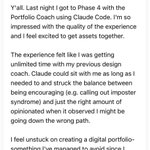
✅ Portfolio workshop for structuring portfolio, getting hired, etc plus AI portfolio coach
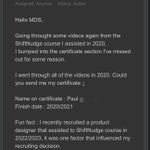
✅ New (AI) Advisor that provides full support on the website for instant answers plus human routing to HelpScout when necessary (see attached)
⏰ FUTURE- prepped over a thousand design critique transcripts, with tagging and structure that maps to all curriculum, 16 desing principles, and ~90 category slugs in preparation for a full RAG Shift Nudge DB
🤞Should have all this ready by September (minus RAG stuff)
If you know anyone in the market for becoming an absolute beast at design + building work their super proud of… give them a heads up!


Shift Nudge retweeted

Style, design direction, adjectives... the way typography, spacing, and colors are used to achieve a certain look.
This design has roughly 4 stylistic treatments for all of the elements.
Predictability is huge in interface design. Things that do certain things, should look a certain way... consistently.
When you have too many treatments of too many elements, all of that predictability breaks down.
There isn't a wrong or right direction per se, there just needs to be consistency in the styles.


Shift Nudge retweeted
A style would ideally apply to the entire direction of the interface, not just a few pieces of it. Style is definitely the most subjective part of design.
I'm not saying a huge button is inherently bad, but when it comes to style, if you're gonna go for it, go for it.

Shift Nudge retweeted
Here's a @shiftnudge style design critique I'd send this designer...
---
There are several interesting ideas here, but they don’t yet feel like they belong to the same interface. The oversized day tabs, large amount of negative space, fading cards, light gradient, and massive (+) button are each pushing into different stylistic directions. I’d focus on choosing a clearer style, tight the task list, and remove anything that competes with the focused job of seeing and completing todos.
- Today tab is redundant with today labels on all items. Consider removing “Today” from every item
- Font size of Today, Tue, Wed, etc. is quite large and a different sort of style than the rest of the layout. This could be an interesting stylistic direction, but the rest of the layout does not point in that same direction. Consider choosing a stylistic direction and going all in OR staying more standard like the todos
- The todos themselves are quite large with generous padding all over. Large negative space can be a great tool, but in this instance it is competing with the amount of todos that can be seen on one screen, in this case only 5.
- Consider truncating todos to a single line with an ellipsis...
- The padding around and in between the check mark circle and the edge of the todo card is inconsistent and causing an odd early wrapping of the text (which may be better as a single line anyways)
- The purple gradient is yet another stylistic direction that could be interesting to pursue, but it’s conflicting with the existing interface colors and treatment. Most todos that are “done” would be better off going less prominent, not more prominent
- The different color backgrounds on every todo are fading into the background, but the text is not fading at all. The last item in the list looks quite odd floating with no card background. To achieve this similar effect, consider making all cards the same color background but adding a transparent gradient over the top of the cards. More subtle is better.
- The icons are not straightforward and understandable. I would guess, todos, comments, inbox, spaces, but those are guesses and my guesses would likely be different from other peoples guess. Do we even need icons here? If so, they should be labeled, or perhaps if not, these items can be list items on the previous screen instead of a horizontal navigation. Often if you’re looking at a task list, it is a very focused activity and you navigating somewhere else could be handled by simply going back only.
- The (+) button is MASSIVE. This directionally supports the big TODAY tab style, but it still needs some finessing to work as one cohesive style. It also competes heavily with the floating icon tray, which I don’t think you need.
Some stylistic options here are definitely worth exploring further, but the screen will get much better once fewer of them are competing with one another. Pick the visual direction you want to own, then make all the design decisions for typography, spacing, color, etc. all reinforce that same decision.

Celebrating small wins is hardwired into "Achieve," our goal-tracking sample app.
We wanted the simple act of checking off a task to feel like a celebration. Instead of the standard #Material ripple, we used Styles to drop in a custom, high-contrast completion animation—specifically, a brand-colored ring that expands and fades on tap, paired with a subtle pressed-state gradient.
It lets us focus entirely on polishing those custom, rewarding micro-interactions while Material handles the foundation.
#GoogleDesign #MaterialDesign #JetpackCompose #AndroidDev #UXDesign #InteractionDesign

Shift Nudge retweeted

Just finished @mds's @shiftnudge course after seeing his episode on @ridd_design's @joindiveclub.
Gotta say it was an absolute masterclass and would recommend for any product designer looking to upskill on visual/ui design.
Shift Nudge retweeted

The first leg up I got was in my first month, I took a Ui design course from @shiftnudge, really great content that will ramp you up into UI-UX.
From there, it's copying other peoples work, following design tutorials here on X, and then copying more peoples work - really helps to give an idea of how your favorite designers create their UI
🥳👇

Just finished Shift Nudge, easily the best UI course I’ve taken.
It gave me that rare “aha!” feeling and changed how I think about design.
Not just a course a guide I’ll keep returning to.
Thanks @mds for this gem!
#ShiftNudge #UIDesign #UXDesign

We’re investigating an issue with our payment provider that’s causing checkout failures.
Will update as soon as we have more info.

Shift Nudge retweeted
Been getting great feedback for the UI Principles workshop yesterday.
Posted the replays and the schedule for all of the weekly live critiques coming up for Shift Nudge students.
If you want in on the action...
→ shiftnudge.com

👀
Some details to consider to enhance clarity, usability, and visual cohesion in this card UI...
TYPOGRAPHY
- Increase title font size to make project names more prominent and easier to scan.
- Use uppercase for status labels to enhance visibility and reinforce importance.
- Adjust text hierarchy by de-emphasizing secondary details (e.g., deadlines, progress) to keep focus on project titles.
LAYOUT
- Add more spacing around elements for a cleaner, less cramped appearance.
- Ensure consistent alignment for text and progress bars to create a more structured layout.
- Position status labels at the top of each card for quicker identification of project states.
COLOR
- Use a cohesive color palette for status labels to enhance harmony and polish.
- Double-check color contrast to ensure small text on colorful backgrounds meets AA accessibility standards.
- Match progress bar colors to status labels for visual consistency and stronger progress tracking.
- Opt for softer, refined colors over harsh primary tones to create a modern, intentional design.
STYLE
- Reduce border contrast for a cleaner, more modern aesthetic.
- Refine progress bar design with even spacing and alignment for clarity and intention.
- Place status tags in a distinct location to improve scannability and reinforce project states.
---
Example pulled from the @shiftnudge community.
Enrollment is starting soon—hop on the list to get notified when we go live...
→ shiftnudge.com

⚡️

One of the most enjoyable lessons from @shiftnudge so far has been creating illustrations from references.
Remade @OnDeck in Figma and it blew my mind how far you could get with simple shapes, gradients, and layer effects.

"Earlier this week I wrapped up 6 months of dedicated work with the Shift Nudge Interface Design course by Matt D. Smith. After nearly a decade in the field, I wanted to break down and rebuild one of my skill areas that I felt had some room for growth.
After finishing this course, I can say with certainty that my UI design skills have been re-tooled from the ground up, and it has hands down been the best investment I've made in my career thus far. Cannot recommend the course enough if you want to sharpen your skills - let me know if you'd like to hear more about my experience with it."
linkedin.com/feed/update/urn…
