

Manage and unify your Discord, Twitch, Kick, Telegram, and YouTube chat commands, automations, stream and video alerts from all-in-one dashboard. 🌿
Earth
Joined October 2022
- Tweets110
- Following12
- Followers42
- Likes129



Pinned Tweet
Hey, Twitch and Kick streamer! Watch this theme and animations update for stream overlays
what's new:
🍕Pizza theme
🌸Flower theme
🎃Halloween theme is on the way 👻
animations and themes added to all existing presets too!
have no idea where the inspiration to make this came from.. i think i was just really hungry. namnamnam 🍕
the new Pizza preset is here for the stream overlays. you (my favorite streamer) can now track your subs, followers, and bits with cheesy orange bars and falling pizza slice


Senchabot (a.k.a. flowerpot 🪴) retweeted
Just to clear this up: the overlay never uses your phone's GPS or tracks your live location! The 'Real Place' minimap is completely manual. It only shows the specific area based on the coordinates or location you manually search for in the setup dashboard
this is for you IRL streamer!! customizable IRL HUD & Weather overlays! 🗺️🌧️ what's included:
🎮 Dynamic Mini-Map,
Cash tracker,
Market & Time
⛅ Live weather conditions
🛒 Gamified market: buy items
💰 Cash
from subs, bits, and raids
📍 Real-world or fake minimap styles
💬 Mods can control almost everything live from chat with !h and !hud commands
Everything is as much as customizable!
Hey streamers! Added 4 more game presets to free OBS browser overlays. Clash of Clans, Fortnite, Rocket League, and PUBG. the new themes perfectly match the subathon timers, live polls, alerts, and spin wheels. no logins or watermarks required. what games should we add next?
Which game presets should we add next?

ALT Dashboard interface titled "Game presets for your stream overlays" showing a grid of preset design themes named after popular video games, with the League of Legends "Rift" theme selected.
Managing multi-streams without 3 open tabs is possible.
YouTube integration is live alongside Twitch & Kick (chat moderation + players)
Pre-stream checklist: don't forget to push go-live announcements
Read below for more 🧵
watch this and let chat decide what happens next with this chat poll for Twitch and Kick livestreams 🎮
💬 Chat votes easily by typing 1, 2, or 3
🎨 6+ customizable overlay themes
#StreamerTips #TwitchStreamer #KickStreaming #OBSStudio
Unified Stream Manager for Twitch, Kick & YouTube
Cross-platform chat (Read & Send a Message & Moderation actions)
Activity feed for instant follower alerts & event history
Customizable chat width with draggable panel
#MultiStream #StreamingTools #StreamSetup

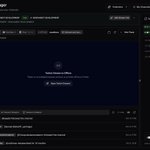
ALT A dark-mode dashboard interface for Senchabot's Stream Manager. The screen is divided into three main sections: a left navigation sidebar, a wide central column containing multi-platform stream details, a video player, and a tabbed activity feed at the bottom, and a dedicated right column displaying a unified Live Chat feed for Twitch, Kick, and YouTube with a message input field.
Spin the wheel feature for Twitch & Kick.
Custom slice labels & actions
Adjustable drop rates / probabilities per slice
Direct Twitch & Kick channel points trigger
OBS browser source with live synced preview
Custom color themes (Pink, Violent, and more!)
streaming on multiple platforms is difficult. this stream manager solves a lot of problem. edit Twitch & Kick channels' stream info in one place, view streams' activity feed, chat, the days you stream, and the most active users in the chat during your last streams
