

SalesBinder is a beautifully designed, customizable inventory management system. It's powerful yet easy-to-use – and there’s nothing to install.
Vancouver, BC
Joined November 2010
- Tweets300
- Following290
- Followers234
- Likes7



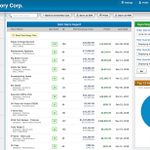
We’re thrilled to announce that we’re gradually rolling out beta testing access to our new SalesBinder version! You’ll see a new login screen and version selector when it’s available for your account.
1
21
You can enter and track your own payments for your supplier purchase orders. If enabled, we also offer a convenient one-time batch update option, which will auto mark existing "received" POs as paid in full to save you time from updating historical POs. salesbinder.com/news/new-pur…

71
Did you know you can review who deleted each record, see a preview of what was in that record, and even apply filters then search through them. If you have administrative privileges you can view this by going to Reports --> Deleted Records.
60
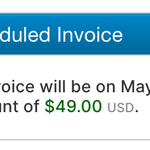
Did you know you can review your SalesBinder subscription invoices and download extra copies on your own? Just go to Settings >> Subscription >> Invoices & Receipts. You can also review when your next subscription invoice will be generated, along with the total amount.

1
1
127
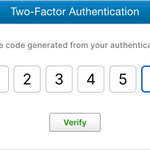
In case you missed it, we've been on a roll lately! We recently released a ton of new features for better managing incoming (backordered) stock. In addition to this, today we're also pleased to share that we now support Two-Factor Authentication (2FA) for all users.

1
112
Our new Low Stock Report is a huge upgrade. Not only is it way more customizable, you can also finally create purchase orders directly from the report! 🔥
salesbinder.com/news/new-low…

2
103
Happy Holidays to all our amazing SalesBinder users around the globe! Although many businesses are closed this week, we’re still here to help if you need anything at all.
1
94
New Integration: WooCommerce Inventory & Orders Syncing! This is a big one 🎉
salesbinder.com/news/woocomm…

1
1
New Reports Added: Sales Commission Report & a completely redesigned Financial Report. salesbinder.com/news/new-sal…
New Settings Option Added: Under Settings >> Documents >> General Settings: "Display sales person's contact information on sales documents".
1
1
New: User Management & Expanded User Permissions. Check out the details here: salesbinder.com/news/expande…

New: Email your customers their shipping information and latest updates. salesbinder.com/news/shipmen…
New in SalesBinder: Live shipment tracking built directly into your shipped packing lists – with support for over 50+ international shipping carriers. Just enter your tracking number and we automate the rest.

1
We released a beautiful new email composition window along with some new emailing features inside SalesBinder. More info here: salesbinder.com/news/email-n…
If you haven’t checked out our beautiful new website, now is your chance! salesbinder.com 😍
1
“I want commend you and Salesbinder for always being open to customer comments/queries, and providing constructive feedback in every communication. Thank you!” – You’re very welcome Portia, you just made our day :)
We’ve made it easier to login if you’ve forgotten your account’s web address (subdomain). If you click on the Login link from our website, or simply go to app.salesbinder.com, you can find your account by entering in your email address so there’s no confusion.
New Feature Alert! You can now change the currency of any document (invoice, PO, etc) using up-to-date, automatically suggested currency exchange rates. Your base currency is still used for reporting, but your customer/supplier can view their document in their preferred currency
We just released a nice improvement for how barcodes are displayed throughout SalesBinder. It’s now rendered in a higher resolution with the barcode characters tucked into the graphic for a cleaner, more compact, sharper image.
