

• Weekly coding tricks (each Tuesday) • Daily Software Engineer thoughts & quick tips • Developing an app to create your own code snippets!
- Tweets1.9K
- Following142
- Followers692
- Likes47.5K




ALT A programming image titled "C#: Math methods that work for ANY numeric type with Generic Math & INumber<T>". It contrasts two ways of writing a `Sum` method. The "Before" section, marked with a red X, shows three separate `Sum` methods for `int`, `double`, and `decimal` types. Each method takes an `IEnumerable` of the respective type and uses `numbers.Aggregate((a, b) => a + b)`. The "After" section, marked with a green checkmark, presents a single, generic `static T Sum<T>(IEnumerable<T> numbers) where T : INumber<T>` method that achieves the same functionality for any numeric type, demonstrating code simplification. A "Quick Tricks Dev" logo is at the bottom right.

ALT A C# coding trick demonstrating how to use .NET 8's TimeProvider abstraction to avoid hardcoding time. The image displays a code snippet with three sections: First, an `OrderService` class injecting `TimeProvider time` in its constructor, using `time.GetUtcNow()` to check if an order is expired. A green text box explains: "Inject `TimeProvider` for testable, controlled time." Second, a test example shows `var fakeTime = new FakeTimeProvider();` and `fakeTime.SetUtcNow(new DateTimeOffset(2025, 1, 1, 0, 0, 0, TimeSpan.Zero));` to create a service with controlled time. A blue text box states: "`FakeTimeProvider` allows precise time manipulation in tests." Third, a production example shows `services.AddSingleton(TimeProvider.System);` for dependency injection. A blue text box explains: "Register `TimeProvider.System` for production real-time." The title at the top reads "Stop hardcoding time in C# with .NET 8's TimeProvider abstraction", accompanied by a red stop sign icon. The bottom left

ALT A slide titled "Extension everything with C# 14!" displays C# code demonstrating new extension features. The code defines a `static class StringExtensions` with `extension (string target)`. An arrow points from this line to a text box stating, "Use target once for whole block, no more "this" parameter in each extension method". Inside the extension block, there's a `void PrintInfo()` method that writes the string's length, uppercase, and lowercase versions to the console. Below this method, an `int WordCount => target.Split(' ').Length;` extension property is defined. An arrow points from this property to a text box saying, "Now apart from methods you can extend types with additional properties!". The bottom right corner features the "QUICK TRICKS DEV" logo.

ALT A C# code example on a dark background demonstrating raw string literals interpolation. The title reads "C#: No more escape sequences! with raw string literals interpolation!" alongside a lightbulb icon. The code snippet shows `var numberToInterpolate = 10;` and `var jsonString` defined using a multi-line `$$"""` raw string literal. The JSON content includes properties for 'name', 'version', and 'features'. Features lists 'Multi-line support', 'No \\"escaping\\" 'quotes'', and 'Interpolation support: {{numberToInterpolate}}'. It also shows 'examplePath': 'C:\\\\Program Files\\\\MyApp'. Blue annotations explain: "The more $ signs you use the more braces are needed to interpolate the value" (referring to `$$"""`) and "Because we used double $$ sign the json object braces are escaped" (referring to the literal JSON curly braces). A "QUICK TRICKS DEV" logo is at the bottom right. The background is a dark abstract design with red and blue light.
![A coding tutorial slide titled ".NET Initialize like a boss using collection expressions" against a blue and purple gradient background. The main content is a dark purple rectangle showcasing C# code snippets. The top section, labeled "Collection initialization from C# 12 (.NET 8) 👍", demonstrates initializing `productsOnSale`, `sponsoredProducts`, and `allProducts` string arrays using concise collection expressions, including spreading existing arrays. The bottom section, labeled "And before 😐", shows the equivalent but more verbose initialization using `new[]`, `.Concat()`, `.Append()`, and `.ToArray()` methods. The slide contrasts the modern C# 12 syntax with previous versions for collection initialization. The bottom right corner features "QUICK TRICKS DEV" branding.](https://pbs.twimg.com/media/HG-r3kRXkAAdV_-.jpg?name=orig)
ALT A coding tutorial slide titled ".NET Initialize like a boss using collection expressions" against a blue and purple gradient background. The main content is a dark purple rectangle showcasing C# code snippets. The top section, labeled "Collection initialization from C# 12 (.NET 8) 👍", demonstrates initializing `productsOnSale`, `sponsoredProducts`, and `allProducts` string arrays using concise collection expressions, including spreading existing arrays. The bottom section, labeled "And before 😐", shows the equivalent but more verbose initialization using `new[]`, `.Concat()`, `.Append()`, and `.ToArray()` methods. The slide contrasts the modern C# 12 syntax with previous versions for collection initialization. The bottom right corner features "QUICK TRICKS DEV" branding.
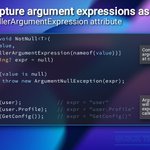
![A visual explaining C#'s CallerArgumentExpression attribute. The title is "C#: Capture argument expressions as strings using CallerArgumentExpression attribute". A code snippet shows a `NotNull<T>` method with parameters `T value` and `string? expr = null`. The `expr` parameter has `[CallerArgumentExpression(nameof(value))]`, making the compiler automatically fill it with the string form of the `value`'s expression from the call site. The method throws `ArgumentNullException(expr)` if `value` is null. Example calls illustrate this: `NotNull(user)` results in `expr = "user"`, `NotNull(user.Profile)` makes `expr = "user.Profile"`, and `NotNull(GetConfig())` yields `expr = "GetConfig()"`. Annotations explain the compiler's automatic filling and that exceptions provide the exact expression used. "QUICK TRICKS DEV" is at the bottom right.](https://pbs.twimg.com/media/HF2YfuuXwAAWWgi.jpg?name=orig)
ALT A visual explaining C#'s CallerArgumentExpression attribute. The title is "C#: Capture argument expressions as strings using CallerArgumentExpression attribute". A code snippet shows a `NotNull<T>` method with parameters `T value` and `string? expr = null`. The `expr` parameter has `[CallerArgumentExpression(nameof(value))]`, making the compiler automatically fill it with the string form of the `value`'s expression from the call site. The method throws `ArgumentNullException(expr)` if `value` is null. Example calls illustrate this: `NotNull(user)` results in `expr = "user"`, `NotNull(user.Profile)` makes `expr = "user.Profile"`, and `NotNull(GetConfig())` yields `expr = "GetConfig()"`. Annotations explain the compiler's automatic filling and that exceptions provide the exact expression used. "QUICK TRICKS DEV" is at the bottom right.

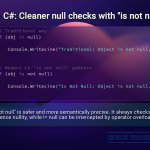
ALT A coding trick demonstrating C# null checks. Title: "C#: Cleaner null checks with 'is not null'!" The image displays two code examples. The "Traditional way" uses `if (obj != null)` to check for non-null objects, followed by a `Console.WriteLine` statement. The "Modern C# 'is not null' pattern" uses `if (obj is not null)` for the same check, also followed by a `Console.WriteLine`. Below the code, a text explanation states: "'is not null' is safer and more semantically precise. It always checks for reference nullity, while != null can be intercepted by operator overloading." The code is on a dark purple gradient background, and the explanation is on a light green background.
![The image illustrates a C# coding concept with a title "🚀 BOOST C# Interfaces! Add new methods, no breaking changes!". Below the title is a code editor showing a C# interface `ILogger`. The interface contains two methods: `void LogMessage(string message);` and `void LogWarning(string warning) { Console.WriteLine($"[DEFAULT] WARNING: {warning}"); }`. A dark blue callout points to `LogMessage`, stating "Traditional interface methods must be implemented by classes." A green callout points to the `LogWarning` method with its implementation, stating "C# 8+ allows default implementations directly in interfaces." The image explains how to add new methods to C# interfaces without breaking existing implementations using default interface methods introduced in C# 8+.](https://pbs.twimg.com/media/HEo1xYKaMAAMbI6.jpg?name=orig)
ALT The image illustrates a C# coding concept with a title "🚀 BOOST C# Interfaces! Add new methods, no breaking changes!". Below the title is a code editor showing a C# interface `ILogger`. The interface contains two methods: `void LogMessage(string message);` and `void LogWarning(string warning) { Console.WriteLine($"[DEFAULT] WARNING: {warning}"); }`. A dark blue callout points to `LogMessage`, stating "Traditional interface methods must be implemented by classes." A green callout points to the `LogWarning` method with its implementation, stating "C# 8+ allows default implementations directly in interfaces." The image explains how to add new methods to C# interfaces without breaking existing implementations using default interface methods introduced in C# 8+.

ALT A code example demonstrating JavaScript Proxies, titled "Intercept like a Ninja JavaScript Proxies in Action!", with a ninja emoji. The image displays a code snippet that defines a `target` object with two messages, a `handler` object with a `get` method that logs the accessed property name, and then creates a `proxy` using `new Proxy(target, handler)`. Explanatory text boxes clarify each part: the `target` is the object to be proxied, the `handler` defines custom behavior, and the `get` trap intercepts property read operations for logging. The final lines of code show `console.log(proxy.message1)` and `console.log(proxy.message2)`, with a note that these property accesses now trigger the custom `get` trap, demonstrating how proxies allow custom logic on property access. The bottom right features "QUICK TRICKS DEV".

ALT A C# coding trick titled "C#: Ditch manual foreach loops! Master sequence generation with Range()" with a sparkle emoji. Below, a dark-themed code snippet demonstrates `Enumerable.Range()`. Line 2: `var sequence1 = Enumerable.Range(1, 5);` (generates numbers from 1 to 5). Line 5: `var sequence2 = Enumerable.Range(10, 3);` (generates numbers from 10 to 12 inclusive). Lines 8-11 show direct usage in a loop: `foreach (int i in Enumerable.Range(0, 3)) { Console.Write(i + " "); }` (prints 0 1 2).