

Smart Notifications for Shortcuts, HomeKit, and Online Automation. For iPhone, iPad, and Apple Watch. Support: https://xitter.cf/t.co/1APqwcep6d
App Store
Joined April 2019
- Tweets497
- Following2
- Followers2.5K
- Likes323


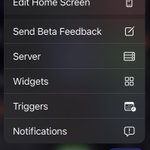
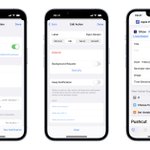


2022.10 Update: User Requests! pushcut.io/release-notes/202…
Easier notification creation, enhanced actions in those notifications, and more!

Do you want to trigger a notification via a Focus Filter? How about customise the order of your quick actions, or add a server schedule through a Shortcut? You can do all that and more with the latest release of Pushcut 🤓
pushcut.io/release-notes/202…
Want notifications when the state of your automation server changes? How about re-ordering widget components? 2022.8 is out!
pushcut.io/release-notes/202…
2022.7 is out!
Dynamically set your Widget Actions, and get your Server Status in Shortcuts
pushcut.io/release-notes/202…
pushcut.io retweeted

Here’s how to send a push notification to your phone from just about anywhere using @pushcut_app colterreed.com/how-to-send-a… #automation #iOS #macOS

We're using our new Time Sensitive notifications to make sure we're ready to tune into the Apple event later!
What iPhone will you play with our new Lock Screen Widgets on? (Coming soon to iOS 16!)

pushcut.io retweeted

Silly little Zap I set up with Twitter and @pushcut_app where it tells me when I get a new follower, and how many followers that person has.
I could add so much more besides follower count too, like whether I follow them, how many tweets they have, location, etc.

Based on the feedback you sent us, we’ve prepared 3 video tutorials! 🎥🎓
These will explain core widgets’ concepts such as components, contents and inputs. And we’ve also created a widget building and automation tutorial! 🧑🏫
We’ll release them tomorrow, so stay tuned! 🚀
Part 2! 🚀

And the second tutorial is here: Understanding widgets, contents and inputs! ⭐️📲
Watch this one to enhance your automation powers! Inputs allow you to change data inside the widgets, and contents modify the entire widget appearance!
🍿 Watch it here: pushcut.io/guides_video_2con…

Part 3! ⏱🏖
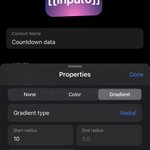
Our final tutorial today: Create a countdown widget! ⏱🏖
Follow along to create and fully automate a vacation countdown widget!
🍿 Watch it here: pushcut.io/guides_video_3cou…
We’ll create more of these in the future, so please let us know what topics you’d like us to cover! 🙂

Our final tutorial today: Create a countdown widget! ⏱🏖
Follow along to create and fully automate a vacation countdown widget!
🍿 Watch it here: pushcut.io/guides_video_3cou…
We’ll create more of these in the future, so please let us know what topics you’d like us to cover! 🙂
And the second tutorial is here: Understanding widgets, contents and inputs! ⭐️📲
Watch this one to enhance your automation powers! Inputs allow you to change data inside the widgets, and contents modify the entire widget appearance!
🍿 Watch it here: pushcut.io/guides_video_2con…
Here’s our first video tutorial: Understanding widget components! 📱⚙️🔨
This one details what you can do with each of our widgets’ 5 components: Texts, Symbol, Spacers, Rows and Columns.
🍿 Watch it here: pushcut.io/guides_video_1com…
And let us know what you think!

Hello everyone! iOS 15.3 has been released and it brings an important fix: the Get my Shortcuts action is once again working as expected! With this fix, our Export for Pushcut shortcut should now import all your shortcuts, including those organized in folders.
pushcut.io retweeted

Pushcut: Automate HomeKit, Notifications and Widgets [Sponsor] macstories.net/sponsored/pus…

We’re honored to be nominated for the 2020 Best Third-Party Tool award of the amazing /r/shortcuts community! Check out the post at reddit.com/r/shortcuts/comme…
If you enjoy our app, make sure to give us a vote on the poll link: polltab.com/lU4wbjT33I.

Shout out to our fellow nominees, which are amazing apps and services that have been empowering iOS users all around the globe, taking Shortcuts to another level! 🙂 @a_Shell_iOS @datajarapp @Jellycuts @ToolboxProApp @Wolfram_Alpha