

Official support account of @operagxofficial DM or head to our Forums/Discord for Support
operagx.gg/twdl
Joined March 2023
- Tweets185
- Following4
- Followers7.4K
- Likes44







Opera GX Support retweeted

Important security update: @opera, @operagxofficial, and Opera Air have received a security fix for the latest zero-day vulnerability in Chromium: CVE-2025-6558.
Update now to the latest versions:
Opera One (120.0.5543.93)
Opera GX (120.0.5543.85)
Opera Air (120.0.5543.86)
blogs.opera.com/security/202…

We're seeing your reports regarding GX crashing upon launch/not opening and forwarding them to our team to be looked into.
We will update here when we have more to share about it!
Seems like GX and some other browsers are unable to launch for some users when Microsoft Family Safety is enabled;
If you're facing this issue but are unsure if you even have that stuff enabled, here are a couple things you can try:
Allow GX in MS Family Safety
1. Go to familysafety.microsoft.com/ or open the Family Safety mobile app
2. Select the user that's encountering this issue
3. To allow other browsers;
- Disable "Filter inappropriate websites" under the Edge tab OR;
- Go to Windows tab --> Apps & Games --> Unblock GX
Try logging out of your MS Account on Windows & log back in
1. Open the Windows menu (Windows key)
2. Click on your profile on bottom left
3. Sign out
Rename the Opera.exe to something else
1. Find Opera.exe by right-clicking the shortcut on your desktop --> Open file location
2. Rename it to something else like Opera1.exe
3. Launch it
You can then try renaming it back to opera.exe - we've seen one case of this process fixing the issue where renaming it back didn't break it again.
Please respond under this message if any of these solved the issue for you, thanks!


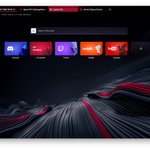
Hi, you can remove this icon by following these steps:
1. Click on Aria in your Sidebar
2. Click on the menu icon on top left corner within Aria
3. Click on Settings at the bottom
4. Toggle "Writing Mode Shortcut" off
A hotfix is on the way to disable this shortcut for all users by default, thank you for the feedback!


@operagxofficial Can we please have an option to turn off this god awful AI tool? It's obnoxiously placed and I have no intention of using this.

Update Note - LVL 6 (core: 117.0.5408.100) – 2025-03-13
New
- Early Bird users get new design for shader panel accessible from sidebar.
Improved
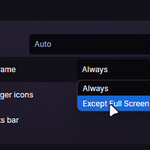
- Margin between tabs is now dynamic and decreases when more tabs are opened. This means more tabs can be visible at the same time and clicking even on small tabs is more convenient.
- All icons in sidebar are painted without background for better consistency.
Fixed
- In some cases sidebar extensions could take too much CPU even when not visible.
- It was impossible to resize sidebar panels, when hardware acceleration was disabled.
- Got rid of some crashes and visual glitches.
Update Note - LVL 6 (core: 116.0.5366.118) – 2025-02-13
New
- Custom wallpapers got dedicated filter in Easy Setup.
- Chip in the Mods view shows how much GX is modded.
Fixed
- Advanced color configuration has the lightness slider disabled as it's not impacting UI color.
- In some situations video from another workspace could play audio in panic mode.
- It was not possible to select all bookmarks with a cmd/ctrl + a shortcut.
- And a couple of crash fixes and smaller tweaks.
2
7
1,634
LVL 6 (core: 116.0.5366.80 and .87) – 2025-01-30
New
- Easily spot tabs that are playing audio as they are marked with a line underneath.
Improved
- Settings loading improved to make them snappier.
- Optimised tab tooltips to be more efficient.
- Tweaked background color of groups in settings.
Fixed
- In certain situations static wallpapers would unnecessarily consume small amounts of CPU.
- Ensure that audio indicator is visible on tabs, even if they are very narrow.
- Make sure tab highlight doesn't blink when audio indicator keeps appearing and disappearing.
- When Twitch is disabled in Settings, corresponding extension will be unloaded.
- Task manager comes with correct background color.
Multiple fixes for crashes.

3
4
1,596
Update Note - LVL 6 (core: 116.0.5366.54) – 2025-01-23
New
- Switched to Chromium to 131.
- Sidebar setup (accessible via 3 dots at the bottom of sidebar) comes with new design for all users. Previously it was available to Early Bird users only.
Improved
- Tweaked tab tooltip snappiness, especially when quickly hovering over multiple tabs.
Fixed
- Multiple fixes for crashes.
3
16
1,506
Update note - LVL 6 (core: 115.0.5322.150 and .152) – 2025-01-16
New
- There's new Feedback button in Mods view underneath Presets and in Easy Setup. Let us know what do you think about it.
Improved
- Dropdown menu in bookmarks was too small.
- O Menu was misaligned for certain DPIs.
Fixed
- Hot Tabs Killer was missing scull in old UI.
- Fixed for a bunch of crashers.
7
3
1,124