

OpenForge connects Cysic hardware design with global manufacturing and distribution partners.
Joined April 2026
- Tweets190
- Following3
- Followers2.4K
- Likes142




Mining rewards, now more transparent than ever. 🔍
The OpenForge Reward Dashboard now displays epoch budgets, unlock ratios, and participant counts.
Estimate your potential earnings with ease.
Explore: dash.openforge.one/

Mine two coins from one workload.
DogeServer merge-mines $DOGE and $LTC via AuxPoW. Both use Scrypt, so one hash can serve both networks.
Meanwhile, DogeServer verifies ZKPs for Cysic and earns $CYS.
Get yours: openforge.one/products/2

ICYMI, we launched DogeServer: the ultimate professional mining machine.
20 compute cards packed into one 2U system, built to take mining from the desktop to professional rack deployment.
Meet the big dog.

1/ Meet DogeServer, the next addition to the Doge hardware lineup.
Building on DogeBox1, it brings DOGE/LTC mining and Cysic ComputeFi participation to a 2U rack system with 20 compute cards.
Built for professional mining operations. 🧵
Check it out: openforge.one/products/2
7/ Want to stop a card?
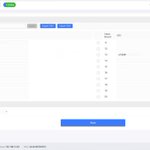
Select it in Settings, clear its User ID, then click Apply and Save. A blank User ID stops computation on that card.
That’s it. Your DogeServer is connected, configured, and ready to go.
Read the full tutotial: dogebox.win/docs/dogeserver/…
6/ Activate your computing cards
In the DogeServer interface:
→ Open Settings
→ Select your cards
→ Enter your User ID with the “u” prefix
→ Click Apply
→ Click Save
Once saved, the selected cards will begin working under your account.

5/ Get your User ID
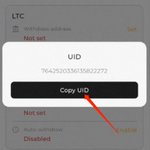
Open the DogeBox App → My Account → tap your account email name 5 times to copy your ID.
Then manually add a lowercase “u” at the beginning.
Example:
110022334455 → u110022334455

4/ Open Device Management
Find DogeServer’s IP address through your router, then enter it in a browser on the same network.
Use the actual IP assigned to your device.

3/ Connect Ethernet & power
Connect DogeServer to your router or network switch via Ethernet. DHCP is enabled by default.
Then connect it to a grounded 220 V AC, 50/60 Hz power source. DogeServer will start automatically by default.
2/ Position your DogeServer
Place the 2U chassis in a dry, well-ventilated location.
Keep at least 40 cm (16 in.) of clearance around the air intake, and make sure the intake and exhaust vents stay unobstructed.
1/ You just received your DogeServer. Now what?
Here’s everything you need to get up and running.
Follow these 6 steps. 🧵👇
Full Guide: dogebox.win/docs/dogeserver/…

5/ Your desk or your rack?
DogeBox1: home & everyday spaces
DogeServer: professional facilities
Find the setup that fits you.
DogeBox1: openforge.one/products/1
DogeServer: openforge.one/products/2
4/ The biggest difference is scale.
DogeBox1 puts mining into a 97 × 80 × 100 mm desktop device.
DogeServer brings 20 compute cards together in a 430 × 600 × 86.8 mm rack-mounted system. The mining power roars.
Different hardware for different operating environments.
3/ DogeServer: built for professional mining facilitates.
• Standard 2U rackmount
• 20 compute cards
• 1,250W max power
• 1 Gb Ethernet
• Local management page
• 14kg
Made for dedicated facilities and rack environments.
2/ DogeBox1: built for home.
• Desktop form factor
• 55W power consumption
• BLE + Wi-Fi
• App / remote management
• 550g
Compact, lightweight, and designed for everyday spaces.
1/ DogeBox1 or DogeServer?
Both bring you into the Cysic ComputeFi ecosystem and support CYS/DOGE/LTC mining, but they’re built different.
Let’s compare. 🧵
Check out our website for more details: openforge.one/products/compa…

Q: What is the replacement and warranty policy?
DogeServer comes with:
• 14-day replacement
• 180-day warranty
Eligibility and exclusions follow the applicable product warranty terms.
Q: How do I monitor and configure DogeServer?
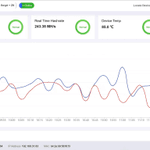
DogeServer comes with a local device management page, where you can view operating status and adjust supported settings directly from your browser.
Q: What network connection does DogeServer need?
DogeServer uses wired 1 Gb Ethernet for stable, continuous operation.
The network bandwidth requirement is greater than 10 Kbps.