

Powerful and easy-to-use note-taking app for networked thinking. Made by @richard_chu
Joined May 2021
- Tweets43
- Following1
- Followers190
- Likes19
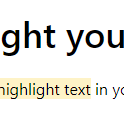

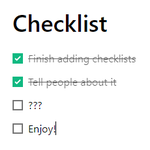


When you have multiple notes stacked, you can now close the main note! Notabase will automatically preserve the rest of your open notes.
This'll help you more easily explore your notes and go down rabbit holes 🐇

Introducing the Notabase Catalyst plan:
A one-time payment for 5 years of access to Notabase, with early access to new features.
This is the plan to get if you want the best value and to support Notabase's development!
notabase.io/pricing/

Notabase now supports copying and pasting HTML!
Now you can copy text from another web page and paste it into Notabase, and the formatting (bold, italics, links, headings, etc.) will be automatically preserved.
🎉 Notabase is live on Product Hunt today! 🎉
producthunt.com/posts/notaba…
Please support us! 😊
Tags have been updated!
Now when you click a tag, it'll start a search in the sidebar. This will list all of the blocks that include that tag.
You can also do advanced search now. For more info, check out help.notabase.io/advanced-se…

Just revamped the landing page: notabase.io
What do you think? 😄
Excited to announce that Notabase is now a Progressive Web App (PWA)! This means you can install it on your device and have faster load times and offline viewing.
For more info, click here 👉 help.notabase.io/how-to-inst…

Just fixed a bug on mobile devices where settings were not getting persisted (this worked fine on desktop, but not on mobile).
Now you'll see settings persist on restart, like what page you were last on, your dark mode preference, how your sidebar notes are sorted, and more!

Nested notes are here! 🎉
You can now organize your notes in the sidebar by dragging and dropping them.

ALT Nested notes in Notabase
Try adding Notabase to your iPhone/Android home screen. This will launch you straight into the app and remove the browser toolbar!
iPhone: Tap the Share menu --> Add to Home Screen
Android: Tap the 3 dots in the top right --> Add to Home Screen
Block formatting options are now in the block menu. Plus, we've added an image button so you can more easily upload images!


