




Pinned Tweet
We’re building the next version of Nero with you.
Got something you’d love to see? 💡
Let’s make it happen together.
👇 Details in comments

Join here 👇
reddit.com/r/NeroAG/comments…
Submit your idea, vote, and help us decide what to ship next 🚀


Sports footage often captures more than just the game.
Spectators, minors, or license plates can appear in the frame.
With Nero Motion Tracker, automatically track faces & objects and blur sensitive details in seconds. 🎬🔒
👇

Happy Chinese New Year 2026 🐎
To our global community — thank you for your continued support.
新年快乐
May this year bring creativity, clarity, and success in everything you build.
Let’s make 2026 a powerful one.
— Nero Software
#CHINESENEWYEAR2026

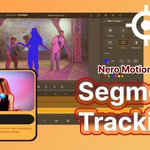
🚀 Big update: Segment Tracking is now live in Nero Motion Tracker.
Track. Blur. Mask. Lock onto any object — even in motion.

Thanks @SeenThroughaLens for taking a fresh look at Nero!
We’ll take “this is not the Nero I remember” as a compliment 😉
Great review of Nero Platinum Suite 2026.
youtube.com/watch?v=-45u2a_2…
Merry Christmas 🎄
From burning CDs at midnight,
to skating into Christmas with you today ⛸️
Thank you for keeping us on your desktop,
your shelf, and sometimes even in your memories 💿
Some things never go out of style —
good music, good software, and good holidays.
❤️
Nero

🎄 A little holiday surprise in Nero Start 🎅✨
Our Christmas-limited theme is now live!
Just update Nero Start to unlock the festive look and switch it anytime in settings🎁
We hope it adds a bit of holiday warmth to your day.
Happy holidays from the Nero team 💚
#neroburningrom


🚀 Have you tried the Nero AI Figma Plugin yet?
We built this plugin to help make your Figma workflow smoother and faster — and we'd love to hear your thoughts!
Leave a quick review and get 100 free credits as a thank-you 🙌
🔗 Plugin:
figma.com/community/plugin/1…

✨ What it can do:
• Upscale images
• 1-click background removal
• High-quality compression
Guide 👉 pcai.nero.com/blog/nero-ai-f…
You also get 50 credits instantly when signing up.
Feedback is super appreciated!
Review style sample: xitter.cf/momo_web24/status/1996…
🚀 Enjoy with it!


FigmaのプラグインのAI「Nreo AI」を使ってFigmaAIと比較してみました!機能としては3つ。
① 背景除去(Background Removal)
今回使った素材では Figma AIの方が若干精度が高いかなという結果に。ただし素材によっては逆転もあり得る。
② 解像度アップスケール(Upscale)
Figma AIは1メニューのだけどNero AIは「写真」「アニメ」など用途別にアップスケールを選択可能。特に Face Attachment を使ったときの精度はNero AIの方が圧倒的に鮮明でキレイでした。
③画像圧縮(Compression)
ここは完全にNero AIの勝ち。Figma AIにはまだ圧縮機能搭載されておらず、Nero AIだと4MB → 約200KBまで圧縮。そのままFigmaで扱えるという点も◎!LP/バナーで画像点数が多いときに即戦力として使えそう。制作現場だとこの機能だけで採用する価値はアリそう。
📝まとめ
背景除去 → 今回はFigma優勢
画像圧縮 → NeroAIの独走
アップスケール → NeroAIが細部の再現性で強い
“デザインの現場で使えるか?”を基準にすると、
Nero AIは画像処理まわりにかなり強みアリ


素敵なレビューをありがとうございます!🙌
皆さんもぜひ Nero AI を試してみてください。
ガイドはこちら:
pcai.nero.com/blog/nero-ai-f…
Nero AI API ポータルでは、登録するだけで 50 クレジット無料で使えます🎉
#figma #UIデザイン #デザイン
FigmaのプラグインのAI「Nreo AI」を使ってFigmaAIと比較してみました!機能としては3つ。
① 背景除去(Background Removal)
今回使った素材では Figma AIの方が若干精度が高いかなという結果に。ただし素材によっては逆転もあり得る。
② 解像度アップスケール(Upscale)
Figma AIは1メニューのだけどNero AIは「写真」「アニメ」など用途別にアップスケールを選択可能。特に Face Attachment を使ったときの精度はNero AIの方が圧倒的に鮮明でキレイでした。
③画像圧縮(Compression)
ここは完全にNero AIの勝ち。Figma AIにはまだ圧縮機能搭載されておらず、Nero AIだと4MB → 約200KBまで圧縮。そのままFigmaで扱えるという点も◎!LP/バナーで画像点数が多いときに即戦力として使えそう。制作現場だとこの機能だけで採用する価値はアリそう。
📝まとめ
背景除去 → 今回はFigma優勢
画像圧縮 → NeroAIの独走
アップスケール → NeroAIが細部の再現性で強い
“デザインの現場で使えるか?”を基準にすると、
Nero AIは画像処理まわりにかなり強みアリ
My First Christmas Greeting 🎄
A beautiful message from a Nero AI Video Upscaler user made our day.
Thank you for being with Nero this year — wishing you a warm and peaceful Christmas season. ❤️✨
#NeroAI #MerryChristmas


