

Email marketing and automation for growing businesses, nonprofits, schools, and government teams. Real people answer support.
San Francisco
Joined September 2022
- Tweets200
- Following3
- Followers10
- Likes34
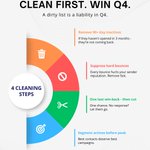





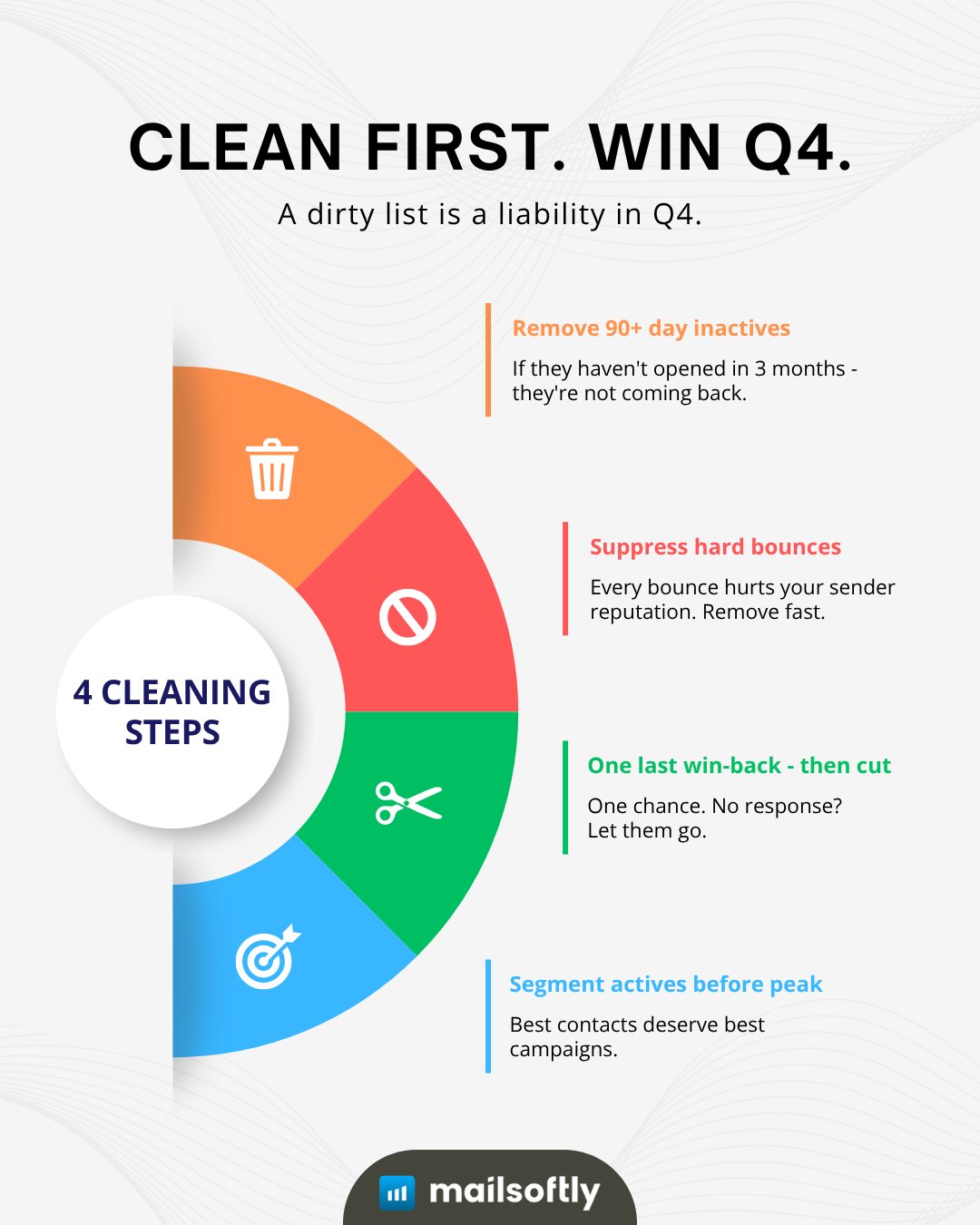
A dirty list is a liability in Q4.
Inactive contacts tell inbox providers your emails aren't worth delivering.
Clean before you need to perform:
- Drop 90+ day non-openers
- Suppress hard bounces
- One last re-engage campaign, then cut
Try it: mailsoftly.com
1
Why do your emails go to spam?
Often the domain isn't authenticated. Inboxes check SPF, DKIM and DMARC first.
Mailsoftly lists every record you need, can add them with many DNS providers, and shows what to fix.
Someone else runs your DNS? Send them a ready-made note.
2
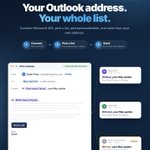
How to send a personalized mass email from your Outlook address:
1. Connect Microsoft 365 in Mailsoftly
2. Pick your list
3. Add Hi {first name | there}. No name? They get the fallback.
4. Send
It goes out from your own address, so people see a name they know.

1
215
How do you send a personalized mass email from Outlook?
Connect Microsoft 365 and write it once with merge fields. Each person gets their own copy from your Outlook address.
Big lists go out gradually to protect your Microsoft account.
#MailMerge
1
13
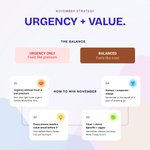
📋 November is the loudest month in email.
Everyone is screaming urgency. Your audience has seen it all.
The brands that win November aren't the most urgent. They're the most trusted.
Give before Black Friday, not just during it.
Try it: mailsoftly.com

1
7
How do you mail merge certificates and email each person their own?
Design it once with merge fields. Mailsoftly makes one PDF per person, named after them, and attaches it to their email.
No Word merge, no splitting files, no attaching one by one.
#MailMerge
1
16
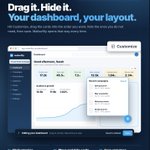
Set up your Mailsoftly dashboard the way you work:
1. Click Customize
2. Drag cards into your order
3. Hide what you don't use
4. Save
Your layout stays with your account. Reset to default brings it all back.
You can also pin shortcuts to Quick actions on every page.

1
9
How do you do an Outlook mail merge where every person gets a different file?
Word's mail merge can't attach files. In Mailsoftly, each client gets their own invoice PDF, sent from your Outlook. Preview every PDF first.
No add-in, no macro, no Power Automate.
#MailMerge
1
11
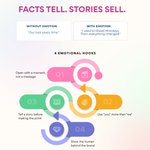
Facts tell. Stories sell.
The emails people remember aren't the ones with the best offer. They're the ones that made them feel something.
Open with a moment, not a message. Use "you" more than "we."
Personalize every send with Mailsoftly: mailsoftly.com

1
10
How can you tell if someone opened your email without a read receipt?
Send it as a Mailsoftly campaign from your own Gmail or Outlook. You'll see who opened and when, plus who hasn't yet.
Read receipts depend on the reader saying yes. This doesn't.
#EmailTracking
1
14
New in Mailsoftly: Audience Insights.
It reads your existing contacts and suggests Smart Segments by location, job title, business domain, and engagement. They update themselves.
Also flags missing details and recent bounces.
Free plan included.
mailsoftly.com

1
12
How do you email a group without everyone seeing each other?
Not BCC. Each person gets their own copy from your own address, so only their name is in the To field.
BCC hides the list, but one slip into the To field shows every address, and nobody gets an unsubscribe link.
1
17
🍂 Something shifts in October.
Summer distraction fades, Q4 focus kicks in, and curiosity hits a seasonal high.
Tease what's coming in November. The brands that own November start the conversation in October.
Try it: mailsoftly.com
#EmailMarketing #Q4Marketing

1
10
How do you mail merge from Excel to email without Word or Outlook?
Drop in your .xlsx as it is. Every row becomes a contact, every column becomes a field you can use, and each person gets their own email from your own address.
#EmailMarketing #MailMerge
1
19
New in Mailsoftly: Launch Kit.
Set your brand kit once and get seven branded assets:
3 email templates
2 signup and lead forms
2 landing pages
Each uses your logo, colors and business details. Edit or use as is.
Changed your brand? Regenerate the whole set.
#EmailMarketing

1
11
How do you mail merge in Gmail without an add-on or a script?
Connect Gmail once, upload your spreadsheet as the list, write the email once with merge fields, everyone gets their own copy from your own address.
No add-on touching your inbox, no script to maintain.
#MailMerge
1
12
New in Mailsoftly: Brand Kit
Enter your website and Mailsoftly automatically pulls in your logo, colors, fonts, and social links.
From there, your emails, landing pages, forms, unsubscribe pages, and preference pages stay on brand by default.
#EmailMarketing #BrandKit

1
17
Email deliverability isn’t about design or copy. It’s about sender behavior.
Mailsoftly enables smarter segmentation, controlled sending behavior, and deliverability-focused campaign execution.
#Mailsoftly #EmailMarketing #Deliverability #MarketingAutomation

27
Not all email failures mean the same thing. If you’re seeing bounces, it’s critical to understand why they happen.
Mailsoftly helps businesses improve deliverability, manage email lists, and optimize campaigns with data-driven insights.
#EmailMarketing #Mailsoftly

21
Mailbox providers don’t trust new domains right away. With a fresh domain, you have no sending history, no engagement data, and no established reputation.
Mailsoftly helps businesses build strong sender reputations with smart, data-driven tools.
#Mailsoftly #EmailMarketing

10