





Pinned Tweet
New in Mage Pro: richer AI Sidekick context, broader data previews, bulk pipeline/project import, and clearer streaming health.
See the September release: mage.ai/updates/2026-09-17-r…

One warehouse query. Two AI sessions. Double the chargeback?
Overlapping sessions can inflate costs. Here's how to fix attribution in Mage 👇
mage.ai/blog/avoid-double-ch…

Mage OSS 0.9.80 is live 🎉
B2 support, restarts, faster browsing + reliability fixes.
mage.ai/updates/2026-10-09-o…

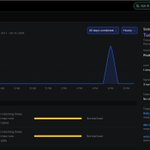
Pipeline schedules become risky when too many important jobs compete for the same window.
Mage Pro’s schedule heatmap makes trigger clusters and available windows visible before another schedule creates contention.
mage.ai/sign-up

A pipeline change is easier to trust when Git and deployment context stay together: inspect the change, work from the right branch, review it, and promote a known version.
Explore Mage Pro version control: mage.ai/explore/version-cont…

Starting from blank is useful when the work is new. For familiar jobs, the right pattern is faster. Mage Pro’s pipeline creation flow now includes a full template browser. mage.ai/features/custom-pipe…
Connector setup should not require rebuilding context across three tabs.
Mage Pro can surface integration guidance in AI Sidekick while you configure or troubleshoot a connection.
docs.mage.ai/data-integratio…
Not every recovery needs a full rerun.
Mage Pro now adds Retry incomplete blocks to run-status menus, giving operators a narrower recovery action directly from the pipeline run.
mage.ai/updates/2026-09-17-r…
A pipeline finishing is often the start of the next task. Mage Pro callback blocks attach explicit follow-up actions to pipeline outcomes without hiding the logic in ordinary pipeline work. docs.mage.ai/design/blocks/c…
Put your data pipelines on autopilot with better evidence.
Compare data across runs and inspect structured outputs before editing production code: mage.ai/features/data-explor…

Putting streaming pipelines on autopilot does not mean flying blind.
See lag, throughput, logs, and runtime diagnostics before degraded data becomes missing data: mage.ai/updates/2026-09-17-r…

Move one pipeline, many pipelines, or a full Mage project from one ZIP. Review conflicts before anything is written.
Put your data pipelines on autopilot.
docs.mage.ai/guides/pipeline…
Keep the question, source data, chart, and next action in one conversation. AI Sidekick helps teams explore and act without another context switch. Put your data pipelines on autopilot.
mage.ai/features/ai-sidekick
Keep Git and deployment work close to the data pipelines being changed: branch, review, promote a known version, and roll back when needed.
mage.ai/explore/version-cont…

Turn data from databases, warehouses, SaaS tools, or pipelines into an editable chart without starting another reporting workflow.
mage.ai/features/analytics-d…
Understand the data before you build the pipeline.
Mage Pro’s Data Explorer lets teams work with existing connections, run queries, and preview results before writing a block.
mage.ai/features/data-explor…
A useful production reminder: retry, rerun, and backfill solve different problems. We broke down when to use each one, plus the run history, checkpoints, and validation a safe recovery needs.
Guide: mage.ai/blog/data-pipeline-m…

A failed data workflow should come with context.
AI Sidekick helps teams inspect the failed block, read the logs, diagnose the issue, and work toward a fix without leaving Mage.
mage.ai/sign-up
A successful pipeline run doesn’t always mean trustworthy data.
Stale records, missing data, duplicates, and late arrivals can all hide behind a green status.
Our new guide looks at closing that production reliability gap 👇
mage.ai/blog/data-pipeline-m…

Giving AI access to data isn’t the same as giving it context.
Mage keeps data connected to its source, meaning, freshness, and run history, so AI can work with the bigger picture.
Explore what’s possible 👇
mage.ai/explore?tag=ai
