

Husband and father passionate about agriculture and technology. Member of the @JohnDeere team focused on Operations Center Mobile.
Illinois, USA
Joined May 2012
- Tweets6K
- Following194
- Followers6.5K
- Likes2.2K


The latest release of @JohnDeere Operations Center Mobile is optimized for iPad, taking full advantage of the larger screen to make it easier to view your equipment, monitor work, and stay connected to your operation from anywhere.

Sort the Field list in @JohnDeere Operations Center Mobile by GDUs. The most recently seeded crop will be used if there is more than one crop is present in the field.

Monitor GDUs through the season using the latest release of @JohnDeere Operations Center Mobile. Just tap on a field and then tap on the Weather tab.

Remotely monitor whether tech, like AutoTrac, AutoPath, and See & Spray, is currently being used on your equipment from anywhere using the latest release of @JohnDeere Operations Center Mobile.

Quickly understand how your season is progressing and how your machines are performing in one simple view. The latest release of @JohnDeere Operations Center Mobile adds the Work Overview to the Analyze tab.

It's never been easier to monitor the weather in context of your operation! The latest release of @JohnDeere Operations Center Mobile overlays past and forecasted rainfall right alongside your fields and equipment. Tap the cloud icon on the Map tab to try it out.

Only want to view the Daily Summary totals for select equipment? The latest release of @JohnDeere Operations Center Mobile adds a equipment filter to the upper right corner of the Daily Summary (available from the Home tab).

The latest release of @JohnDeere Operations Center Mobile makes it easy to get a big picture view of your crop plans for next year. Color the field boundaries in your org by planned crop by tapping on Map Settings (gear icon), then tap Fields, then tap 2026 Planned Crop.

Managing Work Plans gets easier in the latest release of @JohnDeere Operations Center Mobile. Select multiple fields at one time and then tap Edit to make bulk changes to several Work Plans at the same time.

Kyle Plattner retweeted

Amazon AWS being down yesterday, impaling John Deere Operations Center for one day, has had a more profound effect on my farm than the Government being shutdown for 20 days.

In the latest release of @JohnDeere Operations Center Mobile, you can now view the exact location of where a Diagnostic Trouble Code was fired directly on the map while in the field. Just tap on it and view all the details.

Easily preview and confirm the Variety Locator file that will be included with your Harvest Work Plan in the latest release of @JohnDeere Operations Center Mobile. It's never been easier to make sure that every combine and operator is set up for a successful harvest this season.

Easily see where you used Harvest Settings Automation and Ground Speed Automation on each field this harvest using the newly added map layers to the latest release of @JohnDeere Operations Center Mobile.

Accept Staff invites from anywhere using the latest release of @JohnDeere Operations Center Mobile. Your pending Staff invites will show up at the top the staff list under the Team section of the Setup tab.

Work Plans that were previously sent to equipment automatically get resent after you make changes in the latest release of @JohnDeere Operations Center Mobile.

Use the Equipment tab on the Daily Summary in @JohnDeere Operations Center Mobile to easily compare idle times across all equipment for the selected day.

Don't forget about the Daily and Weekly Summary on the Home tab of @JohnDeere Operations Center Mobile. It's the easiest way to get an at-a-glance view of everything that's happened across your operation recently.

Interested in focusing in on fields that have a specific variety planted in it or product applied on it? Use the filter chips on the Map tab in @JohnDeere Operations Center Mobile to highlight the fields you're interested in.
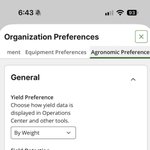
Make quick changes to your organization's preferences from anywhere using the latest release of @JohnDeere Operations Center Mobile. Tap the gear icon in the upper right of the Setup tab.
Get an easy, at-a-glance view of where your crops are planted across your organization in the latest release of @JohnDeere Operations Center Mobile.
Tap on Map Settings -> Fields, and then select Last Seeded Crop to see boundaries colored by the last crop planted in each field.