

Blockchain infrastructure for business · Built for KUB devs · News, updates, content, and code
Joined May 2026
- Tweets62
- Following8
- Followers59
- Likes4


Pinned Tweet
KUB Docs MCP is now available! Connect the KUB Docs directly to your AI coding assistant: Claude, Cursor, Gemini, Codex, whatever you build in. Ask about RPC configuration, KAP-20, deployment, and get answers grounded in the actual docs, no tab-switching.
Deploying your first Solidity contract to KUB and hitting invalid opcode: opcode 0x5f not defined? Two settings fix the most common Foundry errors on KUB, and the KUB Docs quickstart covers both.
First, the EVM version. The KUB EVM predates the Shanghai upgrade, so it rejects the PUSH0 opcode that solc 0.8.20 and later emit by default. Add evm_version = "paris" to your foundry.toml under [profile.default]. You keep current Solidity language features, and because the setting applies to every forge command, the bytecode you verify matches the bytecode you deployed.
Second, transaction type. KUB doesn't support EIP-1559 fee estimation, so forge create without the --legacy flag fails with "Failed to estimate EIP1559 fees". Adding --legacy sends a pre-EIP-1559 transaction with a plain gas price.
With those set, the full flow is short. Point Foundry at rpc-testnet.kubchain.io. Get 5 tKUB every 24 hours from the KUB Faucet. Import your key into Foundry's encrypted keystore with cast wallet import deployer --interactive so it never sits in a .env file. Then deploy with forge create ... --account deployer --broadcast --legacy. To verify the source on KUB Scan, run forge verify-contract with --verifier blockscout and --verifier-url testnet.kubscan.com/api, or kubscan.com/api for mainnet. Keep in mind that the KUB Scan API allows 12 requests per minute per IP and blocks the IP for a minute if you go over, so don't loop verification calls in CI.
Once your contract is live, the next steps in the docs walk you through connecting a frontend with wagmi or viem, launching a KAP token, and submitting your app to the KUB Developer Center.
Full walkthrough: docs.kubchain.com/quickstart…
Your AI coding assistant may not know KUB's IDs, RPC endpoints, or standards, and when it guesses, it can get them wrong. Plug the official docs straight into it instead.
KUB Docs runs a Model Context Protocol (MCP) server at docs.kubchain.com/~gitbook/m…. Add it as an HTTP MCP server, and your assistant can search KUB Docs and cite its answers, instead of relying on training data that may be out of date. It works with Claude (Web and Desktop: Settings > Connectors > Add custom connector), Cursor, Codex, and VS Code (Copilot). In Claude Code, it takes one command:
claude mcp add --transport http kub-docs docs.kubchain.com/~gitbook/m…
Building an app that connects to KUB Wallet? The KUB Wallet docs have their own Docs MCP server, covering integration methods such as EIP-6963 and WalletConnect v2. Add both: KUB Docs for the network side (RPC, contracts, KAP standards) and the KUB Wallet docs for wallet integration.
To test the connection, try a prompt from the docs: "Search KUB Docs for the KUB Mainnet RPC URL and chain ID," or "Find the guide for deploying a smart contract on KUB Testnet. Summarize the required setup." The server uses HTTP transport, so tools that only support stdio or SSE can't connect. If your tool can't use MCP, KUB Docs also publishes llms.txt (a page index) and llms-full.txt (a full-text snapshot) that you can load as context.
Set it up here: docs.kubchain.com/build-with…
Your contract is on the KUB Testnet. Now your users need a frontend to interact with it. The KUB Docs "Build an App on KUB" guide walks through a small Next.js app using wagmi and viem that connects a wallet, reads from a contract, and writes to it.
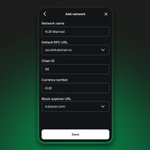
Setup uses tools you likely already know: create-next-app, then wagmi, viem, and TanStack Query. Recent viem versions include KUB definitions (bitkub and bitkubTestnet in viem/chains). You can also define KUB Testnet (Chain ID 25925) and KUB Mainnet (Chain ID 96) yourself with defineChain, which works on any version.
The guide also covers three details that cause real bugs. First, handle the wrong-network case. KUB is a custom network in MetaMask, so first-time users are often on another chain. Without useSwitchChain, the write button can stay on "Confirm in Wallet" forever if the user misses the popup. Second, declare your ABI with "as const", or wagmi cannot infer function names and types. Third, use ssr: true with cookieStorage and cookieToInitialState so the connection state doesn't flash on page load. Also remember to fund the browser wallet from the KUB Faucet, not just your deployer key. When your app is ready, submit it to the KUB Developer Center to be listed in the KUB Ecosystem directory.
Build it step by step: docs.kubchain.com/quickstart…

If you're moving liquidity onto KUB network, or helping users get from Ethereum to KUB, you'll reach for KUB Bridge. Here's what it actually does, and the handful of things worth knowing before you point real funds at it.
KUB Bridge connects KUB network to Ethereum, BNB Smart Chain, JFIN Chain and moves KUB (as KKUB) or any ERC-20 token between those networks. The flow is the same in either direction:
1.Hold the source chain's native gas token: you're paying a real transaction on that chain, so bridging from Ethereum still needs ETH in your wallet, same as bridging from KUB still needs KUB.
2.Connect your wallet to the source network on the bridge UI.
3.Pick the destination network, the token, and the amount.
4.If it's a token and not the network's native coin, you need to approve the bridge contract to spend it first
5.After that you can bridge through a UI and confirm in your wallet.
Funds land on the destination chain in roughly 5–10 minutes, depending on how congested the source chain is.
What's actually happening when you click "Bridge"
Under the hood, a token bridge is doing one of a few things: locking your asset in a contract on the source chain and minting a wrapped equivalent on the destination (lock-and-mint), burning it on one side and minting the canonical version on the other (burn-and-mint), or swapping against pre-funded liquidity on both sides. Whichever pattern is used, the asset doesn't teleport. Something on the source side has to be neutralized before something on the destination side is created, and there's an off-chain party in between watching for that and authorizing the mint.
That off-chain party is the part worth understanding, because it's also the part that isn't visible from the UI. It might be a small multisig the chain operator controls, a larger validator set with slashing, or a light-client design that lets the destination chain verify the source chain's state directly. Whichever it is, it's holding the keys to every asset that's ever been locked in the bridge contract, not just yours.
This isn't a hypothetical concern, the bridge itself, not the underlying token or the user's wallet, was the point of failure, and the amounts lost were in the hundreds of millions because a bridge concentrates the value of everything that's ever crossed it into one place.
Rule 1: A bridge transaction is not final the moment your wallet confirms it. The 5–10 minute window exists because the relayer/validator is waiting for the source chain transaction to be irreversible before authorizing anything on the destination side.
Rule 2: Know what's backing the token you receive. A bridged asset on KUB (like KKUB representing bridged KUB, or a bridged USDT) is a claim on whatever the bridge is holding on the other side, not the same asset. If the bridge's custody model is ever unclear, that's a reason to ask before moving size through it, not after.
Rule 3: Verify the contract address on both ends, every time. Bridge UIs are one of the most commonly spoofed surfaces in crypto precisely because users treat "the bridge" as a single trusted thing rather than two separate contracts on two separate chains. Confirm the destination token address independently, via KUB Scan, before trusting a balance you see in your wallet.
Learn more at: docs.kubchain.com/tools/toke…

KUB Global 2026 wrapped up last week, a full day at ZillaSpace looking back at five years of the KUB network and laying out where it's going through 2027.
A lot happened over the course of the day.
The Zurich hard fork
Go Ethereum moves to a recent version, and on top of that comes support for the latest Solidity. Together, they close the gap that's been the quiet friction of building here: newer language features become available, your usual tools work at their default settings, and contracts get cheaper to run. Nodes get lighter and faster to sync too. If you've been keeping a list of things that don't work on the KUB network, most of that list is about to disappear.
A new fee model (KIP-100)
Gas pricing moves to a base fee model. The network publishes a base fee for every block; you set a ceiling, and anything unused comes back to you, no more guessing at gas price. Part of every fee is burned on-chain, and the burn rate is a parameter the network can adjust rather than something frozen until the next hard fork.
1-second block time
Block times drop to one second. Faster confirmation for anything you build, and a meaningfully different feel for payments and anything interactive.
The developer toolchain
5 things exist to get you from an empty folder to a deployed contract, and most builders find them one at a time:
- KUB Faucet: mint testnet tKUB and bridge it from L1 to L2
- KAP Package: the official NPM package for the KAP token standards, so you inherit audited base implementations instead
of hand-rolling a token contract
- KUB Scan: the block explorer, covering both mainnet and testnet
- KUB Developer Center: for getting a dApp integrated and running on the KUB network
- KUB Docs: the full reference for every part of the stack
A say in the standards
gKUB voting power is coming, and network infrastructure decisions are on the ballot, things like which standards get adopted and how the burn and gas parameters are set. If you have opinions about what you build against, that's the mechanism for them.
Grants
The KUB Builder Grant offers financial and technical backing for utility-focused dApps. There's a Validator Grant for node operators as well.
View Grant Program: kubchain.com/grant
The ecosystem side is where most of the new surface area is. Lighter brings a perp DEX. Squid handles interoperability, cross-chain routing in and out of the KUB network. And on the on-chain collaboration side, there's TRON, which means more places your users can arrive from.
Stablecoins get a push as well: Tether and Agora. For real-world assets, Ondo.
The short read for anyone building: more liquidity to build against, more chains to bridge from, and payment rails that settle in something stable.
Visit website: kubchain.com/
View document: docs.kubchain.com/
KUB Developers retweeted

From the first block in 2021 to the Infrastructure Era.
Coin. NFT. Real-world use cases.
Five years of building, evolving, and pushing KUB Chain forward.
Now, it’s time for the next chapter.
What do you want to see KUB Chain build next?
Find out at KUB Global Bangkok 2026: Road to Open Financial Infrastructure.
📅 28 August 2026
📍 ZillaSpace, FYI Center Tower 2, 11th Floor
Register now: luma.com/nb8ge2dg
#KUBChain #KUBGlobal
KUB Developers retweeted
🌍 MEET THE VOICES SHAPING THE FUTURE AT KUB GLOBAL BANGKOK 2026
From blockchain infrastructure and stablecoins to RWA, tokenization, Web3 adoption, and the future of open finance — meet the speakers bringing perspectives from across the ecosystem to one global stage.
Industry leaders. Builders. Innovators. Regulators. Communities.
All coming together to explore what’s next for financial infrastructure in Thailand and beyond.
THE GLOBAL STAGE. ALL VOICES. ONE FUTURE.
SEE YOU TOMORROW AT KUB GLOBAL BANGKOK 2026.
📍 KUB Global Bangkok 2026
📅 28 August 2026
📌 ZillaSpace, FYI Center Tower 2, 11F
🎟️ Register now: luma.com/nb8ge2dg
Powered by Agora, Ondo, Superteam Thailand, and TRON.
In special partnership with Liberix, 1109 Prime, and DeLorean Labs.
#KUBGlobal #KUBGlobalBangkok2026 #KUBChain #OpenFinancialInfrastructure #Blockchain #Web3 #Stablecoin #RWA #Tokenization

If you're wiring up a backend, an analytics dashboard, or any off-chain service that reacts to on-chain activity, you need to read event logs. Here's how to do it on the KUB network, starting with the method that always works.
The reliable path: eth_getLogs over RPC
KUB network is EVM-compatible, so standard JSON-RPC log queries work exactly as they do on Ethereum. Point ethers or viem at a KUB network RPC and filter:
const logs = await provider.getLogs({
address: contractAddress,
topics: [ethers.id("Transfer(address,address,uint256)")],
fromBlock: blockNumber,
toBlock: "latest",
});
Same interface you already know. The event signature hashes to topic[0]; indexed params fall into topics[1..3]; everything else lives in data.
KUB Scan also exposes an HTTP API for reading network data without running your own queries:
Mainnet: kubscan.com/api
Testnet: testnet.kubscan.com/api
Mind the rate limit: 12 requests per minute per IP. Go over, and KUB Scan will block your IP for a minute, so this is for light, periodic reads, not high-throughput indexing. For anything heavy, run eth_getLogs against an RPC node you control, or your own provider.
If you're building something that needs to serve event data at scale, don't hammer a public endpoint. Run a node (KUB network supports Docker deployment), or point a self-hosted indexer at your own RPC. Query the chain once, serve it many times from your own store.
Need some help? Reply to us below.
Learn more at: docs.kubchain.com/tools/bloc…
If you have been building on the KUB network long enough to have opinions about it, there is a formal path for turning one of those opinions into a standard. It is called a KIP, a KUB Improvement Proposal.
A KIP is a design document. It either describes a new feature for the KUB network, or it proposes a change to the processes and conventions around it. If you have read an EIP on Ethereum or a BIP on Bitcoin, you already understand the structure of the proposal. The KIPs repository tracks every past and ongoing proposal, which makes it the closest thing the KUB network has to a written record of why the chain works the way it does.
Start with the conversation, not the document. The most common way to waste effort here is to write the proposal first.
The process starts with a discussion thread on the KUB Discord forum. Ideas get worked through there before anything is drafted. Only once there is consensus that the idea is worth specifying do you read KIP-1, the proposal that describes the KIP process itself, and start writing.
This ordering is not bureaucratic politeness. A proposal that arrives fully drafted with no prior discussion has skipped the step where other people tell you the constraint you did not know about. Once discussion has run its course:
- You write a draft following the KIP guidelines. Including a reference implementation is optional, but a proposal that comes with working code answers a lot of questions that a proposal without it has to answer in prose.
- You open a pull request on the KIPs repository at github.com/kub-chain/KIPs.
- You revise. This is the long part. The draft gets edits until it is mature enough to submit for review, then it is listed on GitHub for review by KUB, and you make further changes based on that feedback.
KUB conducts a final review before the proposal moves to Final status. From there the KIP is implemented and adopted, and it becomes the standard. Read KIP-1 for the required structure and section-by-section guidelines before you draft. It is the authoritative source on format, and getting the format right on the first pass saves a review cycle.
Read KIP-1. Then open a thread and make your case to people who will push back on it.
KIP process: docs.kubchain.com/governance…
Repository: github.com/kub-chain/KIPs
Working on something you think should be a standard? Reply and tell us what it is.

If your contract relies on another contract's function, it might behave in various ways: it could revert cleanly, succeed as expected, or do something in between. The only safe assumption is that you don't know which of these outcomes occurred until you've explicitly checked.
For instance, suppose your contract calls a token's transfer function to move funds on a user's behalf. If the token has a bug or was intentionally designed this way, it might accept the call, return without reverting, and simply not move any tokens.
Your contract has no way of knowing this happened unless it explicitly checks. It sees no error, assumes the transfer succeeded, updates its internal accounting to reflect a successful transfer, and moves on. As a result, the user's balance is incorrect, and funds are effectively lost because your contract trusted a call that didn't actually perform as intended.
This isn't a hypothetical scenario. Several real, widely-used tokens are known to behave precisely this way. They return false on a failed transfer instead of reverting, and contracts that don't check for this have lost real money due to it.
Rule 1: Checking that a call didn't revert isn't enough. A call not reverting doesn't confirm success; you must check the return value explicitly.
Rule 2: Low-level calls require you to interpret responses manually. Verify success and decode returned data yourself.
Rule 3: High-level interfaces revert automatically, but they don't check the result for you. Always check return values, as they may indicate failure.
Rule 4: Before a low-level call, confirm code exists at the target address. A call to an empty address won't revert, potentially absorbing intended actions.
Validate inputs like amounts, addresses, and timestamps to prevent exploits. External calls are the primary source of real breaches because their failure mode is often silent rather than conspicuous. Be extra safe and cautious when building protocols that affect user's funds.
Docs: docs.kubchain.com

Access Control on Smart Contracts: Ownable vs. Role-Based
Every contract on the KUB network with admin functions requires an access control strategy. The two standard options are Ownable (a single admin address) and role-based access control, typically implemented using OpenZeppelin's AccessControl. The choice between these options depends on the number of people or distinct admin responsibilities your contract actually has.
Ownable grants a single address the authority to call protected functions. It's straightforward to understand. However, it comes with a significant risk: if that key is lost or compromised, the entire admin surface is compromised. You can't separate "who can mint," "who can pause," and "who can upgrade". It's all-or-nothing, tied to a single private key. Use Ownable when you're the sole admin, the project is in its early stages, and you're comfortable with a single point of failure for now.
AccessControl allows you to define separate roles, such as admin, minter, and pauser, and assign them independently. One address can hold multiple roles, but revoking a role from one address doesn't affect others. Different addresses hold different powers, and compromising one role doesn't compromise the entire contract. Use Role-based when multiple people, contracts, or operational roles require distinct permissions, which is most protocols beyond a single-developer project.
Which Should You Use?
- Solo dApp where you control everything: Ownable is fine.
- Protocol with multiple operators, contracts, or team members: AccessControl is the better choice.
A Practical Note: Migrating from Ownable to Role-based later is more challenging than starting with AccessControl on day one. Deploying with AccessControl doesn't significantly increase costs. You're simply being explicit about who holds which role instead of collapsing everything into one owner.
KUB assets just landed on @coingecko, which means price and market data for KUB assets are now one API call away. Integrate CoinGecko endpoints and pull them straight into your app.

KUB Chain Assets Are Now Live on @coingecko
KKUB, USDT, and USDC.e are now officially listed on CoinGecko, one of the most trusted crypto market data.
For a network built to power real-world stablecoin use, global visibility matters. These listings bring KUB Chain assets to a worldwide audience and move us closer to becoming a leading chain for stablecoin adoption.
Now listed:
1. Wrapped KUB (KKUB) → coingecko.com/en/coins/wrapp…
2. KUB Bridged USDT (USDT) → coingecko.com/en/coins/kub-b…
3. KUB Bridged USDC (USDC.e) → coingecko.com/en/coins/kub-b…
Every listing deepens transparency, strengthens on-chain liquidity, and moves us closer to making KUB Chain a go-to network for stablecoins worldwide.
Track them on @coingecko today.

KUB Developers retweeted
KUB Chain 🤝 @Lighter_xyz
Unlocking access to global liquidity through Lighter’s ecosystem with over $529.55M in TVL.
Lighter will support KUB Chain assets, connecting the ecosystem to low-cost, low-latency on-chain trading powered by Ethereum L2.
Together with KUB Chain’s EVM-compatible infrastructure and rapidly growing ecosystem, this collaboration opens new access to high-performance DeFi and global on-chain liquidity.
Global liquidity. Regional accessibility.
#KUBChain #Lighter #DeFi #Web3 #OnchainTrading

Before deploying your app to KUB Mainnet, ensure you've thoroughly tested it on KUB Testnet. Here are some crucial tips to consider, as handling issues is significantly easier now compared to after deployment:
- Test your app with real tKUB instead of mocked values.
- When developing a KAP token, refer to this guide: docs.kubchain.com/quickstart…
- Ensure compatibility between KUB Testnet and KUB Mainnet by verifying RPC behavior.
- Collaborate with a second engineer, ideally someone who has deployed to a mainnet before.
- Trace every external call to ensure failures are handled appropriately or assumed away.
- Keep your admin key secure, avoiding repurposing it from a testnet key or storing it on your deploy machine.
- Test your timelock end-to-end, including emergency pause and unpause functionalities. A pause that cannot be reversed poses a liability rather than a safety net.
- Conduct a thorough verification on KUB Scan immediately after deployment. Most verification failures stem from mismatched compiler versions or optimization settings between your deployed build and your local build. Confirm these discrepancies and save your constructor arguments.
- Develop an incident-response plan, not just a deployment plan. Stay vigilant during the first 48 hours, when most launch issues are likely to arise. If you plan to run a bug bounty, ensure it's live before the launch.
These steps are the standard requirements for any network. The key difference here is the verification process on KUB Scan. Ensure that your compiler version and optimization flags match your local build before deployment. The rest of the process involves diligently following the steps to meet the deadline. Mainnet bugs can be costly, so it's crucial to prioritize thorough testing over rushing the deployment.
For more information, visit: docs.kubchain.com

If you're building on the KUB network, there's an official Solidity library worth knowing: kub-contracts, the reference implementation of the KAP token standards: KAP-20, KAP-22, KAP-721, and KAP-1155.
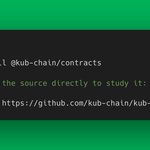
Getting started takes seconds: Using npm or pulling the source directly to study it via git clone
Worth studying how the KUB-specific features work inside the standards:
- KAP-20 covers the familiar transfer/approve flow plus KYC-gating via adminTransfer, internalTransfer, and externalTransfer.
- KAP-721 carries the same admin-recovery and KYC pattern, with tokenURI and enumerable extensions.
- KAP-1155 adds batch transfers across multiple token types.
This repo is also where network upgrades land first: new features, optimizations, security patches. Star it and set notifications to Watch so you're never building against stale interfaces.
Repo: github.com/kub-chain/kub-con…
Docs: docs.kubchain.com

Whitepaper V5.2 is out, and the direction is clear: Open Finance infrastructure, powered by AI tooling.
Five years of KUB Mainnet, in numbers:
- 5.11B+ transactions processed
- $852M TVL
- 2.43M+ wallets on-chain
- 201,610+ KUB burned quarterly, tracked publicly at burn.kubchain.com
The Open-Fi Roadmap:
- Block time upgrading from 3s to sub-second
- Native Real World Asset tokenization support
- Zero-fee USDT bridging from Bitkub Exchange
- THBK: a programmable Thai Baht, lives in a regulatory sandbox with merchant escrow
For KUB Developers: KUB Docs MCP is live. It connects your AI assistant directly to KUB Docs, so the model already knows the network when you start building.
How it works: Set up Claude, ChatGPT, Cursor, or Gemini on the KUB Docs MCP server. Describe what you want in natural language. The AI handles RPC configuration, token standards, contract deployment, and wallet connection. No more copy-pasting docs into your context window.
What this unlocks:
- EVM Developers: Skip the ecosystem ramp-up and build on the KUB network in your first session
- Non-Developers: Go from idea to working smart contract and web interface without writing code
- Everyone: Build utility apps with on-chain revenue streams
Prompt in, app out. Now everyone can build on KUB, not just developers.
Get started: docs.kubchain.com/build-with…

KUB Developers retweeted
We are excited to announce that the KUB Whitepaper V5.2 is officially live!
Dive into the latest technical updates, ecosystem advancements, and our roadmap for the future.
Read the full whitepaper now to see what we're building next. 👇
kubchain.com/docs/EN_KUB_Cha…
#KUB #KUBChain #Blockchain #Crypto #Whitepaper #Web3

Integrating a third-party token, oracle, or DEX into your protocol can accelerate development, but it also introduces your largest external attack surface. Even if a contract is deployed on KUB Mainnet and fully audited, assuming it is safe is a dangerous mistake. To protect your protocol and your users, every external component must be thoroughly vetted. Use this checklist before writing a single line of integration code.
The Vetting Checklist
1. Analyze the Source Code - Never treat an external contract as a black box; you need to understand exactly what you are calling. Review the smart contracts specifically looking for admin overrides, pause mechanisms, and upgrade hooks—any of these can break your structural assumptions down the line.
2. Scrutinize the Governance Power - Identify who holds the keys to the contract. Is the admin a multi-sig, a decentralized DAO, or a single Externally Owned Account (EOA), which represents a massive security risk? Determine if the controllers can arbitrarily pause the contract, alter fee structures, or upgrade the core logic.
3. Review the Contract History - Past behavior is an excellent indicator of future risk. Look into whether the contract has ever been upgraded and under what circumstances. Search developer forums, GitHub issues, and social channels for past incidents, emergency pauses, or historical exploits.
4. Run Rigorous Testnet Simulations - Deploy and test your integration extensively on the KUB Testnet. Intentionally mock worst-case scenarios:
- What happens to your protocol if the external contract suddenly pauses?
- How does your code handle an unexpected revert?
- What happens if it returns malformed or stale data?
Build code fallbacks for each of these failure modes before moving to production.
5. Evaluate the Audit Validity - Not all audits carry the same weight. Verify the reputation of the security firm and check whether the engagement was a comprehensive, formal audit or just a cursory review. Most importantly, ensure the audit matches the exact commit hash of the code you are integrating, rather than an outdated version.
6. Architect a Clean Exit Strategy - You must design your off-boarding mechanism before something goes wrong, not after. Ensure your architecture is free of circular dependencies or locked liquidity that could trap user funds. Can you safely pause or decouple your integration without bricking your entire protocol?
7. Treat Integrations Like Team Members - Third-party smart contracts should be vetted with the same scrutiny you would apply to hiring a new core team member. By building defensively and planning for external failures, you ensure your app remains resilient.
For more secure development standards on KUB, explore the developer resources at docs.kubchain.com
Bridge assets from various networks like Ethereum, BNB Smart Chain, and more to the KUB network using the KUB Bridge. Here's a quick guide to get you started. 👇
How it works:
- Connect your wallet to the source network (e.g., Ethereum) at bridge.kubchain.com.
- Select the token you want to bridge and the destination network.
- Submit the transaction from your wallet.
The funds will arrive on the destination chain within a few minutes. The assets that can be bridged depend on the token dropdown selector at bridge.kubchain.com. So, check there directly instead of assuming a fixed list.
When building on bridged assets, consider the following:
- The wrapped asset will have a different address on the KUB network compared to its origin chain.
- Liquidity can vary; some bridged assets may trade thinly.
- For payments, stablecoins are generally more predictable than volatile assets. However, verify that a specific stablecoin is actually supported before building around it.
If you're building a DEX, payment processor, or lending protocol on the KUB network, familiarize yourself with the bridge mechanics. Your users will bridge assets into the network, and you'll be responsible for handling the bridged tokens.
For more information, refer to the official documentation: docs.kubchain.com/tools/toke….
Launch a KAP token on KUB in a few lines of Solidity.
The npm package: kub-chain/contracts is live, built for KUB.
For more information: npmjs.com/package/@kub-chain…