

Systems Design, Development, DevOps | 📚 https://xitter.cf/t.co/TftXT8SA7g | Newsletter https://xitter.cf/t.co/VrmSdRvXJw
France
Joined May 2007
- Tweets1.2K
- Following1.8K
- Followers1.3K
- Likes1.8K



Check the free ~50-page PDF + EPUB on the 13-tool CLI stack: kamonayeva.gumroad.com/l/mod…

If this was useful, the full breakdown — the canonical form, the subshell mechanism, process substitution when the producer is a command — is in this week's issue:
shellcrafthq.com/p/a-loop-th…

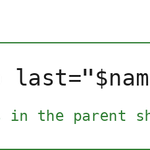
Example: Reading a file containing players names and keeping the last name across the loop, in the parent shell.
The redirect is the canonical form; it works in any shell. Process substitution does the same thing when the producer is a command rather than a file.


Let's see the mechanisms.
The shell's left-hand side of a pipe is a child process, while the right-hand side is a different child process.
A "while read" on the right-hand side of a pipe runs in a subshell, and variables set inside it never reach the parent shell.
Two forms keep the loop in the current shell:
- a redirect, when the producer is a file: "while read ...; done < file"
- process substitution, when the producer is a command: "while read ...; done < <(command)"
In both cases, the loop reads stdin from a file descriptor the parent opened, and there is no fork on the loop's side.
You have a text file and you want to read every line and remember the last one. The natural form looks correct, prints nothing wrong, but the result is empty.
The result of the "echo" is empty because the loop ran in a subshell, and the variable "last" lived in that subshell's memory.

🛠️ A loop that reads from a file or a command: why one form runs in the parent shell, while the other forks
Add a "cat" and a pipe to "while read", and the loop runs in a subshell. Variables set inside it disappear when the loop exits. A redirect or process substitution keeps the loop in the current shell.
This week's Shellcraft → shellcrafthq.com/?modal=sign…

Check the free ~50-page PDF + EPUB on the 13-tool CLI stack: kamonayeva.gumroad.com/l/mod…
If this was useful, the full breakdown is in this week's issue:
shellcrafthq.com/p/colima-on…

To do the switch from Docker Desktop to colima:
brew install colima
colima start
docker context use colima
That's all you need on a machine that already has the docker CLI. The CLI is unchanged; only the endpoint behind it moves.

colima runs the same Docker daemon inside a Lima VM, driven by the same docker CLI you already use every day.
No app, no menu bar icon, no license question. One context switch and you continue with your everyday commands.
Docker Desktop is a licensed product once your org crosses the size threshold, and a GUI app for what is, underneath the UI, a Linux VM running a Docker daemon.
If you only need the engine, why keep maintaining the overhead the desktop adds?
🛠️ Same docker CLI, no Docker Desktop: colima on macOS
Install colima, run two commands (colima start, docker context use colima), and your everyday docker commands run unchanged.
This week's Shellcraft → shellcrafthq.com/?modal=sign…
Check out my free ~50-page PDF + EPUB on the 13-tool CLI stack: kamonayeva.gumroad.com/l/mod…
The full breakdown — POST JSON, header overrides, dry-run with "--offline", and the stdin rule that makes the pipe-as-body case work — is in this week's issue:
shellcrafthq.com/p/httpie-fo…

From a script — or the prompt — pipe data straight into the body:
jq -n '{"page": 1, "per_page": 100}' | http POST jsonplaceholder.typicode.com…
The producer is the pipe. The consumer is the request. JSONPlaceholder echoes your POST back, so you can run it as written and watch the body arrive.

With HTTPie (called via the "http" command), the same request is:
http POST … name=alice role=admin active:=true
Items after the URL build the body. "=" makes a JSON string and ":=" passes raw JSON through (booleans, numbers, nested objects). Sending the "Content-Type" and "Accept" headers is done for you; you can override them if needed.
You want to POST a small JSON body with curl:
curl -X POST …
-H 'Content-Type: application/json'
-d '{"name":"alice","role":"admin","active":true}'
The escaped quotes, the flag you may forget, the header you may forget. Every part of the command is something to remember and get right.
🛠️ HTTPie for the interactive half of HTTP work.
Curl is on every machine. That's not changing. But when you're poking an API by hand, the HTTPie alternative has an easy to use syntax and other niceties for your daily work: request items on the command line, JSON, request headers, dry-run mode, piped body.
This week's Shellcraft → shellcrafthq.com/?modal=sign…
If this was useful, the full breakdown is in this week's issue: shellcrafthq.com/p/the-four-…
And check the free ~50-page PDF + EPUB on the 13-tool CLI stack: kamonayeva.gumroad.com/l/mod…

The tools to combine: zoxide, mise, starship, and fzf.
Once installed and wired into your shell.
You have a Node project (at ~/work/some/path/to/myproj) that you frequently visit, and that has the right mise.toml file (to configure the Node version and the tasks you need).
You can have these benefits when starting your session:
- do "z myproj" to jump to the project (thanks to zoxide),
- do "mise run dev" to run the project (the task 'dev' being configured in the mise.toml),
- while you work, the prompt shows the git branch and the Node version (starship),
- do Ctrl-T, type "app" for example to do a fuzzy search over the project's files, pick the file you need and press Enter to have its path pasted for your next command.
