






Jarrard Cole retweeted

team is really cooking here


Jarrard Cole retweeted
New Anthropic research: Emotion concepts and their function in a large language model.
All LLMs sometimes act like they have emotions. But why? We found internal representations of emotion concepts that can drive Claude’s behavior, sometimes in surprising ways.
Jarrard Cole retweeted
A statement on the comments from Secretary of War Pete Hegseth.
anthropic.com/news/statement…

I’m proud of Max for making the @wsj front page.
youtu.be/US2gO7UYEfY?si=OTcv…

Watch My Robot and Me, a short film I made with @joannastern.
Every single frame was created with AI.
Take a look and then read below for how we made it.
Then @runwayml dropped their references feature just as we started scripting, so we knew we could make a short with consistent characters and sets/places. Without references, I don't know how a short like this would be possible. Joanna + Max + background = first frame of the shot


2
7
547
I then generated the video mostly in Veo 2 and 3, + a bit of Runway Gen 4.
Most of my Veo prompts were in the 180 word range. I used a Gemini 2.5 thread with instructions and best practices from folks like @henrydaubrez + my experience to create prompts xitter.cf/henrydaubrez/status/18…

VEO 2 by @GoogleDeepMind : MY CHEAT SHEET
Alright, so after 500h-ish spent on VEO and giving birth to both "Kitsune" and "Banished", tons of people asked for a making-of. Instead, I decided to give you what I actually know of VEO 2 to this day. Please share! it's made to be spread around!
1/ If you're not using a LLM (Gemini, ChatGPT, whatever), you're doing it wrong.
VEO 2 currently has a sweet spot when it comes to prompt length: too short is poor, too long drops information, action, description etc. I did a lot of back and forth to find my sweet spot, but once I got in a place I thought felt right, I used a LLM to help me keep my structure, length, and help me draft actions. I would then spent an extensive amount of time tweaking, iterating, removing words, changing order, adding others, but the draft would come from a LLM and a conversation I built and trained to understand what my structure looked like, what was a success, or a failure. I would also share the prompts working well for further reference, and sharing the failures also for further reference. This would ensure my LLM conversation became a true companion.
2/ Structure, structure, structure
Structure is important. Each recipe is different but same as any GenAI text-to something, it looks like the "higher on the prompt has more weight" rule applies. So, in my case I would start by describing the aesthetics I am looking for, time of day, colors, mood, then move to camera, subject, action, and all the rest. Once again, you might have a different experience but what is important is to stick to whatever structure you have as you move forward. Keeping it organized also makes it easier to edit later.
3/ Only describe what you see in the frame
If you have a character you want to keep consistent, but you want a close-up on the face for example, your reflex will be to describe the character from head to toe and then mention you want a close-up...It's not that simple. If I tell VEO I want a face close-up but then proceed to describe the character's feet, the close-up mention will be dropped by VEO... Once again, the LLM can help you in this by giving it the instruction to only describe what is in the frame.
4/ Patience
Well, it can get costly to be patient, but even if you repeat the same structure, sometimes changing one word can still throw the entire thing out and totally change the aesthetics of your scene. It is by nature extremely consistent if you conserve most words, but sometimes it happens. In those situations, trace your steps back and try to figure out which words are triggering a larger change.
5/ Documenting
When I started "Kitsune" (and did the same for all others), the first thing I did was start a Figjam file so I could save the successful prompts and come back to them for future reference. Why Figjam? So I could also upload 1 to 4 generations from this prompt, and browse through them in the future.
6/ VEO is the Midjourney of video
Currently, no text-to-video tool (Minimax being the closest behind) gave me a feeling I could provide strong art directions and actually get them. I have been a designer for nearly 20 years, and art direction to me has been one of the strongest foundations of most of my work. Dark, light, happy, sad, colorful or not, it doesn't matter as long as you have a point of view and please...have a point of view. Recently watched a great video about the slow death of art direction in film (link in comments) and oh boy, did VEO 2 deliver on giving me the feeling I was listened.
Try starting your prompts with different kinds of medium (watercolor for example), the mood you are trying to achieve, the kind of lighting you want, the dust in the rays of light, etc... which gets me to the next one
7/ You can direct your colors in VEO
It's as simple as mentioning the hues you want to have in the final result, in which quantity, and where. When I direct shots, I am constantly describing colors for two reasons: 1. Well, having a point of view and 2. reaching better consistency through text-to-video. If I have a strong and consistent mood but my character is slightly different because of text-to-video, the impact won't be dramatic because a strong art direction helps a lot with consistency.
8/ Describe your life away
Some people asked me how I achieved a good consistency between shots knowing it's only text-to-video and the answer is simple: I describe my characters, their unique traits, their clothing, their haircut, etc..anything which could help someone visually impaired have a very precise mental representation of the subject.
9/ But don't describe too much either...
It would be magical if you could stuff 3000 words in the window and have exactly what you asked for, right? Well, it turns out VEO is amazing with its prompt adherence, but there is always a moment where it starts dropping animations or visual elements when your prompt stretches for a tad too long. This actually happens way before the character limit allowed by VEO is reached, so don't overdo it, it's no use and will play against the results. For info, 200-250 words seems like a sweet spot!
10/ Natural movements but...
VEO is great with natural movements and this is also one of the reasons why I used it so extensively: people walking don't walk in slow-motion. That being said, don't try to be too ambitious on some of the expected movements: multiple camera movements won't work, full 360 revolutions around a subject won't work, anime-style crazy camera movements won't work, etc... what it can do is already great, but there are still some limitations...
Jarrard Cole retweeted

Welcome to the premiere of “My Robot & Me.” Please silence your phones, chew your popcorn quietly and remember: Every visual you’re about to see was generated with AI. Most of the audio too, except @joannastern's voice. on.wsj.com/43BfsIL
Warren Buffett receives an over 2 minute standing ovation at the annual Berkshire shareholders meeting after announcing he plans to step down as CEO at the end of the year
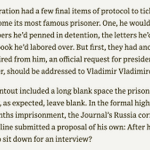
My colleagues @WSJ have the must-read story on the complex, agonizing work to get @evangershkovich freed.
And you can't beat this final anecdote.
wsj.com/world/europe/evan-ge…

2
358
Jarrard Cole retweeted

Evan Gershkovich, Alsu Kurmasheva, Paul Whelan. Free. Amazing. #IStandWithEvan

Jarrard Cole retweeted

It’s Thursday August 1, 2024 AND EVAN IS FREE!!!!
Detained by the Russian FSB Mar 29, 2023, 1 year & 124 days ago, today in a prisoner swap, EVAN HAS BEEN FREED!
JOURNALISM IS NOT A CRIME!
#IStandwithEvan

Jarrard Cole retweeted

Burst into tears when this push alert landed. I don't have the words.
Thank you to everyone who helped make this moment happen. Every post, share, button worn and event hosted/attended mattered.
#FreedEvan

Jarrard Cole retweeted

Today, Dow Jones CEO and Wall Street Journal Publisher Almar Latour and Wall Street Journal Editor in Chief Emma Tucker released the below statement on @WSJ reporter Evan Gershkovich.
Statement here: dowjones.com/press-room/june…
#IStandWithEvan

Jarrard Cole retweeted
“His Story Should Be Here”
Today’s front page of The Wall Street Journal.
One year stolen. We will not rest until Evan Gershkovich is free.
#IStandWithEvan

Jarrard Cole retweeted

Evan has been detained in Russia for a year. Today, we’re reading his work live over 24 hours. Re-reading his articles in preparation, I’m reminded of just how much we need his voice right now.
It's time to bring Evan home. #EvanReadAThon youtube.com/watch?v=gNweZEDe…}