

Online Kanban board for visualizing workflows
the cloud
Joined September 2010
- Tweets2.1K
- Following90
- Followers95
- Likes6
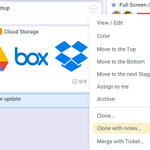


Clone Tickets with Notes — the new option allows cloning an existing ticket, while also preserving its notes and attachments.

We’ve added Compact View. Press Shift + C to condense your board and fit more ticket. It also works across other screens.
New in Board View: custom column widths.
Make specific columns wider to better fit ticket names and details.
Our External Access interface (that allows users not registered in smartQ to submit tickets) was updated to the new version (v2) to match the rest of the UI.
getsmartq.com/help/external_…

smartQ + Zapier integration is live. Connect smartQ to thousands of apps and automate ticket creation, notifications, and routine workflows—no code required.
getsmartq.com/feature_zapier…

For the past 15 years, we’ve had the honor of helping organizations of every size—from small local businesses to large international enterprises—streamline and manage their workloads with ease.
To all our clients: thank you for your lasting trust and support.


You can now hide left and right panels in Ticket View, List View and Dashboard via keyboard shortcuts (ALT + L / ALT+R). Available in the new interface (v2).
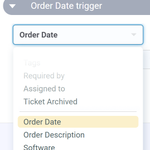
Automation now supports Custom Fields — create triggers/rules based on your Text, Number or Date custom fields. getsmartq.com/feature_automa…

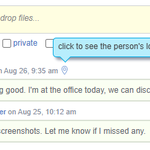
With many working remotely, we added the geolocation feature — now your team will be able to see where the person posted the note from.

We just released our brand new interface (v2)!
Responsive screens, redesigned forms, touch devices friendly, custom themes, dark mode and more!
getsmartq.com/v2.php

For 14 years now, we’ve proudly supported organizations of all sizes—from local businesses to global enterprises—in managing their workloads efficiently.
A heartfelt thank you to all our clients for your trust and support over the years. Here’s to many more! 📷

We just updated our email integration feature: tickets and notes created via email will ignore the file attachments from email signatures, like company logo, social media buttons, etc.

Do you have to deal with too many tags across all projects when filtering the tickets? Now you can limit the tags filter to only show the tags from the current project.
The new flag is available via Global Settings.

When using smartQ Outlook Add-in to create tickets from emails, their formatting, including tables, will now be preserved when copied to the Description field.
appsource.microsoft.com/en-u…


smartQ updates: Introducing Project Templates.
We’ve added some cool templates like Marketing Campaign, IT Issue Tracking, Tax Prep, Event Planning, and more! #ProjectManagement

smartQ app for @BigCommerce is out!
Now you can sync orders from your BigCommerce store to smartQ and back, using smartQ as a simple central order management platform. bigcommerce.com/apps/smartq-…
#bigcommerce #ordermanagement
#kanban
