

💭 Systems helps you stop rethinking the same work. 🗂️ Turn repetition into structure with reusable checklists you can run every time.
App Store
Joined May 2025
- Tweets34
- Following1
- Followers215
- Likes193

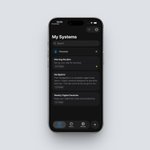


Systems: Checklists retweeted

When every step matters, @getSystemsApp makes it easy to share the whole workflow without anything getting missed
Here’s what a shared System looks like 🧵


Systems: Checklists retweeted
The new @getSystemsApp update is here!
You can now add one-time or recurring reminders to entire Systems or individual steps. Plus, you can archive Systems you’re no longer using.


Systems: Checklists retweeted
Apple has been approving updates at an incredible speed lately, so Systems 1.2.2 is already live
This update removes the hard paywall: you can now use Systems for free and keep up to 4 Systems in your library without a subscription
I also redesigned sharing, and it is now much simpler. With one tap, you can create a shareable link for any of your Systems that anyone can import into their own library
Try importing the System below, and share some of your own favorites too👇
Systems: Checklists retweeted
Making @getSystemsApp better, one update at a time
In the next update, sharing Systems will be even easier. Create a shareable link with one tap, then let anyone add it to their own library in a single click


Systems: Checklists retweeted
A niche productivity app built around reusable checklists


I built a pretty niche productivity app originally just for myself.
It’s for those recurring routines that never quite fit into traditional to-do apps or habit trackers, they live somewhere in between.
I call them Systems.
They’re basically reusable, repeatable checklists you can use almost every day. Most people keep these steps in their head, but I’ve learned the hard way that my brain gradually simplifies things and eventually drops even important details. Writing everything down lets me follow the process reliably and refine it over time when I discover a better way.
Simple examples:
morning routine, packing list, weekly reset, cleaning checklist, study workflow, or recurring work processes.
But they’re also great for less frequent things, like a pre-holiday house checklist or the turnover process between Airbnb guests.
Some key features:
• Reusable checklists for routines, procedures, packing, cleaning, work processes, etc.
• Full completion history so you can actually see what you did
• Manual “Done” button instead of auto-resetting at midnight
• Progress indicators for longer checklists
• Timestamps on completed items
• Search and filtering for active/in-progress systems
• Optional cover images so it feels more like a personal workspace than a boring task list
It is intentionally not trying to replace a full task manager. It is for people who like having repeatable processes written down once, then improving them occasionally instead of constantly rebuilding the same lists.

Systems: Checklists retweeted
I built a pretty niche productivity app originally just for myself.
It’s for those recurring routines that never quite fit into traditional to-do apps or habit trackers, they live somewhere in between.
I call them Systems.
They’re basically reusable, repeatable checklists you can use almost every day. Most people keep these steps in their head, but I’ve learned the hard way that my brain gradually simplifies things and eventually drops even important details. Writing everything down lets me follow the process reliably and refine it over time when I discover a better way.
Simple examples:
morning routine, packing list, weekly reset, cleaning checklist, study workflow, or recurring work processes.
But they’re also great for less frequent things, like a pre-holiday house checklist or the turnover process between Airbnb guests.
Some key features:
• Reusable checklists for routines, procedures, packing, cleaning, work processes, etc.
• Full completion history so you can actually see what you did
• Manual “Done” button instead of auto-resetting at midnight
• Progress indicators for longer checklists
• Timestamps on completed items
• Search and filtering for active/in-progress systems
• Optional cover images so it feels more like a personal workspace than a boring task list
It is intentionally not trying to replace a full task manager. It is for people who like having repeatable processes written down once, then improving them occasionally instead of constantly rebuilding the same lists.
Systems: Checklists retweeted
The Systems checklist view is getting a refresh in @getSystemsApp too 👀

Working on the UI of @getSystemsApp
Before vs after
Nothing fancy changed. Same features, same structure.
Just cleaner spacing, better hierarchy, nicer flow


Systems: Checklists retweeted
Working on the UI of @getSystemsApp
Before vs after
Nothing fancy changed. Same features, same structure.
Just cleaner spacing, better hierarchy, nicer flow
Systems: Checklists retweeted
✅ Shipped an update to the History tab in @getSystemsApp
Less clutter. More clarity. Actually useful.
Systems: Checklists retweeted
🚀 The latest update of @getSystemsApp is live on the App Store!
Systems turns any multi-step routine into a simple, reusable & shareable checklist:
1️⃣ Capture your system in seconds
2️⃣ Schedule it in your calendar
3️⃣ Tick items off & tweak as you go
4️⃣ Share it with teammates or friends
Built for founders, makers, creatives, and your everyday routines, morning prep, evening skincare, workout plans, and more
👇Link below

Systems: Checklists retweeted
In @getSystemsApp, you can add a system (checklist) to your calendar with just one tap and jump straight back to it anytime via deep links ✅
Systems: Checklists retweeted
While @GratifulApp is waiting for review, I’m keeping busy with a long-overdue update for @getSystemsApp 👨💻

Systems: Checklists retweeted

Most people aren’t inconsistent because they lack motivation.
They’re inconsistent because they keep switching systems.
Pick one and get boring with it.


Systems: Checklists retweeted
🚀 @getSystemsApp is finally LIVE on the App Store!
I built it because I hate busywork: every time I catch myself doing a task twice, I bottle it into a System—a reusable checklist template with a title, description, and to-dos that launches in one tap and pops up exactly when my calendar says GO.
Launching a product, onboarding a client, packing for a trip, even a morning routine—turn it into a System once, tweak it over time, share it with your team, and stop reinventing the wheel.
Founders, freelancers, makers, habit nerds: if you’d rather automate than duplicate, grab Systems today and let me know what you think!

Systems: Checklists retweeted
My latest app, @getSystemsApp, is en route to the App Store and will be available for free for some time


