




gdaltips retweeted

My "Mastering #GDAL Tools" course is now available on YouTube! This course is the result of my 20 years of experience processing large volumes of imagery and building data pipelines. Check out the playlist at youtube.com/playlist?list=PL… . More in the thread below (1/n)

gdaltips retweeted

GDAL 3.6.1 is released: lists.osgeo.org/pipermail/gd… . Users of 3.6.0 *should* migrate to 3.6.1 to avoid a potential corruption of the spatial index of GeoPackage files generated by 3.6.0
You have a look at this great tutorial about @gdalorg tools courses.spatialthoughts.com/…
Put together by @spatialthoughts Ujaval Gandhi
gdaltips retweeted

.@MappingGIS En este artículo te presentamos las 30 aplicaciones #GIS #OpenSource que debes de conocer
mappinggis.com/2022/07/aplic…

Big push for the #MapServer !

Oh so close now! Proud to help announce the massive MapServer 8.0.0-rc2 release today. Announcement: mapserver.org/development/an… #foss4g #ribbon #sharing

gdaltips retweeted
GDAL 3.5.2 release candidate available for your testing: lists.osgeo.org/pipermail/gd…
Just needed to cut big vector dataset into smaller chunks.
With some 🐍 code and dirty ogr2ogr call from the subprocess module, you can put together several
ogr2ogr -clipsrc 0 0 100 100 output_dir input_file.gpkg -nlt MULTILINESTRING
Change the -clipsrc values and repeat

The data source behaves like list of features. You need just number of features?
Simply use `len()` function

I love the way, #fiona is done: you just `fiona.open()` the dataset and can use the
code block to close it automatically.
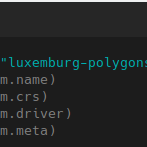
if you `dir()` the data source, you can see all the object attributes.
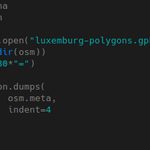
with fiona.open("dataset.gpkg") as ds:
print(dir(ds))


Big thanks for promoting @python and #geospatial 🐍🗺️

FOSS4G redux: "Doing Geospatial in Python" final v1.0 materials at dive.pygeoapi.io talks.osgeo.org/foss4g-2022-… #foss4g #foss4g2022
gdaltips retweeted

State of PDAL talk from FOSS4G2022 - Slides: tinyurl.com/pdal2022
gdaltips retweeted
Slides of "State of GDAL" talk given last week at #FOSS4G2022 available at download.osgeo.org/gdal/pres…
You can use @gdalorg @python bindings, but writing code using #GDAL is like writing C++ code using pythonish syntax - not very python.
But there is #fiona library for basic vector file manipulation.
pip install fiona
docs: fiona.readthedocs.io/en/stab…
file: file.io/kab3EwQOQ88R

gdaltips retweeted

I was trying nice experiments with the python bindings recently, trying to get around the bindings 'gotchas'. github.com/Rodrigo-NH/gdalwr…

Let's do some Python:
@GdalOrg
is great for not only the command line tools, but also for it's Python bingins. You can found great examples in the pcjericks.github.io/py-gdalo…
But it can be done more pythonish way, using some libraries provided by @sgillies