

🇬🇧 Pro-Level PC Optimizations - worked with @nocriesof @n0thing @curexipubg @KlaussOW @iskCSGO @NikoMfps @FessorCS & more. Book a session on the website.
discord.gg/FSL
Joined August 2010
- Tweets63
- Following182
- Followers2.2K
- Likes184


Pinned Tweet
📢 "Why does my mouse feel sluggish?"
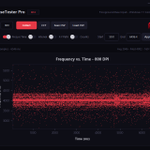
It's not input lag. It's inconsistent polling - and nobody gives you a tool to actually see it.
So we built one.
👉MouseTester Pro (actually FREE):
✅Real-time polling rate consistency graphs
✅Click interval testing (traditional mouse vs G Pro X2 Superstrike? Now you can see the difference in ms)
✅Keypress intervals (normal vs rapid trigger, or compare RT settings)
✅Reaction time test (all 3 in the CCT tab)
No other tool does this. Not online, not as an app. Not accurately.
Grab it for free 👇


FrameSync Labs retweeted

@framesynclabs you guys are insane!!
Doubled my fps so now I don’t have to upgrade my gpu

FrameSync Labs retweeted

CS2 FPS Benchmark : Windows 11 Stock vs Custom OS Playbooks (FSOS-X and AtlasOS)
Benchmarked using @CapFrameX on the Dust II FPS Benchmark map. Each OS was tested 3 times and the results shown are the aggregated averages.
Average FPS:
FSOS-X: 728.1 FPS 🏆
Stock W11: 718.5 FPS
AtlasOS: 668.4 FPS
1% Low Avg:
AtlasOS: 320.9 FPS 🏆
FSOS-X: 304.5 FPS
Stock W11: 274.9 FPS
Process Count:
FSOS-X: 90
AtlasOS: 96
Stock W11: 147
While FSOS-X got the highest Avg. FPS, AtlasOS improved the 1% Lows Avg by 16.73% 🔼 compared to Stock Windows 11. For some reason, AtlasOS got the worst Avg. FPS in these runs compared to FSOS-X or W11 Stock.
FSOS-X also had the fewest background processes with 90 running compared to 147 on Stock Windows 11.
Note: I kept Windows Defender and all other security features enabled during testing. I don't recommend disabling them just to gain a few extra frames.
PC Specs:
Ryzen 7 9800X3D
RTX 5070
32GB DDR5 CL30 6000MHz
NVIDIA Drivers 610.74
Windows 11 25H2
HAGS, Game Mode, Resizable BAR: Enabled
CS2 Video Settings:
1920x1080
Reflex Enabled
MSAA 4x
For each benchmark, I performed a fresh installation of Windows 11 while keeping the same NVIDIA driver version. At the time of testing, only CS2 and CapFrameX were installed to minimize background variables.
In total, I did 3 fresh W11 installations to complete this benchmark.
And as always, results may vary from system to system.

FrameSync Labs retweeted

Just got my PC optimized by @FrameSyncLabs.
No bullshit, if you want your mouse to feel crisp instead of floaty, I highly recommend reaching out to them.
Big props to them for being very professional throughout the whole process.✌️
FrameSync Labs retweeted

The Ultimate Optimization package is insane like my PC feels brand new. Everything is smoother, faster, and way more responsive
Now the game feels like cheating hh @framesynclabs
Supports 125Hz - 8000Hz mice and keyboards.
Get MouseTester Pro: discord.gg/FSL
Improve your results: youtu.be/A9d1nGQkys8
🚨 Want a free Logitech G PRO X2 SUPERSTRIKE?
👉 Join our Discord at discord.gg/FSL and post a picture of your setup in the # setup-showcase channel.
The one with the most 🔥 reactions by 11th of March, 2026 gets a new mouse + a full PC optimization for you or a friend.
Free for all. Good luck!❤️

ALT Logitech G Pro Superstrike
FrameSync Labs retweeted

yo.
Had my PC optimized by @framesynclabs
Very fast and easy experience, Understanding if you need further help as well.
Big cube approved.

We’re giving away an AMD Ryzen 7 9800X3D (and a free full PC optimization) as our thank-you for surpassing 40,000+ YouTube and Discord members!🚀
How to enter? (Free)👇
• Like this post
• Repost
• Follow @framesynclabs
• Tag a friend
Bonus Entries! (Max 140)⭐️
• Boost our Discord at discord.gg/FSL
• Book a PC Optimization session at framesynclabs.com
Winner announced live January 5th, 2026 on our Discord. No purchase necessary. Full terms are on our website.
Good luck everyone!♥️

📢 FACEIT TPM Attestation Fix
1. Uninstall Faceit AC.
2. Type "Edit Group Policy" in the Windows search bar and open it.
3. Go to Computer Configuration > Administrative Templates > System > Device Health Attestation Service.
4. On the right side, double-click on "Enable Device Health Attestation Monitoring and Reporting".
5. Set it to Enabled, then click Apply.
6. Restart your PC and reinstall Faceit AC.
7. If that didn't work, update BIOS to the latest version and retry.
⚠️If you're using the Home edition of Windows, the group policy (step 2) won't be available to you.
Instead, open Command Prompt as administrator and type "reg add "HKLM\SOFTWARE\Policies\Microsoft\DeviceHealthAttestationService" /v EnableDeviceHealthAttestationService /t REG_DWORD /d 1 /f" without the quotes, then "gpupdate /force" and continue from step 6 above.
Read more @ fce.gg/tpm2


FrameSync Labs retweeted

Agradecer a @framesynclabs por optimizar mi PC. Mis FPS subieron y estan más estables. La PC esta tankeando el multistream que estoy haciendo.
FrameSync Labs retweeted

Gracias a @framesynclabs me optimizaron la pc y ahora en stream no siento nada de input lag !!! :D
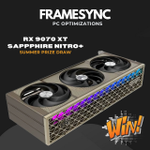
📢 We’re giving away a Sapphire Nitro+ RX 9070 XT to celebrate our community hitting 30K+ members!
One of the best (and cleanest looking) AMD GPUs could be yours soon.
👉 Join our Discord: discord.gg/VwWT6xrSJt
🔥 Details & terms inside.

📢 Are paid tweaking tools a scam or legit FPS boosters? We tested Hone, EXM, VTRL, BoosterX, Nexus, Paragon, and more.
✅ Real benchmarks
❌ Fake tweaks exposed
Full benchmarks + tier list 👇
youtube.com/watch?v=YrlT6Kd7…