

A pluggable and configurable code formatting platform that unifies all your formatters.
Joined May 2020
- Tweets63
- Following0
- Followers89
- Likes6


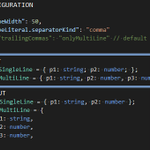
Range formatting is now supported in the json, markdown, toml, dockerfile, and jupyter plugins.
Additionally, most of the bugs in all these plugins have been fixed and many new config options have landed.
Run `dprint config update` on your project to get the latest versions.
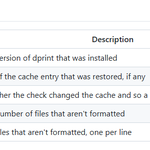
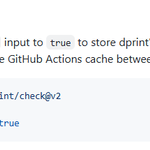
The dprint/check GitHub action now supports caching out of the box between runs.
This caches dprint, its plugins, and the incremental formatting cache.

ALT ```yml - uses: dprint/check@v2 with: cache: true ```
The action also contains it's own install script and verifies the attestation of the dprint release from GitHub. This makes the action more auditable. Previously it was using the dprint.dev/install.sh script, which is not ideal.

dprint-plugin-markdown 0.23 was released with a new parser made specifically for formatting, which helped to fix a good number of bugs.
Additionally:
- HTML is now formatted in markdown
- Definition lists are supported
- Many new config options
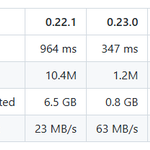
It's also ~2.8x faster.

ALT 0.22.1 is 946ms and 0.23.0 is 347 ms for 21.8 MB of data.
Blank lines are controllable now too.
- maxBlankLines for how many to keep between blocks
- heading.blankLinesAbove to force some breathing room above headings
Release notes github.com/dprint/dprint-plu…

dprint code formatter retweeted

Released dprint 0.55—a pluggable and configurable code formatting platform that unifies all your formatters behind a single command.
This substantial release lets you specify formatting plugins from npm.

ALT dprint.json config with npm specifiers.
dprint-plugin-dockerfile has been significantly improved with a Dockerfile parser written from scratch. The previously relied-on parser hadn't been updated in years.
Run `dprint add dockerfile` to use it, or `dprint config update` to update your existing plugin.

dprint code formatter retweeted
Due to terrible GitHub availability, dprint formatting plugins on plugins.dprint.dev are now served directly instead of redirecting to GH assets.
Additionally, the plugins are now cached indefinitely by the server, which eliminates the risk of a repo disappearing.
dprint code formatter retweeted
You can switch to dprint to use them all, or easily swap whatever formatter is the latest hype.
Plus use non-JS ecosystem formatters all from the same `dprint fmt` command instead of a separate tool per language.


dprint code formatter retweeted
dprint's incremental formatter is incredibly fast and happens without needing an opt-in.
You can use both oxc and biome via dprint for faster performance.


Announcing Oxfmt Beta
* 100% Prettier Compatibility
* Additional File Formats
* Tailwind CSS Integration
* Import Sorting
* package.json Sorting
* Embedded Language Formatting
* Node.js API
* `--migrate prettier`
* config overrides
* Full IDE support
oxc.rs/blog/2026-02-24-oxfmt…

