

Author & photographer writing about Photoshop, Lightroom, and Adobe Creative Cloud workflows. Co-author of Adobe Photoshop Classroom in a Book.
Joined October 2008
- Tweets675
- Following162
- Followers223
- Likes424





For Mac Adobe users, October means system requirements change. Creative Cloud 2023 apps (released today) require macOS 11 Big Sur or later. Same thing with Apple — when they release macOS 13 Ventura, macOS 11 will become the oldest macOS that Apple still supports with updates.
Testing new GPU acceleration for export in Lightroom Classic 11.4: 624 raw time lapse images exported 1/3 faster than 11.3 on M1 Pro. Also exports cooler and quieter, because GPU acceleration lowers CPU load and temperature. More details on my blog: bit.ly/LrCexpGPU

Photoshop 23.3 adds Multithreaded Compositing and GPU Compositing. Nice to see progress here, because Photoshop hasn’t been using all CPU/GPU power in today’s systems. Will be interesting to see if popular Photoshop benchmark tests show improvement.
adobe.ly/3JIy3GS

The Apple Silicon native version of Adobe After Effects is finally out of beta as of the version 22.3 update, about a year and a half after M1 processors first shipped. Your move, Adobe Bridge… Other Adobe components such as the Creative Cloud desktop app still require Rosetta.

Creative Cloud “price update:” Seems to encourage long-term commitment. For single-user plans, price is unchanged for the annual plan where you prepay for the entire year; price increases are for annual plan on monthly payments, and month-to-month plans. adobe.ly/3JPEFE6
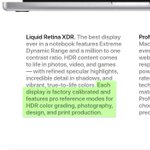
There’s online angst about not finding display profiles for Liquid Retina XDR Display on MacBook Pro M1 Pro/Max. It’s precisely calibrated at factory, user tuning available. Custom display profiles are for displays less able to maintain calibration specs. bit.ly/LqRXDRcal
I updated the official Adobe Photoshop Classroom in a Book for the 2022 release, and you can now order it! More info and 35% off discount code at bit.ly/Ph22CiB

The MacBook Pro M1 Pro/Max display has reference modes (presets for color gamut, white point, luminance…) like the 32" Apple Pro Display XDR (bit.ly/XDRrmds). Wondering if MacBook Pro will allow similar preset customization and hardware calibration.

Adobe sneak peek: Camera Raw and Lightroom will soon get a significant masking upgrade. More powerful masking in the raw editor should mean fewer trips to Photoshop. But nothing in the video suggests that they will composite multiple images like Photoshop. bit.ly/LRACRMask21
Here’s an Adobe blog post with more details about the mask upgrades: “From the ACR Team: Masking Reimagined” bit.ly/LRACRMask21b
Photoshop: Still confused about “missing” file formats in Save As? New preferences in the 22.4.2 update let you restore the earlier Save As behavior and not add “copy” to the filename. But mind the warnings when you enable the new settings.

Native Apple Silicon Mac support is in the Lightroom Classic 10.3 update, plus the Super Resolution feature already available in Adobe Camera Raw, fixes, and more. What’s new: bit.ly/LrC103

macOS 11.4 finally removes obstacles to booting an M1 Mac from external storage. bit.ly/bootM1ext

But bootable clones are largely a “thing of the past” on M1 Macs. Instead, expect to back up data only, and restore to a fresh system installation — similar to iOS. bit.ly/bootM1cln
Adobe will discontinue support for PostScript Type 1 fonts: bit.ly/FntT1End If you’ve been collecting fonts for years, find any Type 1 fonts and upgrade them to OpenType, if you want to keep using them in Adobe applications.
Do you troubleshoot Macs by using startup mode modifier keys? Apple Silicon Macs use a new way to enter startup modes. Howard Oakley explains: bit.ly/M1MacStartup

Nice deep dive into new Color Grading in Lightroom Classic 10, by Max Wendt of Adobe: bit.ly/LRC10ClGrd

Lightroom: Adobe posted a Sneak Peek video for an upcoming three-way Color Grading panel. Replaces the Split Toning panel, with more control. Would be nice to correct photos using other video color tools too (hue/sat/luma curves, vectorscope…). youtube.com/watch?v=DTUFoWqU…
Big question answered by Adobe: “…The team is working on a native version of Lightroom Classic for Apple Silicon, and it will be released next year. We're also committed to continuing support for Intel-based Macs.” Source: bit.ly/2ZyazAk

Conrad Chavez retweeted

.@conradchavez takes a deep dive into the details of Adobe @InDesign's significant new collaborative feature, “Share For Review”.
#ShareForReview #InDesign #AdobeInDesign
indesignsecrets.com/introduc…