

Working as a Full Stack developer with Ruby and Rails. Currently in Hamburg 🏄🏻♂️. Impressum: https://xitter.cf/t.co/giPNI3JfD1 Datenschutz: https://xitter.cf/t.co/yw6Gf6Vmau
- Tweets174
- Following116
- Followers44
- Likes490





ALT In this episode, we take a deeper dive into Stimulus dispatching and connect it with Turbo Stream flash messages. You’ll see how I adapt the copy-to-clipboard pattern from the Stimulus reference and wire it up with a real-world backend flash system using Turbo Streams. Along the way, we hit some unexpected detours—broken error handling, missing content warnings, and a fair share of debugging. Grin. We’ll explore: - Using dispatch() between Stimulus controllers - Handling server and client-side flash messages with Turbo - Building a fallback mechanism for failed requests - Structuring async controllers with proper error handling - And of course... watching hearts mess up terminal logs ❤️😄 It's one of those fun, messy features that look easy—until they aren’t. Hope this gives you inspiration (or a smile) for your next Stimulus-powered UI!

ALT This episode is all about cleanup, alignment, and final polish before I publish the codebase. After recording the walkthroughs, I noticed a few inconsistencies. I tested AI review quality across Claude 3.7, GPT-4.1, and Cursor Grok, and refactored the guidelines to clarify that certain rules apply to all controllers. We’ll explore: - How I use AI teammates to review my controller structure - The Scrum lifecycle states I apply in my docs (inspired by Candy) - A quick look at performance when tweaking alert delays in system tests - Why good documentation helps me catch subtle bugs or missing conventions If you’ve ever used AI to review your code — or you’re thinking about documenting your own setup — this video might give you a few helpful ideas.

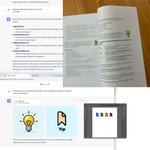
ALT Welcome to Part 3 of my Rails 8 Chat App series! In this video, I walk you through the documentation system I built for “Raindy”, a minimalist Rails 8 chat app that combines Tailwind, Turbo Streams, Stimulus, and accessibility-focused UI. But this isn’t just about markdown and README files — it's about how I design documentation for human developers and AI teammates. We’ll explore: - My documentation structure (Architecture and Testing) - Custom documentation templates for controllers, models, Stimulus, and Turbo - How I use Mermaid diagrams to visualize app structure - The role of YAML frontmatter and markdown metadata - Conventions that help AI generate better code Whether you're documenting for yourself, a team, or an LLM — I hope this gives you inspiration to structure your own Rails projects.

ALT Welcome to Part 2 of my Rails 8 Chat App series! In this video, I walk you through my complete Rails testing strategy using Minitest, FactoryBot, Capybara, and custom helpers — from unit and controller tests to full system tests. This isn't just about green dots. We’ll explore: - How I name and structure tests for controllers, models, integration, and system - Why I use one test per file for system tests (yes, because of <dialog>) - My custom test helpers for keyboard navigation, focus restoration, and Turbo Streams - Why I run system tests with a custom find command (not rails test:system) - How I use flow tests to bridge integration and system levels Whether you're new to Minitest or refining your test architecture — this walkthrough might give you some new ideas.

ALT Welcome to Part 1 of my Rails 8 Chat App series! In this first episode, I walk you through the initial setup of Raindy — a minimalist Rails 8 chat app using: - Tailwind CSS - Hotwire (Turbo + Stimulus) - A fully accessible drawer-based UI - Rails Authentication (the new rails g authentication) We’ll explore: - Setting up Rails with UUIDs and Tailwind - Building an accessible drawer using dialog and Stimulus - Adding a main navigation dropdown with full keyboard support - Structuring your Rails app using concerns, Turbo Frames, and Stimulus controllers - First glance at the chat model and scaffold setup If you're starting a modern Rails app and want a clean, accessible UI — this is for you.


