

Founding Partner @schemadesign. Exploring the edge of AI, spatial computing, & data. Formerly @pentagram, @ideo, @microsoft. Author of https://xitter.cf/t.co/xwg1kshEIy
Seattle, WA
Joined March 2009
- Tweets1.4K
- Following2K
- Followers793
- Likes2.3K






Pinned Tweet
We’re building the OS for creative teams. Memory you own. Alpha is open.

We’re building Studiograph: the operating system for creative teams.
One place for everything your team makes and knows.
AI grounded in how you already work.
Private alpha is open, free while we shape it.
studiograph.com

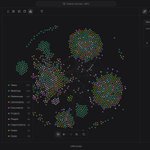
ALT Studiograph workspace showing a dark connected graph of projects, people, tasks, and deliverables
A client emails. An invite lands. A deal comes up in a thread.
Inbox turns each into tasks and records for the right project, person, and organization, with no retyping, and suggests deals.
Private alpha: studiograph.com
Work arrives by email and calendar invite. Inbox, in Studiograph, turns it into tasks and records on the right project, person, and organization, and suggests deals. Nobody needs to copy and paste. Request alpha access: studiograph.com
Meetings are core context for teams. We have been building Studiograph's Meeting Capture feature over several months. It writes straight into your graph, translating calls into the people, organizations, and tasks the meeting was actually about.


We've been busy onboarding private alpha teams and getting real feedback from the people using Studiograph day to day. We now have some big updates coming on Monday. Private alpha is still open if you want to see them land in your own workspace first.
We just shipped a Mac desktop app for @studiographai. It transcribes meetings live and writes summaries into your team's graph — decisions and tasks included. The meeting becomes memory you own.
Request alpha access at studiograph.com — free while we shape the product.
I often describe Studiograph as Obsidian plus Claude Code, for teams.
For years my Obsidian vault held everything about my business in one place. When Claude Code came along, that vault became the agent's memory. It read all of it, wrote back into it, and started producing proposals, designs, and prototypes that got better as the vault grew.
Then I tried to give the same setup to my team, and it fell apart. Multiple vaults mean multiple truths. Whose notes are these? Where does output go? Who is allowed to change what?
Studiograph is what we built to answer those questions. One source of truth, in plain files, portable to any model. Plus permissions, a stable schema, and real-time collaboration.
Decks, mockups, prototypes, meetings, and tasks stay in the graph instead of scattering across tools, with a fleet of agents working inside the same boundaries as people.
Multiplayer AI is the conversation right now. We got there by needing it, and it feels like the start of how creative teams will work.
Alpha access is open: studiograph.com

ALT Single-player to multiplayer AI
The brief is never just a brief.
It turns into data work, then a deck, then a design system. If each step lives in a different app, you lose the thread of how you got there.
We built Studiograph so those elements can live in one place and stay linked. Still dogfooding it on live projects.
One of the ways Studiograph has changed how we work at Schema is dashboards we build ourselves to track real processes, from new business pipeline to project timelines.
That only became possible once we moved the data out of scattered SaaS subscriptions into one place we own.
Once the data lives in Studiograph, the dashboard is just another artifact in the graph. We build the charts for quarterly review or client readout, whatever the work requires. The numbers stay current because the artifacts reference the live datasets. Change the rows and the dashboard updates.
Own the data and the instrumentation in one place.
@studiographai @schemadesign

The shift with presentation skills isn't just about speed. It unlocks workflows that weren't practical before, like turning a deck straight into a report or doc.
@studiographai @schemadesign
Presentation templates in Studiograph are skills.
You define structure, type, palette, and layout. The agent pulls from your business context and builds the deck to match, with transitions, interactivity, and a shareable link.
When slide production isn't the bottleneck, you spend the time on content and messaging.
Templates adapted from open-source work by Rui Zhang (zarazhangrui/beautiful-html-templates, MIT).


Studiograph can single-shot a deck from your business context and brand guidelines. On-brand and shareable.

The harness is a new category of software.
It needs new interface models, most of which still have to be invented. It goes beyond chat — a surface where your work is visible and tangible.
bert.xyz and buzz.xyz (both from Block) feel like early versions of that. bert especially the infinite canvas. @ycombinator's QM is another.
There also won’t be one of these. There will be harnesses for every company, every team, and for different work. That’s the work ahead.
Brand identity is easy to maintain on the things you control. It falls apart on the things your team produces at volume, proposals, essays, reports. The Tufte template ships in every Studiograph workspace because that's where the brief and the publication should live together.

We used a public museum data sample so we could see whether charts hold up next to a real design-system in @studiographai. This uses dynamic data and a series of interactive charts encoded as skills along with our brand colors and type.
We built this collection dashboard on public museum data, inside Studiograph, next to our own design system.
Charts sit in the same graph as the files and decisions that produced them. The work stays attached to how we got there.

ALT Museum Collection Dashboard in Studiograph showing charts on public museum sample data next to design system context
Field note.
Schema’s intro deck lives in @studiographai with the design system and the rest of the workspace, so the next person opens one graph instead of hunting a drive.

Studiograph, the platform for creative teams we've been building at @schemadesign, is open for private beta.
Looking to hear from designers, design engineers, and design ops leads. Link in the first reply.
I was looking for a way to help my team at @schemadesign actually use AI in their work.
ChatGPT and Claude are single-player. Every person starts from scratch, no shared context, no memory of what the team already figured out.
That's the core problem @studiographai is built around.
Studiograph didn't start as a startup.
It started as an internal tool at @schemadesign, a way to stop re-learning things the team had already figured out.
We opened it up because we weren't the only ones with the problem.

Been saying this to the team at @schemadesign for months. The hard part of creative work isn't the ideas, it's keeping the decisions connected so the next person doesn't start from zero.
That's the whole reason we built Studiograph.

When we started dogfooding @studiographai on client projects at @schemadesign, the biggest shift was being able to click any project entry and instantly see every connected note, deck, and sign-off decision in sequence.
Once your team’s knowledge is linked, you stop re-explaining context.

Most creative churn is actually memory loss. Without a shared memory of past decisions, teams end up re-solving problems that were already settled.
