

Senior Software Engineer @CNN / @warnerbros @Skydance | Builds software | Coffee geek | Hobbyist photographer
Netherlands
Joined June 2009
- Tweets5K
- Following831
- Followers373
- Likes1.4K



Time is changing. No need to be stuck in nostalgia.

“No AI, no AI companies, AI-based products, or forced AI usage for development.”
In his new interview, Jake Wharton explains why this principle matters to him, and what concerns him about the way AI is changing software development.
▶️ youtube.com/watch?v=9WjPdgOK…

115
Implemented label adding functionality. Also first try of @CleanShot v5.0 screen recording in Studio Mode. That smart zoom is ❤️


iOS app is also on the queue. Still needs some performance improvements. Could be emulator lag too. Should investigate in detail.
1
111
A small weekend project: Xpand. For the photographers who love adding white borders around their photos.
1
3
1,419
After watching this video xitter.cf/thorstenball/status/19… from @thorstenball (which I was not aware of the video till now) I saw this "screenshots folder" approach and I said "Why the hell I didn't think about this?" 😅


Video I recorded to convince the rest of @Sourcegraph to buy one of the best macOS apps I've ever used: @CleanShot
1
130
I still couldn't get used to Cursor Agents Window(aka Glass). Both at work and for personal projects. I don't feel I'm in control. Looks beautiful but still IDE gives comfort.
63
I really don't understand engineers that says "We don't even review or look at the code anymore. Agents do all." 🙂 Where are you working guys? What kind of work piece are we talking about? Even the most detailed tickets is never complete. There is always lack of context, background story, information lost in conversation. Not to mention agents' assumptions on project.
77


🧐

The worst part of the otherwise excellent Logitech mice & keyboards has always been the software. Nice to see an open source, local-only desktop app alternative launch openlogi.org/

102
What I wish for @cursor_ai Grok 4.7 model is to catch up, or get closer to Opus 5 design skills. While working on my extension project with Grok 4.6, I couldn't get good results for icon design, UI component design, drawing the mermaid diagram schema designs. I called Opus 5 for these type of works. Please @leerob


93
My son told me that these cars keep falling from the board. Well, ok, let's do more steady one together 😅


62
I cooked something 🧑🍳
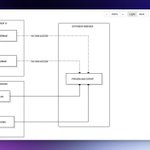
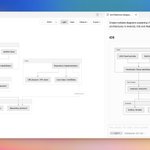
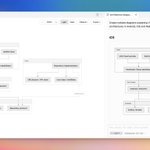
A Cursor extension to export diagrams from chat window and plan documents as same style Cursor renders them.
I really love what @cursor_ai outputs as diagrams. They have a beautiful and clean aesthetic. Oftentimes, I want to get them and use them in my documents. But there is a problem: Cursor doesn’t have an export button. When you hover over a diagram in preview mode, you can only see an expand button to view it in a larger size.
Until Cursor team ships something native and beautiful @ericzakariasson , I decided to write my own diagram exporter. I was aware that there are already some extensions that show and export diagrams. That is true. But they are bloated, looking more like an add-on than something that blends into the system, and they were not tasteful, in my opinion.

There are two main buttons that make things easy other than CodeLens and Command Palette. Well things have been more easier if hover over @cursor_ai diagram is accessible for extension but instead I placed them in markdown document pane title bar and chat window actions bar.


22
I posted about this on my blog uludagcan.com/2026/08/19/cur…
Extension can be installed from Cursor extensions pane or from open-vsx.org/extension/uluda…

20
Additionally, I added two modes as an homage to the good old days of computer history. One is called "Golden Era". I inspired from people at @usgraphics That turns the diagram into 60s schematics. Maybe everyones golden era is different but that style looks nice I would say :)

1
1
56
