

I build cool stuff to help people :) Currently building https://xitter.cf/t.co/9EcubOGeo4 to help you stop overthinking emails.
Joined January 2026
- Tweets242
- Following19
- Followers9
- Likes225









Pinned Tweet
Unvent launches on Product Hunt today! It rewrites your messages in the tone you pick: Polished, Direct, or Warm. Or just say it with Flow Mode, your ums and uhs get cleared and you get a ready-to-send copy in <2 minutes.
Here are some mindblowing features that save your time:


Count the sorries in your next "I can't take this on" message, then cut every one. Keep the no. Add the one thing you can say yes to, like a later date or a smaller piece. It reads as settled rather than guilty, and nobody misses the apologies.

11
That Slack reply you've rewritten three times: type the blunt version, hit Ctrl+Shift+U, pick Polished, Direct or Warm, and it swaps in place. That's Unvent, the Chrome extension I build. It works right in the box you're typing in, no pasting into a chat window and back.

1
6
What I said out loud vs what got sent.
The spoken one has a take-back in the middle: "the 10th, no wait, the 8th". When you tidy a dictated email, hunt for those first. Keep the last version, delete everything before it, and most of the mess goes with it.

7
Quick edit for anything you dictated: search it for "basically", "just" and "actually", and delete them. Almost every sentence gets clearer, and you lose nothing you meant to say.

9
Small fix for an annoyed work message: write it, then delete the first sentence before you send.
That's usually where the vent lives. The rest tends to say what you need without it.

1
14
A week ago I launched a campaign for Unvent: a landing page, a film, four posts, an email to our users.
Seven days later: 43 views on the posts, 5 page visits, 0 clicks, 0 installs.
The surprise: my best reply in someone else's thread got twice the views of my best post.

4
3
38
Unvent is the Chrome extension I build: you type the message you'd normally rewrite four times, it gives it back polished, direct or warm. unvent.app/?utm_source=x&utm…
9
Building a tool people type private stuff into? Decide on day one what you'll never keep, before you write a single log line. We never store drafts, and our logs can't contain the words people write. Some bugs are harder to chase because of it. Worth it.

1
16
This is how Unvent works, the Chrome extension I build for rewriting messages before you send them: unvent.app/?utm_source=x&utm…
7
A quick check before you send a message you're nervous about:
Read only the first line. If they stopped there, would they know what you need from them?
Nervous messages tend to open with two lines of apology and save the ask for the end. Put the ask first. Soften after.

1
10
If you'd rather see three rewrites of the message in the box you're typing in, that's the Chrome extension I build, Unvent: chromewebstore.google.com/de…
6
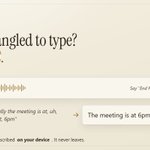
Speaking your emails in Chrome, start to finish:
1. Unvent popup, turn on Start with Flow
2. Click into the email, Ctrl+Shift+U, talk
3. Say "End Flow"
The cleaned message lands in the email and three drafts pop up next to it.

1
19
One spoken ramble, three emails.
Polished for the client. Direct for the team thread. Warm for the person you're about to disappoint on timing.
Same facts in all three, you just pick how it should land.
chromewebstore.google.com/de…

7


You know what the email says. You just don't want to type it.
With Start with Flow on, press Ctrl+Shift+U, say it the way it comes out, then "End Flow". Unvent tidies it into the email and writes it three ways: Polished, Direct, Warm. Pick one and send.

1
1
14
Setup is one toggle in the Unvent popup: Start with Flow (Cmd+Shift+U on a Mac). Chrome turns your voice into text on your own computer.
The 38-second film: unvent.app/speak?utm_source=…
Install: chromewebstore.google.com/de…
1
17