

Simracing companion app to help you get faster and enjoy even more your simracing practice. Subscribe for product updates and how-tos.
Flugplätz
Joined April 2026
- Tweets95
- Following12
- Followers2
- Likes17
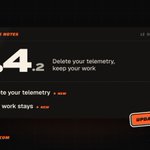



Shipped 1.4.2 version of the Braking Lab app with the following changes:
Delete your telemetry. Keep your work.

Before you confirm, you see how many sessions and laps will go. The batch shows its progress and you can stop it.
Your exercises, race preparations, setups and coaching reports stay. Your account and the files on your computer don't change.
Shipped 1.4.1 version of app with the following changes:
A margin before the brake curve, and brake feedback is back in brake exercises.
After the 3-2-1, the run now crosses a flat target before the curve starts, so you see the brake coming instead of reacting to it.

The badge reads "In zone" again while you follow the trace, and the guide tone plays with it. Mute it from the run screen.
Stop chasing aliens. Chase your own best lap.
A race week planned around your time. Same driver, same car: 1.236 s faster from FP1 to the race.
Start free with Race Prep and brake training. Telemetry and your Race Engineer on Plus.
Ray, the Race Engineer behind the Braking Lab MCP, now lives in the app.
Ray greets you on your first laps, tells you what's new after each update, and takes your feedback.

Setups with Ray (Plus & Ultra, beta):
1. Describe the problem: "understeer on entry to turn 3"
2. Ray reads your setup and confirmed runs, proposes one small change and explains why
3. Drive it and report back
Each proposal is a test, not a promise of lap time.

The full story, with before and after:
brakinglab.com/en/blog/brand…
Open the app:
app.brakinglab.com
Paddock: a new design for the brand, the web app and the website.
Race prep usually feels like homework.
Braking Lab is everything before you leave the pits, so now it looks like your box on a race weekend: pit boards, race tickets, run sheets on paper.

The motorsport stays around your data, never on top of it.
Telemetry colors didn't change: brake orange, throttle green, speed cyan. A trace saved in July reads the same today.
Shipped 1.4.0 version of app with the following changes:
A new design built around race weekend, plans as paddock passes, and Ray inside the app.
Here's what changed.
Shipped 1.1.5 version of app with the following changes:
The coaching report reads like a report now — section titles above the content, prose at a readable width, and only the pace figures and the action list keep their card.

The pace chart spans the full row and answers the pointer: hover any dot to see that lap's number and exact time. Laps set aside by the outlier cut say so, instead of posing as clean ones.

Small print, literally: the report's date follows the language the report was written in, the discarded-laps list unfolds smoothly instead of popping open, and the pace figures sit on the same baseline to the pixel.
app.brakinglab.com