

Senior Game Producer for World of Warcraft UI and Accessibility. My opinions and content do not represent my employer, especially the dumb pictures of me.
- Tweets680
- Following332
- Followers1.3K
- Likes5K
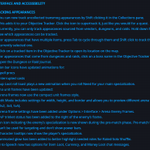


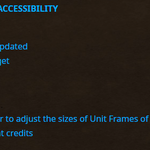
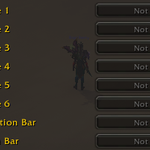
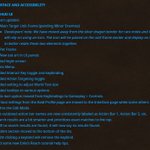
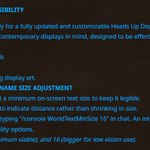
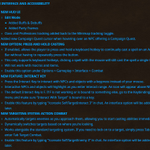




ALT Picture is of the patch notes the 10.1.5 Public Test Realm for World of Warcraft. Click the link to view the text form of the image under USER INTERFACE AND ACCESSIBILITY.

ALT An imagine of the USER INTERFACE AND ACCESSIBILITY patch note for 10.1 World of Warcraft PTR. There is too much text, but please visit the link to have the text read out! https://us.forums.blizzard.com/en/wow/t/dragonflight-embers-of-neltharion-ptr-development-notes/1541379

ALT A shop in the streets of Stormwind made of blue fabric over wooden beams with stone crowns. A large Alliance flag hangs from above. The shop is bustling with dwarves, humans, and other Alliance citizens. A large chest with a golden crest sits to the left.

ALT An image of a Dracthyr Evoker pointing to the Accessibility options in the World of Warcraft game menu. The Dracthyr is to the left with red scales and dark gray horns and talons. Black spikes protrude form the Dracthyr’s legs and head, who is wearing gray ornate mail armor over the chest and arms, with a matching belt and loincloth, as well as silver and blue shoulder armor. The Dracthyr’s finger is pointing directly to the Accessibility section of the menu to the right. Below the Accessibility title in the menu are the sub-headings of General, Colorblind Mode, and Text To Speech. The menu is semi-transparent and a formation of rocky hills and trees can be seen behind.


ALT The scene shows five characters in a purple-themed dungeon readying themselves to fight a stone monster. The focus of the image is the User-Interface showing a traditional layout with keybinds along the bottom, a group on the left and map in the top right.

ALT The scene shows five characters in a rocky area attacking a flame elemental creature. The focus of the image is the User interface showing a simplified layout for a healer. There are minimal keybinds, a group layout close to the center and a map in the top right.

ALT The scene shows a character standing on a rocky outcrop overlooking a lush green land. The focus of the image is the User-Interface showing the Map at the bottom center surrounded by keybinds on either side and character targetting directly above.

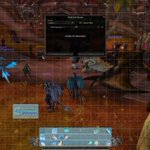
ALT The scene is a character talking to an NPC in red dusty badlands-type environment. It's difficult to see details as the focus of the image is a cluttered and messy User-interface. Many panels are open and there are dozens of poorly positioned keybinds.

ALT USER INTERFACE AND ACCESSIBILITY NEW HUD UI ACTION BARS 3 extra bars are added, enable them by going to Options > Gameplay > Action bars. The Guild banner art in the minimap have been updated. Added an option to play a sound when the player is in range to use the Interact Key.

ALT USER INTERFACE AND ACCESSIBILITY NEW HUD UI Unit frame art updated Target of Target Minor Mobs Boss Frames EDIT MODE Added a slider to adjust the sizes of Unit Frames of player, target, and party. Added Dragonflight credits


ALT A Zoom call with four smiling people. The call title is "gaconf production panel"